Chapter 7 Device Configuring Using EMS EMS Connection Wizard
© 2012 Harmonic Inc. 140 ProView 7000 v.2.6, Rev. E
7.7.2 Descrambling a Decoded Program
To allocate a CAM slot to a scrambled decoded program:
1. Cross connect an input program to the decoder (see 7.6.2 Input to Decoder Channel
Connection).
2. Check the Descrambling with checkbox on the Service tab in the Decoding Channel
Properties dialog.
3. Select the CAM slot for the service.
4. Click Create to confirm the program cross-connection.
7.8 EMS Connection Wizard
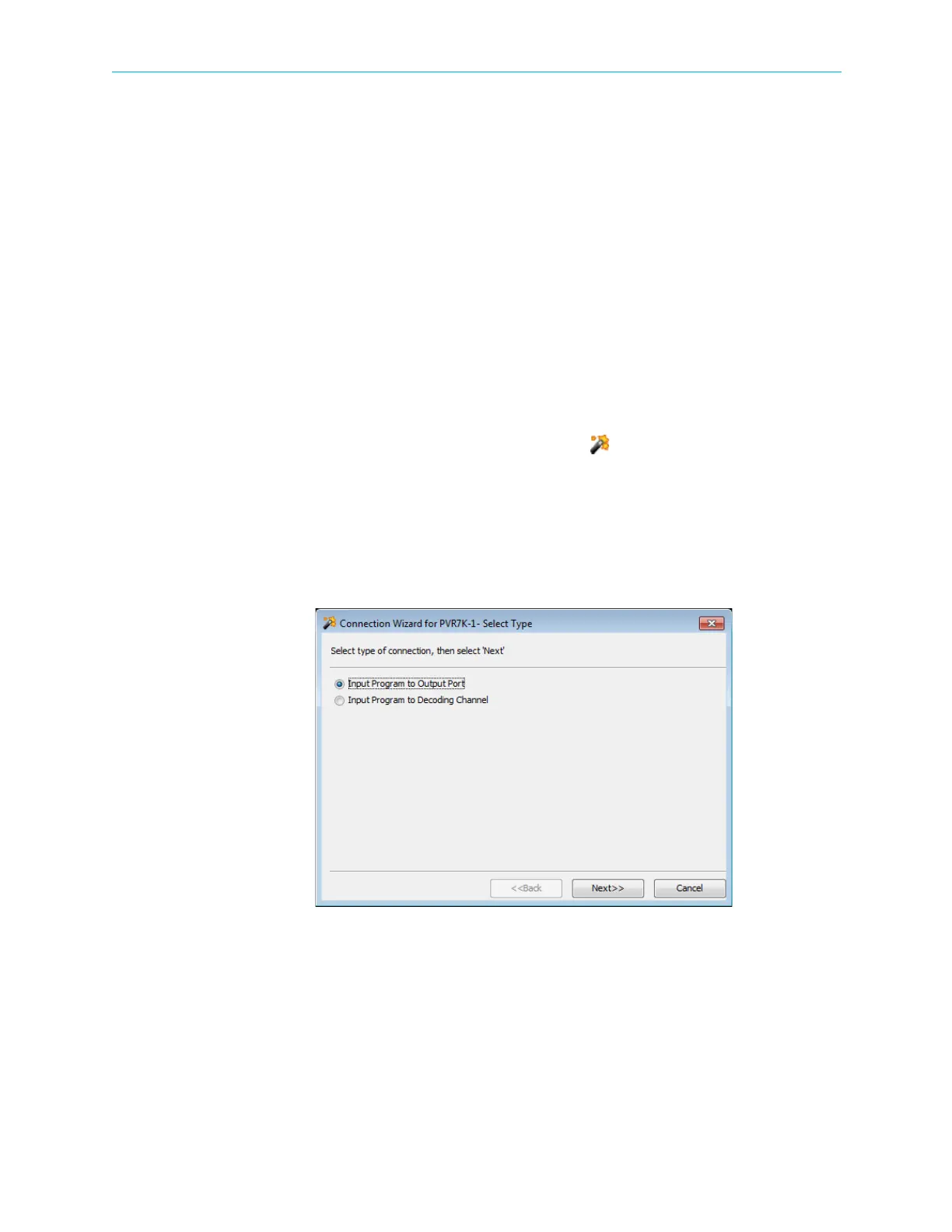
The ProView 7000™ EMS Connection Wizard provides EMS guided input program cross
connection to any device output and device decoding channels.
1. The EMS Connection Wizard is activated from the EMS Menu tree, by selecting
Actions > Connection Wizard… option or by clicking Connection Wizard in the EMS
toolbar.
The displayed wizard select dialog provides access to the setting the following:
❑ Input Program Cross-Connections – For details, refer to 7.8.1 Setting Program Cross-
Connection using the Connection Wizard.
❑ Input Program Decoding Channel – For details, refer to 7.8.2 Setting Decoding
Channel using the Connection Wizard.
Figure 7–32: Connection Wizard dialog
Related Topics:
■ Setting Program Cross-Connection using the Connection Wizard
■ Setting Decoding Channel using the Connection Wizard



 To Next Page