Chapter 7 Device Configuring Using EMS Multiplex & Decoding Outputs
© 2012 Harmonic Inc. 108 ProView 7000 v.2.6, Rev. E
The Program Properties dialog contains the following items:
■ Enabled
■ PCR PID
■ PMT PID
■ Program Number
■ Input Port
■ Input Program
■ Descramble With – Check the checkbox to enable the user to select the CAM Slot from
the pull-down list
■ Descrambled Status
7.3.5 Output Multiplex Elementary Stream Properties
The Output Elementary Stream (ES) properties dialog provides basic information on the
output stream included in the output program provided to the output multiplex.
To display the Output Multiplex ES properties:
1. Select the required ES icon (Video , Audio or Other ) in the Multiplex and
Decoding Output box on the Device Explorer tab.
2. Click Properties on the EMS toolbar.
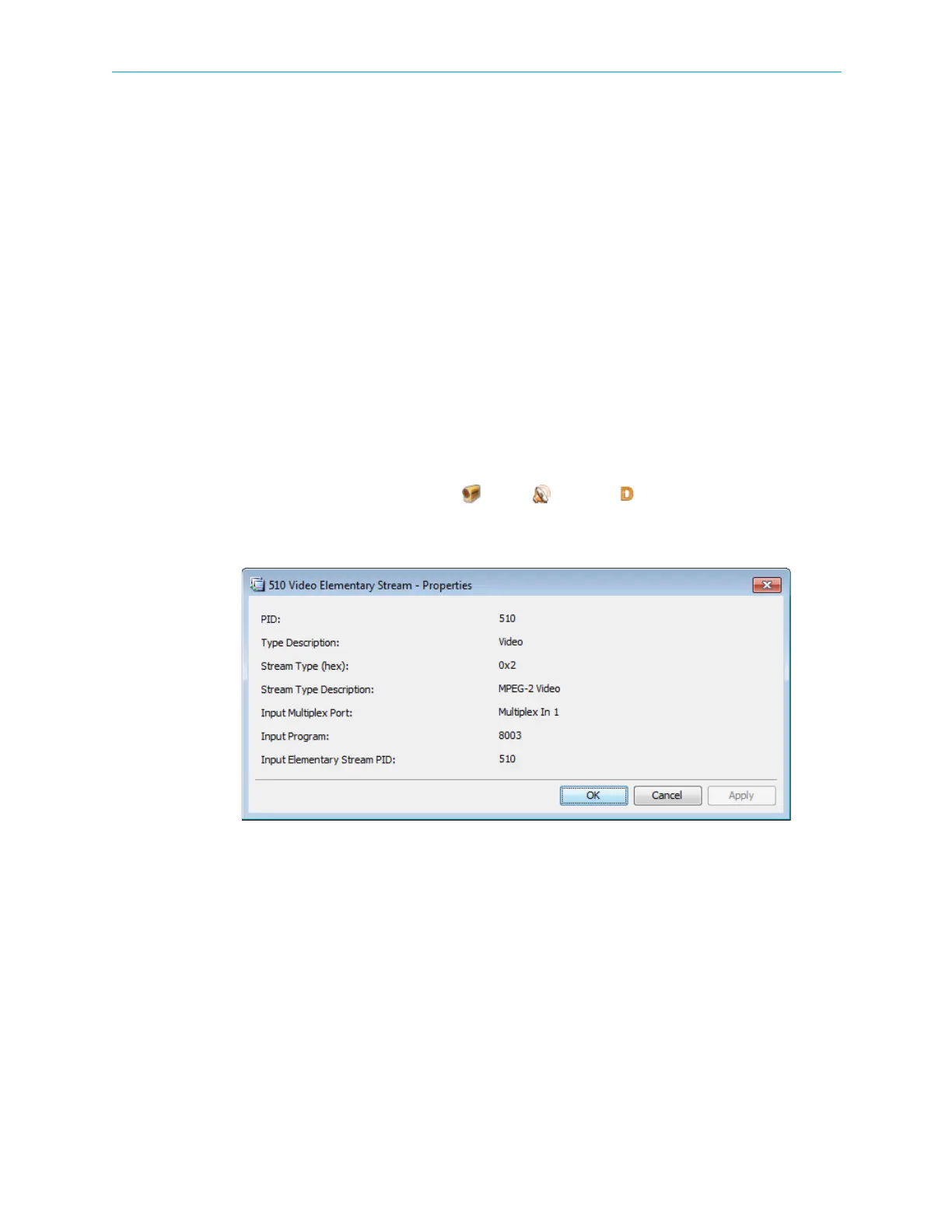
Figure 7–14: Video Elementary Stream Properties dialog
The information displayed by the Output Multiplex ES Properties dialog includes the
following:
■ PID – The program identification number (PID) of the output elementary stream type
■ Type Description – The ES type
■ Stream Type (hex) – The ES type code
■ Stream Type Description – Encoding and description
■ Language – The language code for the ES (Not applicable for Video ES)
■ Input Program – The number of the input program multiplex to the output program
■ Input Elementary Stream PID – The PID of the input elementary stream multiplex to the
output program



 To Next Page