Chapter 7 Device Configuring Using EMS Multiplex Inputs
© 2012 Harmonic Inc. 89 ProView 7000 v.2.6, Rev. E
To Configure a BISS Key
Configuring a key:
1. Select a key.
2. Click Edit.
3. Enter the new values.
4. Click OK.
To Clear a BISS Key
You cannot clear a key that is in use.
Clearing a key:
1. Select a key.
2. Click Clear.
7.2 Multiplex Inputs
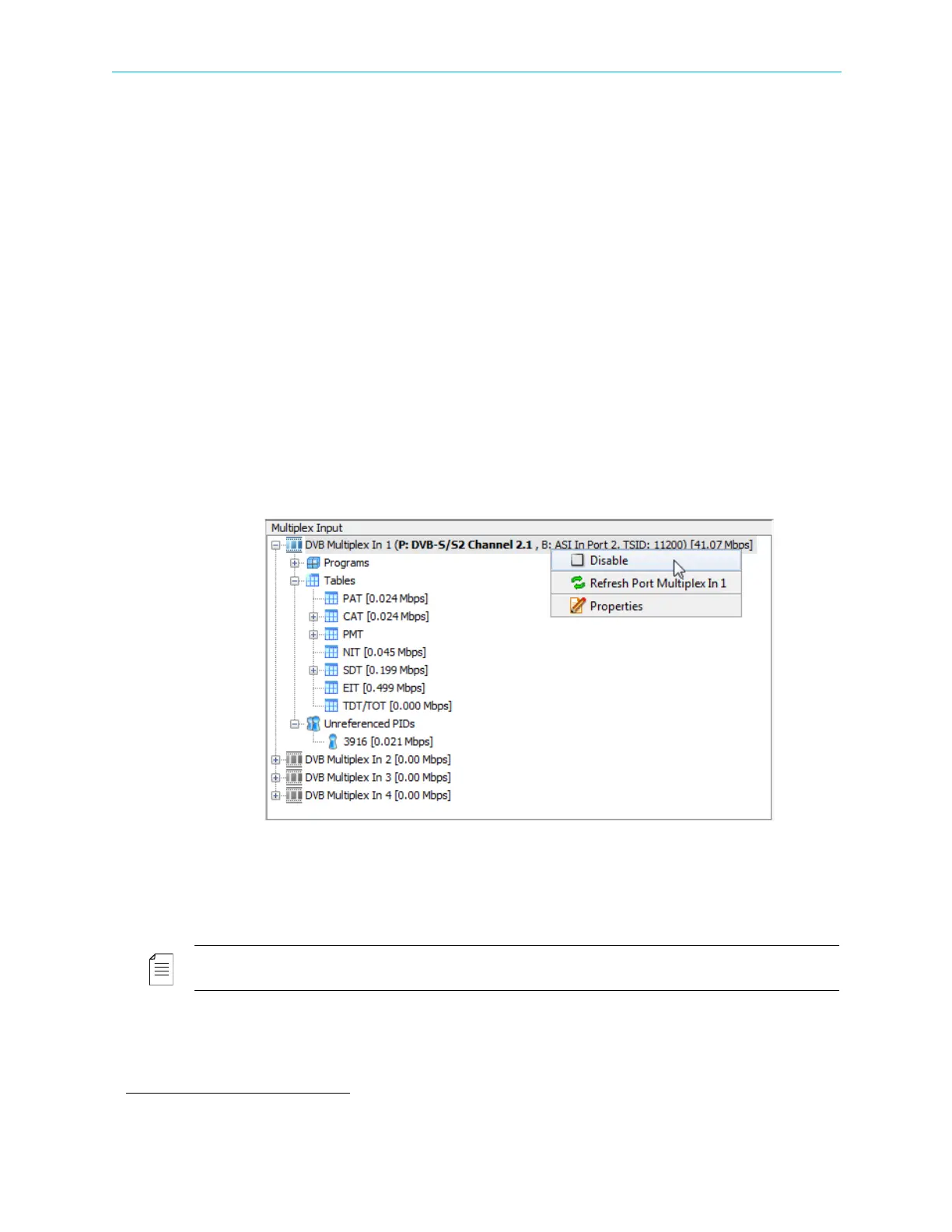
The Multiplex Input box of the Device Explorer tab presents a hierarchical tree-structure of
the multiplex inputs of the ProView 7000™, see Figure 6–2 for the box location.
It provides monitoring and configuring options for the features of each element in the tree:
■ Input programs and elementary streams related to the multiplex input.
■ Input tables related to the multiplex input.
■ Unreferenced PIDs related to the multiplex input.
NOTE: The Multiplex Input tree displays the transport rate level (in Mbps), summed at the tree highest
level.
The ProView 7000 supports up to four multiplex inputs.
8
8. A license is required for more than one multiplex input.



 To Next Page