Chapter 7 Device Configuring Using EMS Cross Connections
© 2012 Harmonic Inc. 137 ProView 7000 v.2.6, Rev. E
7.6.2 Input to Decoder Channel Connection
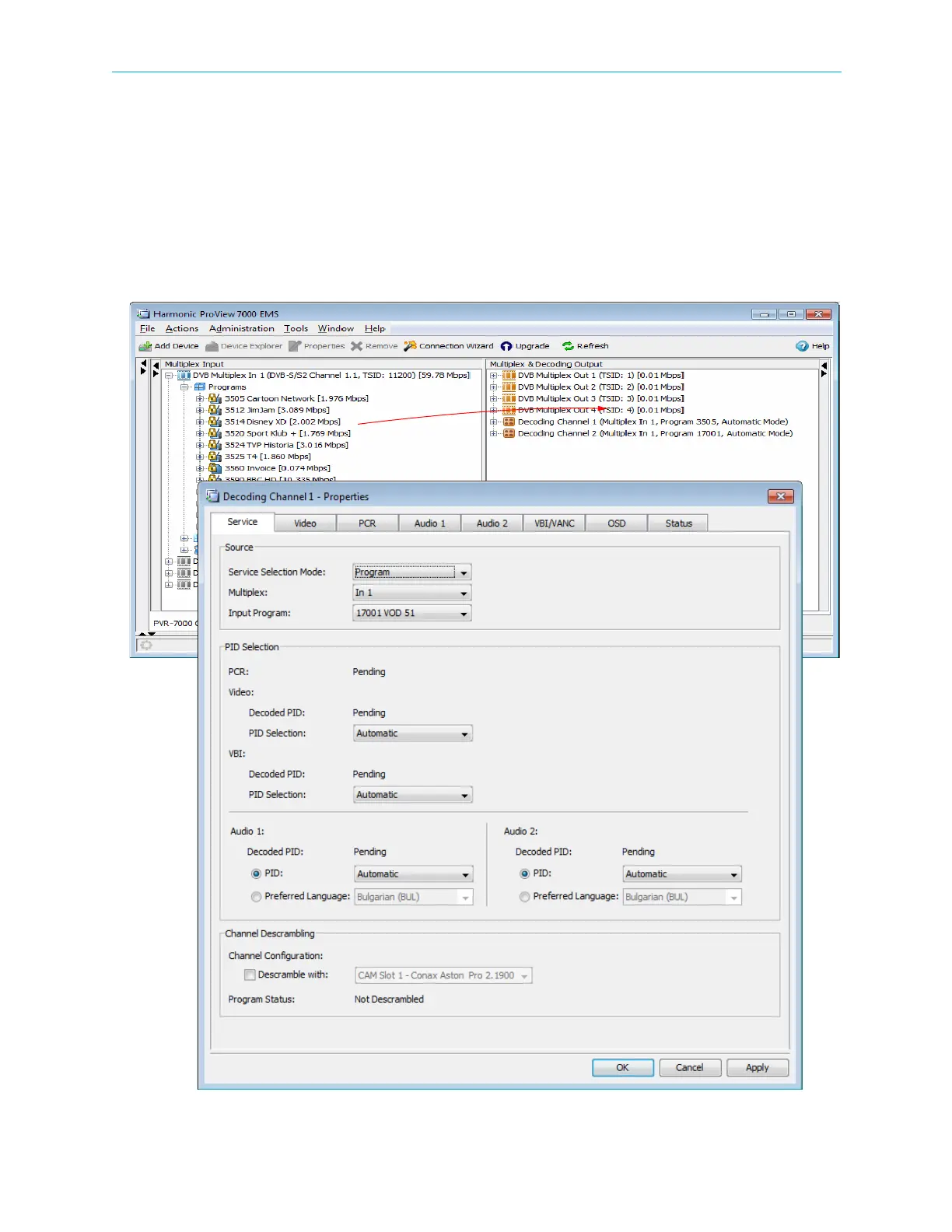
The EMS allows defining an output decoding channel. The channel supports up to two
services. The Decoding Channel allows configuring the service properties such as the input
port, decoder ID, decoder card number and channel number.
To define a new decoding channel:
1. From the Input box, drag the icon of the wanted program into the icon of the decoding
channel in the Output box.
Figure 7–30: Set Decoder Channel



 To Next Page