Chapter 7 Device Configuring Using EMS Multiplex Inputs
© 2012 Harmonic Inc. 90 ProView 7000 v.2.6, Rev. E
To display the context menu:
❖ Right-click the Multiplex Input icon.
Related topics:
■ Input Programs Management
■ Input Tables Management
■ Input Unreferenced PIDs Management
■ Multiplex In Port Properties
■ Input Program Properties
■ Input Elementary Stream Properties
■ Input Conditional Access Messages Properties
■ Input Tables Properties
■ Input Unreferenced PID Properties
7.2.1 Input Programs Management
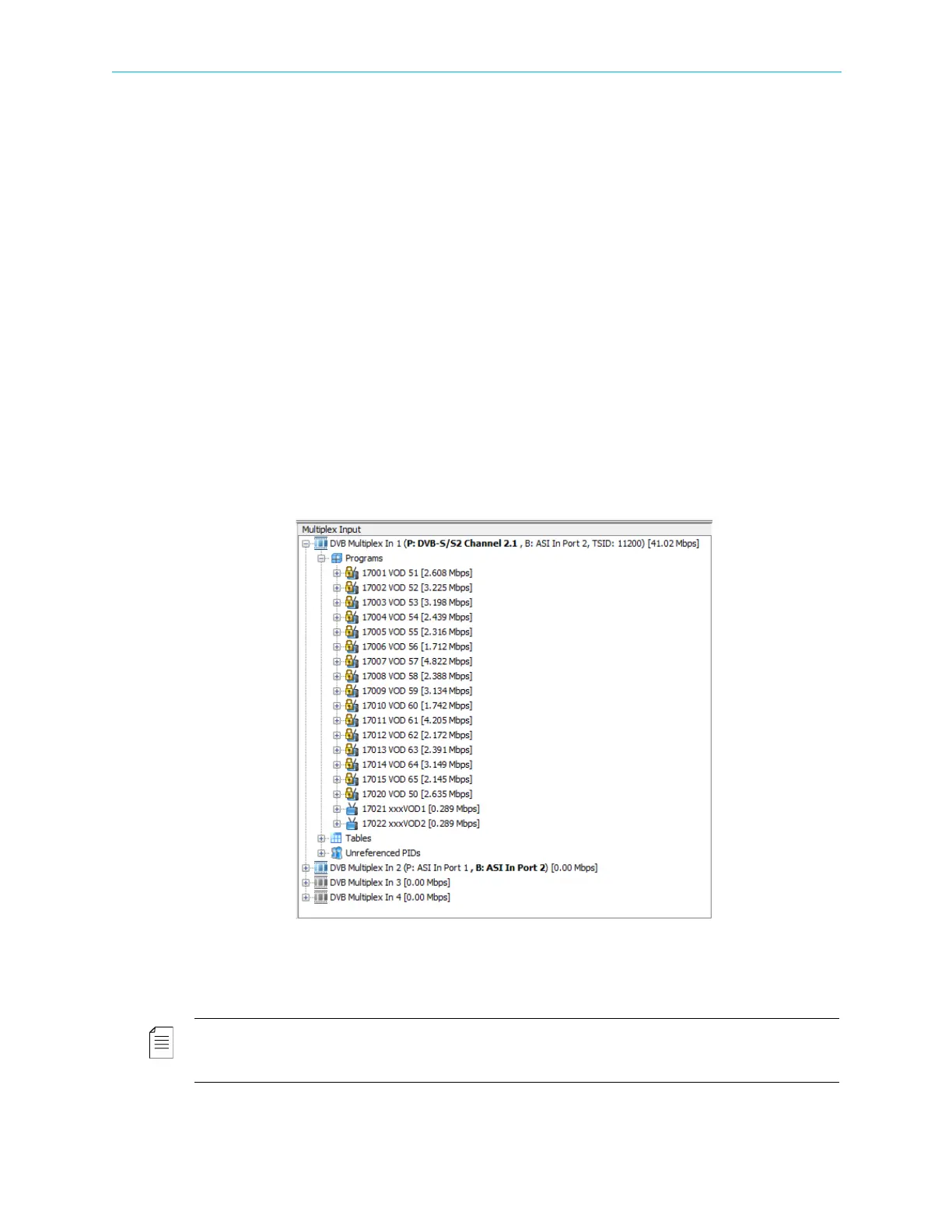
Click the Programs branch in the Multiplex Input box to display all the programs related to the
multiplex inputs and the type of information provided by the program.
Each program can be scrambled or clear (marked accordingly by a locked / free program icon).
The information provided by each program can be video, audio, ECM or other (marked by
representative icons).
NOTE: The properties of the input programs and the elementary streams related to each program in the
multiplex input stream are detailed in 7.2.5 Input Program Properties, 7.2.6 Input Elementary Stream
Properties and 7.3.1.5 Multiplex Output Unreferenced PIDs Management.



 To Next Page