Chapter 7 Device Configuring Using EMS Physical Outputs
© 2012 Harmonic Inc. 127 ProView 7000 v.2.6, Rev. E
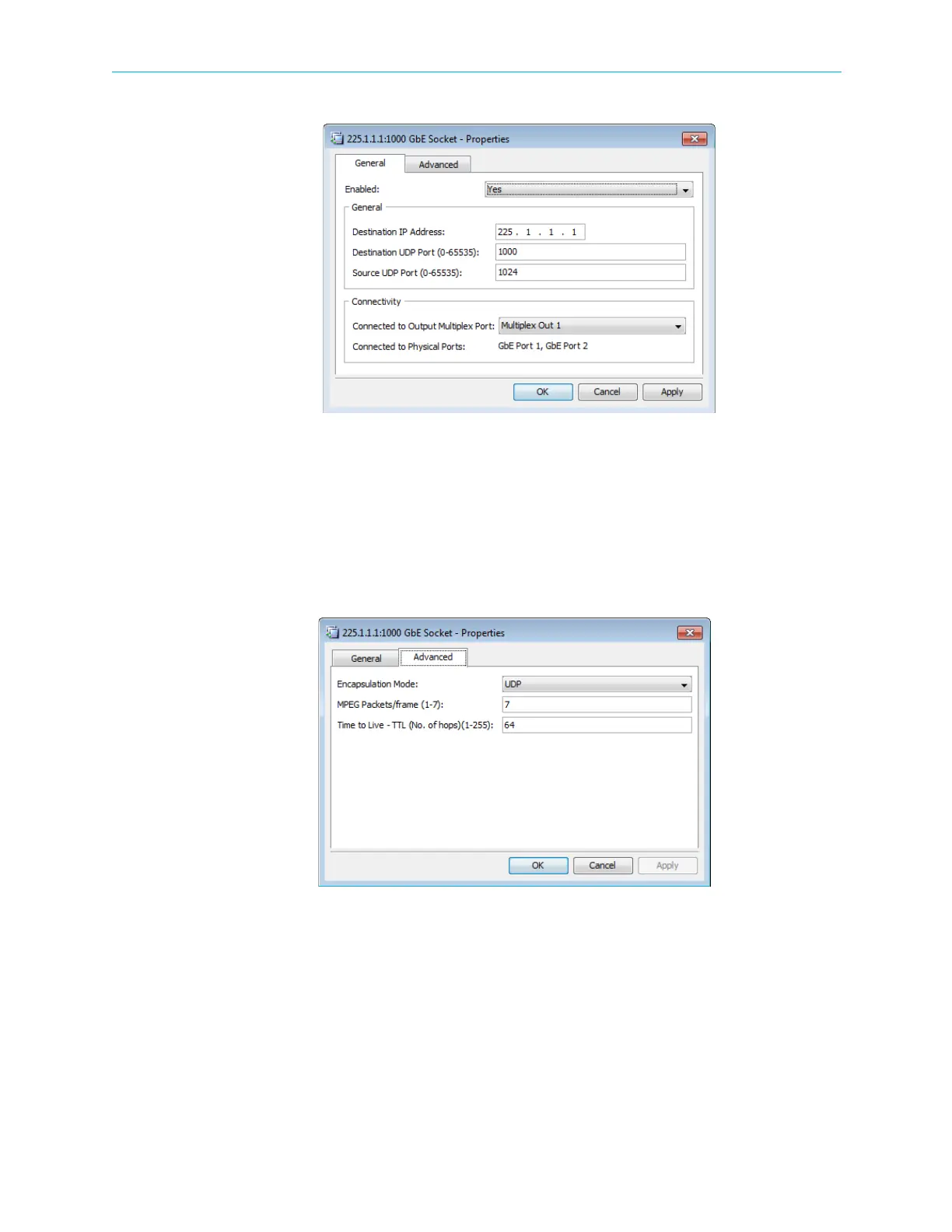
Figure 7–24: GbE Socket Properties dialog- General tab
GbE Socket Advanced Properties tab:
■ Encapsulation Mode – The encapsulation mode used for the GbE port is UDP.
■ MPEG Packets/Frame – The number of MPEG packets for each frame. The range is 1 – 7.
The default is 7.
■ Time To Live – You can set the time to live (TTL, number of hops). The range is 1 – 255. The
default is 64.
Figure 7–25: GbE Socket Properties dialog- Advanced tab



 To Next Page