Chapter 7 Device Configuring Using EMS Cross Connections
© 2012 Harmonic Inc. 130 ProView 7000 v.2.6, Rev. E
7.6.1.1 Transport Stream Cross Connect (Stream Pass Through)
You can cross connect transport streams between different multiplex inputs and outputs and
optionally remap selected PIDs.
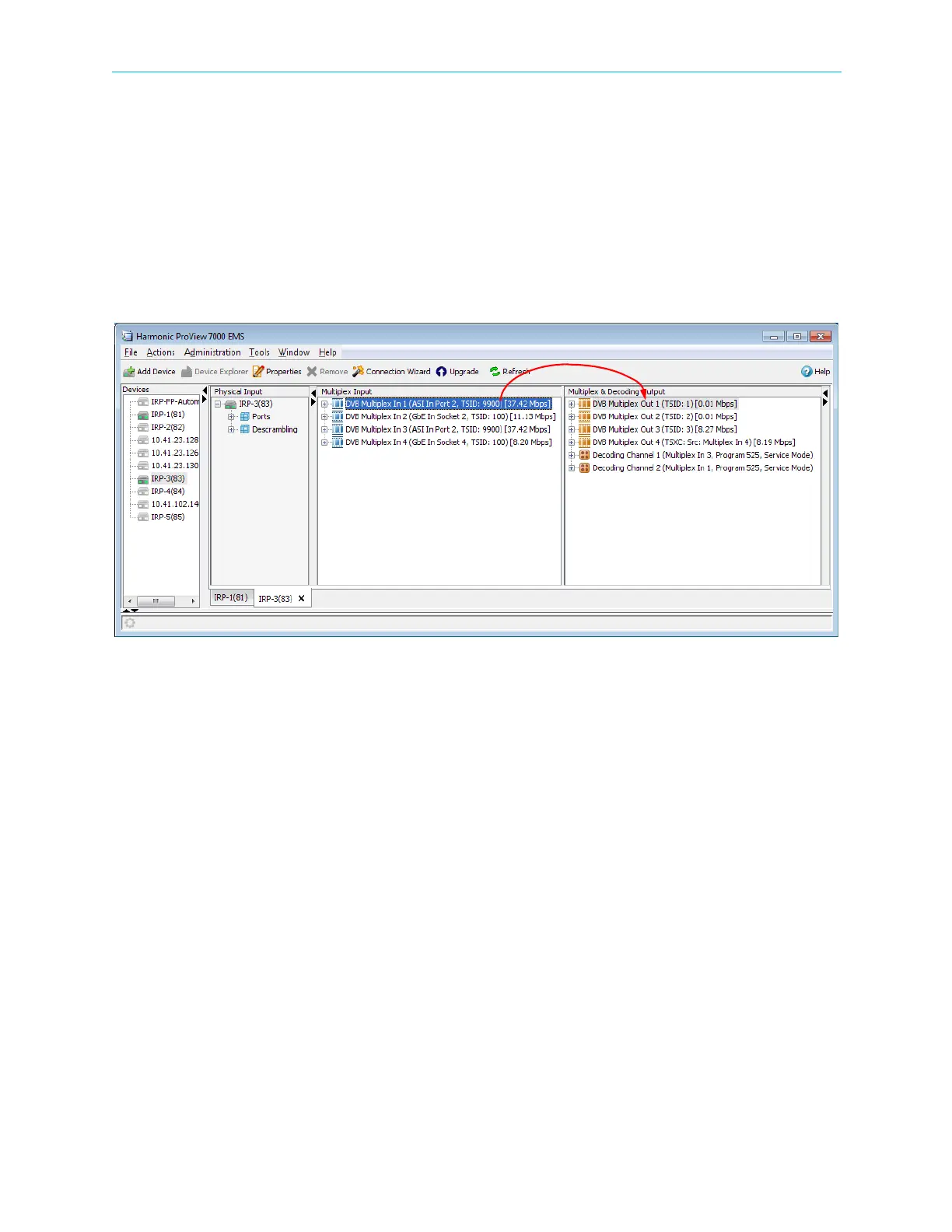
To create a transport stream cross connection:
1. Drag a multiplex from the Multiplex Input box and drop it onto a multiplex out or a
decoder in the Multiplex & Decoding Output box.
A Cross-Connect editor dialog displays, allowing setting up the parameters for the routed
element.
Figure 7–26: TS Cross Connect
2. Click Create to create the stream cross-connect.
Remapping PIDs
Prerequisites:
■ DSR license
■ Transport stream cross connection
To rem ap PIDs:
1. Right-click Transport Stream Port Route in the Multiplex & Decoding Output box.
2. Select Properties.
3. Select the PID Remapping tab.
4. Enter the Input PID and the output PID.
5. Click Submit.



 To Next Page