Chapter 2 Quick Start Configuring and Monitoring
© 2012 Harmonic Inc. 31 ProView 7000 v.2.6, Rev. E
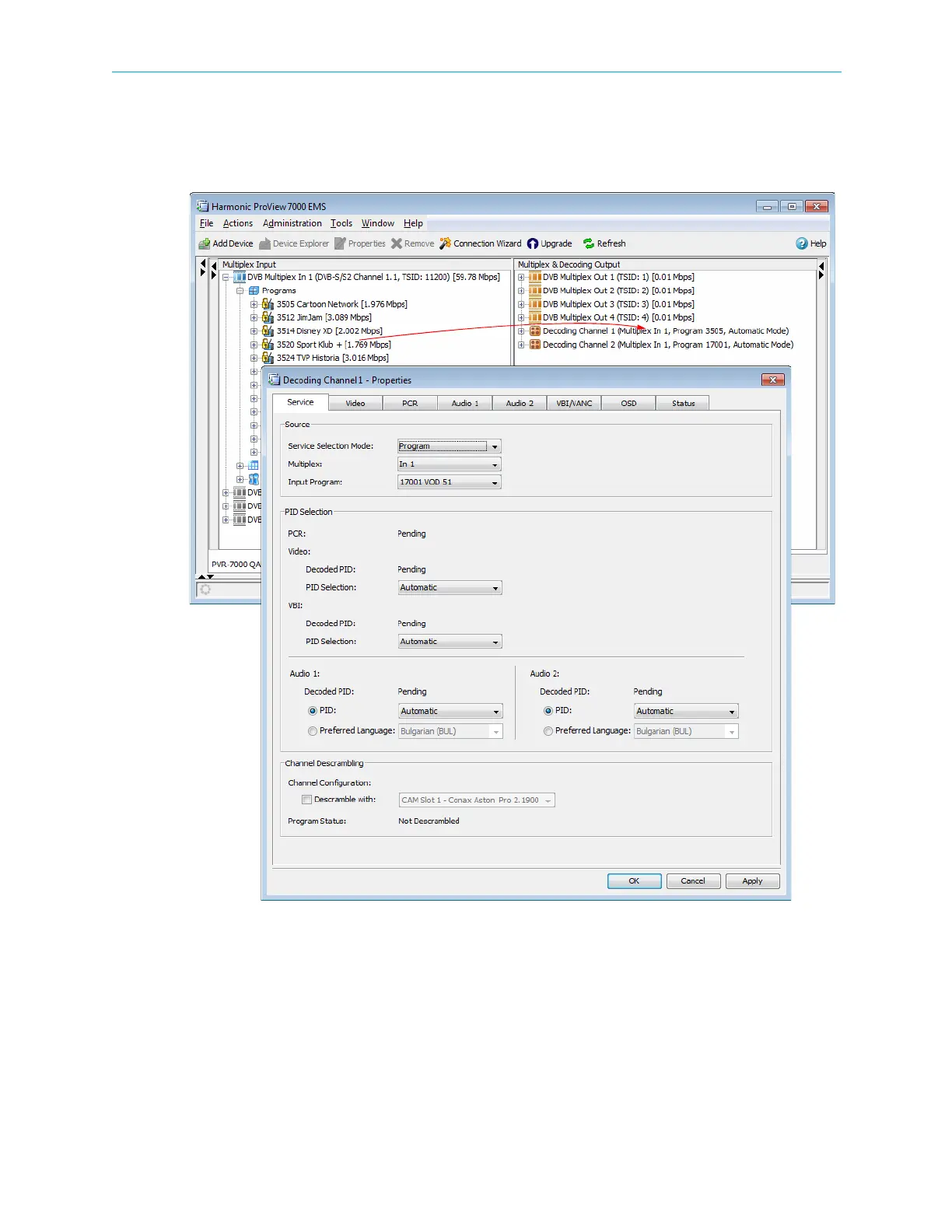
8. To decode a program:
a Drag the program name from the Multiplex Input box and drop it on a decoding
channel in the Multiplex & Decoding Output box.
The Decoder Channel Properties dialog displays.
b Configure the desired parameters or accept the defaults.
cClick OK to confirm the decoding set-up.



 To Next Page