Chapter 7 Device Configuring Using EMS Physical Input Ports and Slots
© 2012 Harmonic Inc. 81 ProView 7000 v.2.6, Rev. E
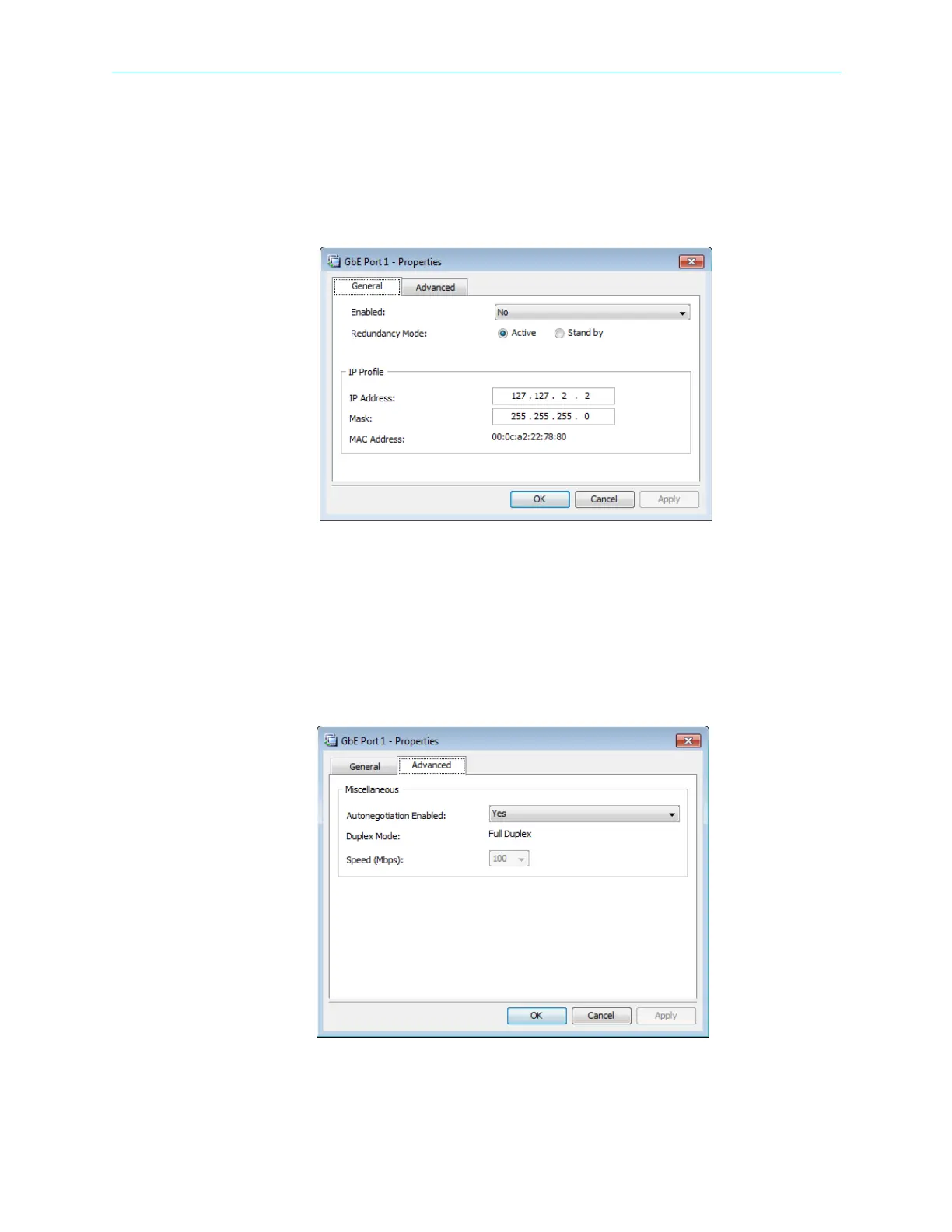
■ IP Profile – Enables you to configure the following:
❑ IP Address – Each port must have a different IP Address. The default is 127.127.0.X,
where X is the port number.
❑ Mask – The IP mask. The default is 255.255.255.0.
❑ MAC Address – Each port has its own MAC Address. They are factory set and cannot be
changed.
Figure 7–2: GbE Port Properties dialog - General tab
GbE Port Advanced properties tab:
■ Autonegotiation Enabled – You can enable and disable Autonegotiation. The default is Yes.
■ Duplex Mode – You cannot change the Duplex Mode. It is fixed at Full Duplex.
■ Speed – You can configure the PHY speed when Autonegotiation is disabled. The default is
1000.
Figure 7–3: GbE Port Properties dialog - Advanced tab



 To Next Page