How to Create an Account
To Create an account activate the mode “accounts”. See How to Display and Change
the 'Account Mode' on page 97
1. As supervisor (see How to Log in as Supervisor on page 148 ):
Press and type 5.2.1 or select the path:
Account management Manage accounts Account list
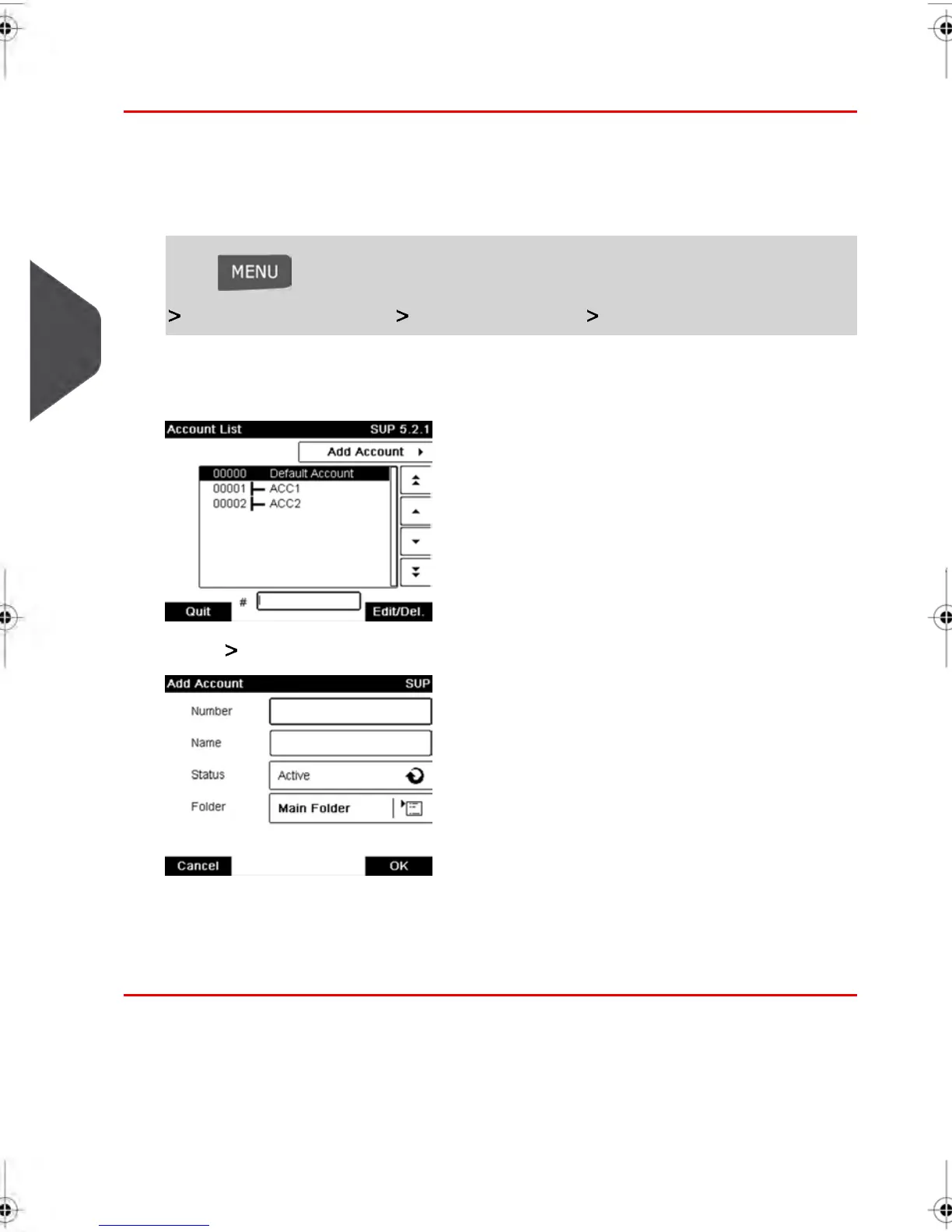
The Account list screen is displayed.
2. Select Add Account .
3. Enter the account Number and Name using the keypad and press [OK]. Select the
Account Status (the button displays the current status: Active or Inactive).
4. Press [OK] to confirm the creation of the account.
100
| Page 100 | feb-14-2014 12:06 |
5
Managing Accounts and Assigning Rights



 To Next Page