Editing Accounts
Use the following steps to modify an account name or account status.
The account number cannot be edited once it is created.
How to View / Edit Account Information
To view or edit an account:
1. As supervisor (see How to Log in as Supervisor on page 148 ):
Press and type 5.2.1 or select the path:
Account management Manage accounts Account list
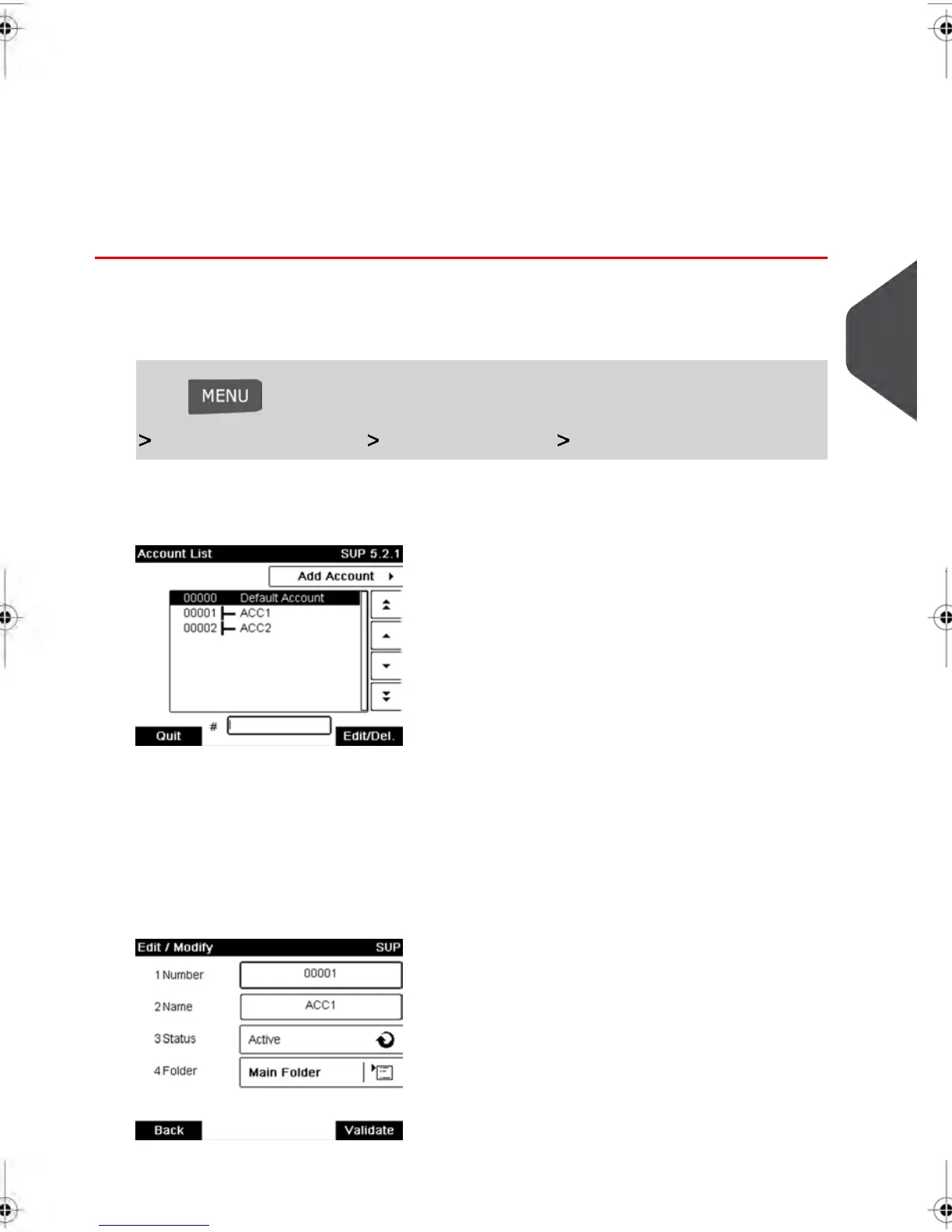
The Account list screen is displayed.
2. Select the account (or type the account number) and press [OK] .
If the account is not contained in the list, select the group or the subgroup that contains
the account, press Edit / Del. or [OK] and then press View/Edit content until you
can select the account by pressing [OK] .
3. Select Edit / Modify .
The Edit / Modify screen appears.
5
Managing Accounts and Assigning Rights
101
| Page 101 | feb-14-2014 12:06 |



 To Next Page