Displaying Ink Level and Cartridge Data
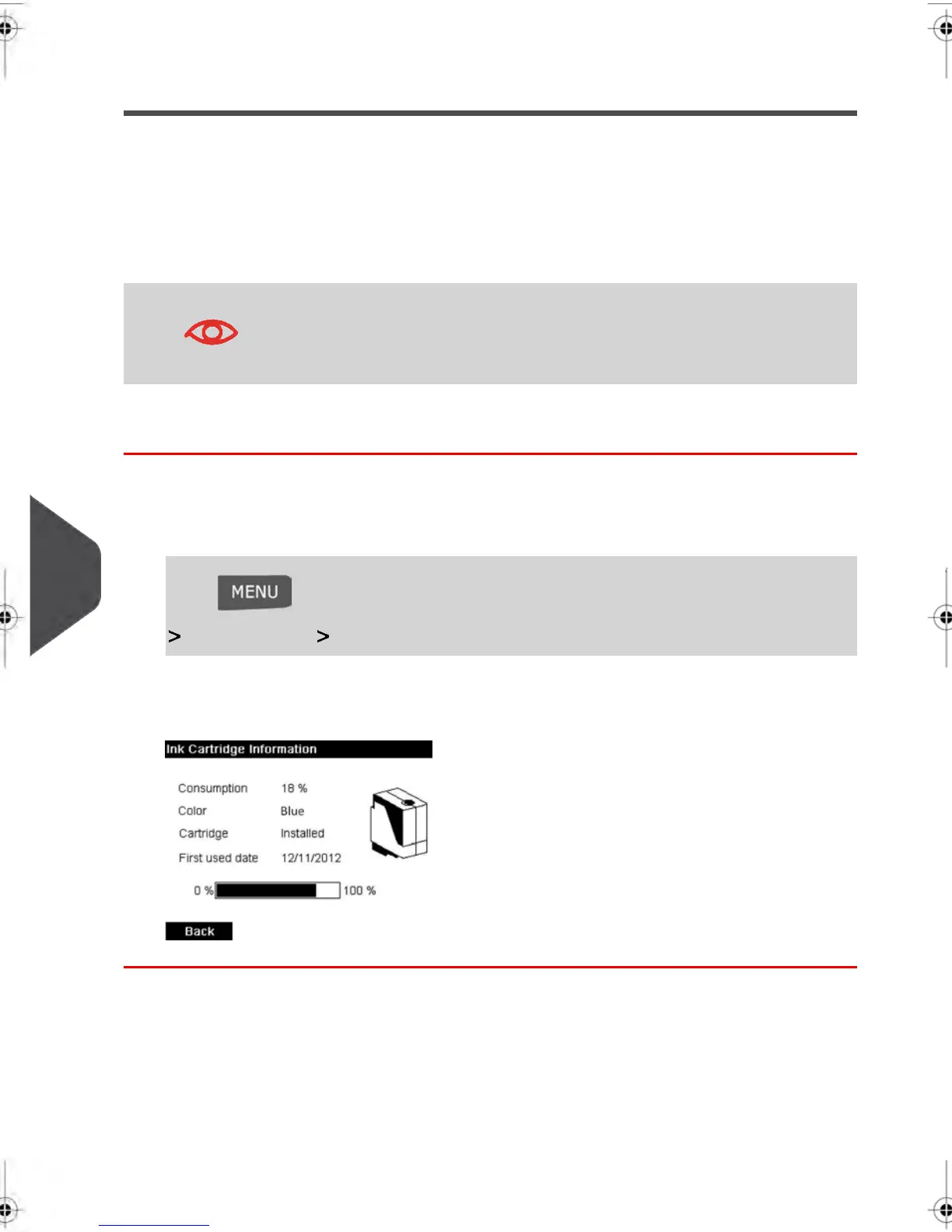
You can display the ink level and other cartridge data, such as:
•
Ink consumed in percent
•
Ink color
•
Cartridge status (present or not present)
•
First used date
Also check the Best before date on the cartridge box. After this
date, the cartridge warranty is void.
How to Display Ink Level and Cartridge Data
To display the ink cartridge data:
1. As a user:
Press and type 12.1 or select the path:
Ink Cartridge Ink Cartridge information
The Ink information screen is displayed.
204
| Page 204 | feb-14-2014 12:06 |
10
Maintaining your Mailing System



 To Next Page