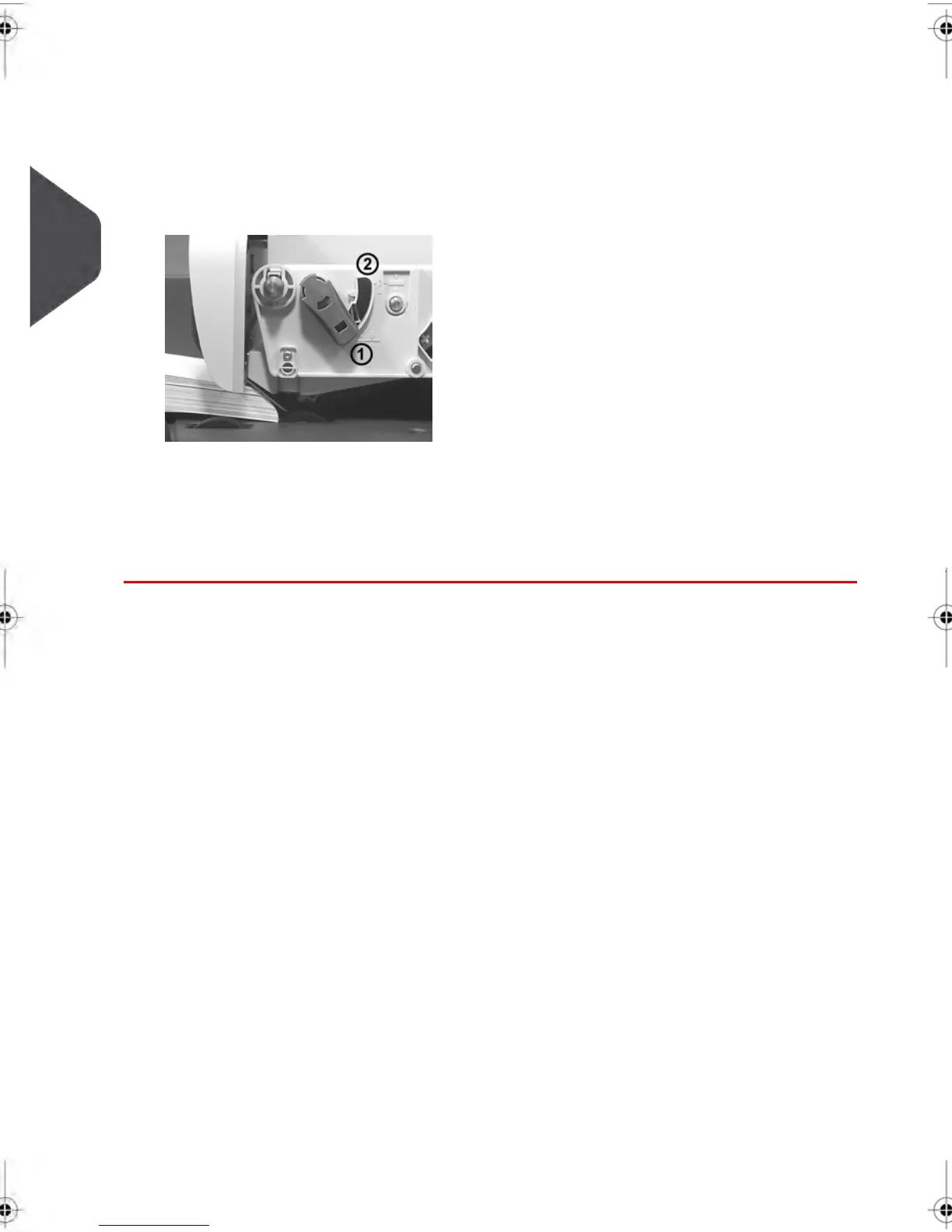
Thickness Setting:
Depending on the thickness of your envelopes, you may have to adjust the thickness
setting of the Feeder. Use this setting if several thin envelopes pass at one time through
the feeder or, if thick envelopes are blocked at the entrance of the mail path.
1. Open Feeder Cover.
2. Change lever position:
- 1 for thin envelopes
- 2 for thick envelopes.
3. Close the Feeder Cover.
40
| Page 40 | feb-14-2014 12:06 |
3
Processing Mail



 To Next Page