10
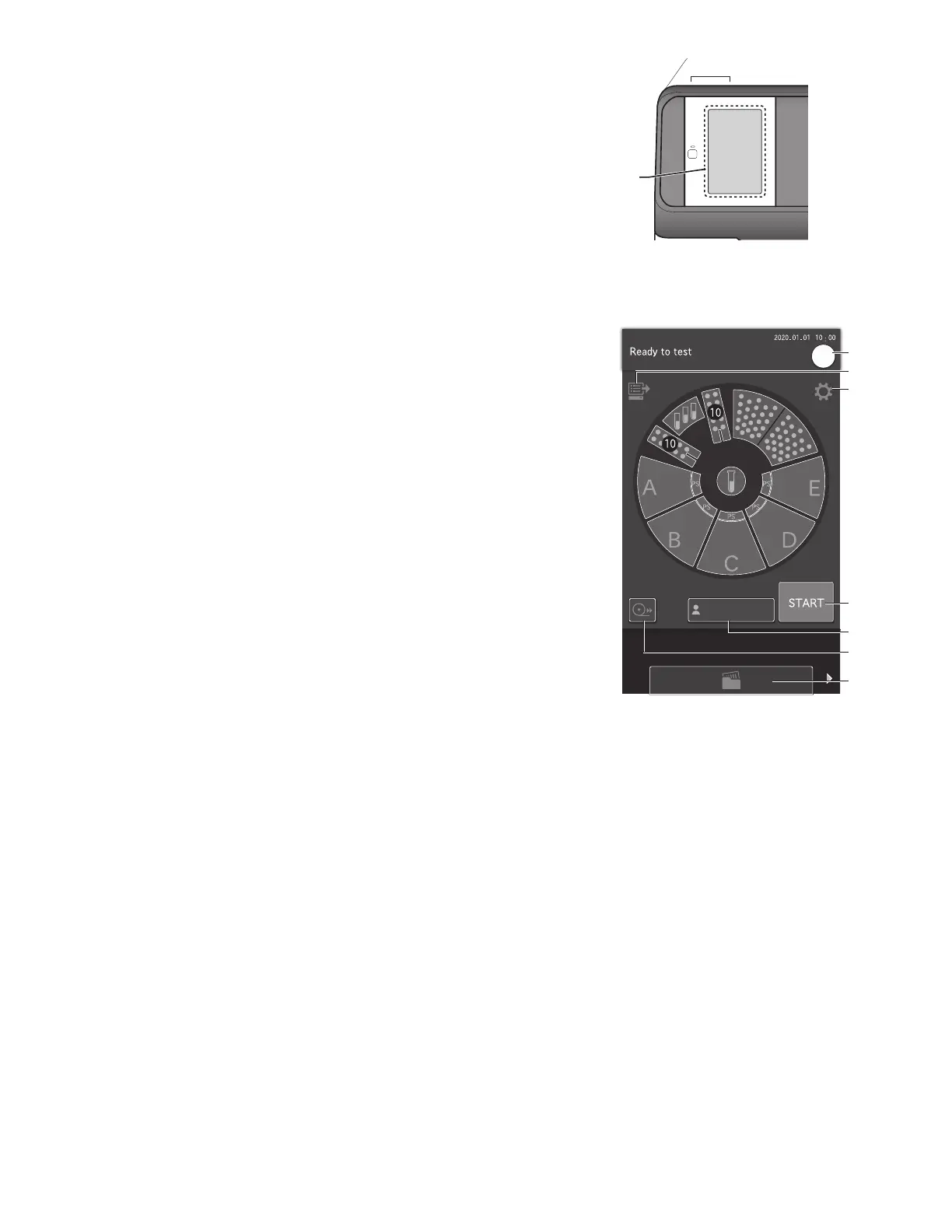
2.2 Touch Panel Screen Names and Functions
On the Element DC5X, the touch panel is used to perform
configurations, run measurements, confirm measurement
results and messages, and perform other operations. Because a
pressure-sensitive touch panel was employed, the screen can
be operated while wearing gloves.
2.2.1 Measurement preparation screen
If the power is switched on, the Measurement preparation screen appears after startup.
1
2
3
4
7
5
6
LCD (touch panel)
Buttons
1. HELP button
Display the help screen. Section 2.2.2
2. WORK LIST button
Obtain order information from the host PC. Section 4.4.
3. Function menu button
Display the function menu screen. Section 8
4. START button
Start a measurement.
5. OPERATOR ID button (displayed according to settings)
If touched, you can enter the operator ID. Section 8.4.16
6. PRINT button
Print all measurement results of the displayed sample.
7. PAUSE button (displayed during sample application operation)
If the PAUSE button is touched during sample application,
tips are discarded, operation stops, and the equipment enters a paused state. If PAUSE is touched again, the subsequent
sample applications are terminated.
8. MEASUREMENT RESULTS button
Display the measurement results. Section 3.4
9. Mixing cups
Displays the number of remaining mixing cups. Touch to load mixing cup. Section 5.3
10. Diluent
Touch to load diluent. Section 5.4
11. Reference fluid display
Touch to load reference fluid. Section 5.5
12. Tips
Touch to load tips. Section 5.2
13. Sample racks (A–E)
Touch sample rack and the sample information registration screen of that rack is displayed. Section 3.3



 To Next Page