47
4.6 Using the Sample Barcode Reader (sold separately)
You can easily enter the sample ID and operator ID by using the optional sample barcode reader.
IMPORTANT
If the sample barcode reader malfunctions or the print quality of the barcode label is poor, incorrect barcode data may
be read. Make sure that the barcode data (sample ID) printed in the measurement results are correct.
NOTE: Carefully read the instructions included with the sample barcode reader before using it. A maximum of 13
alphanumerical characters can be input for a sample ID. Always use the sample barcode reader under lighting at 3,000 lux
or lower and avoid direct sunlight.
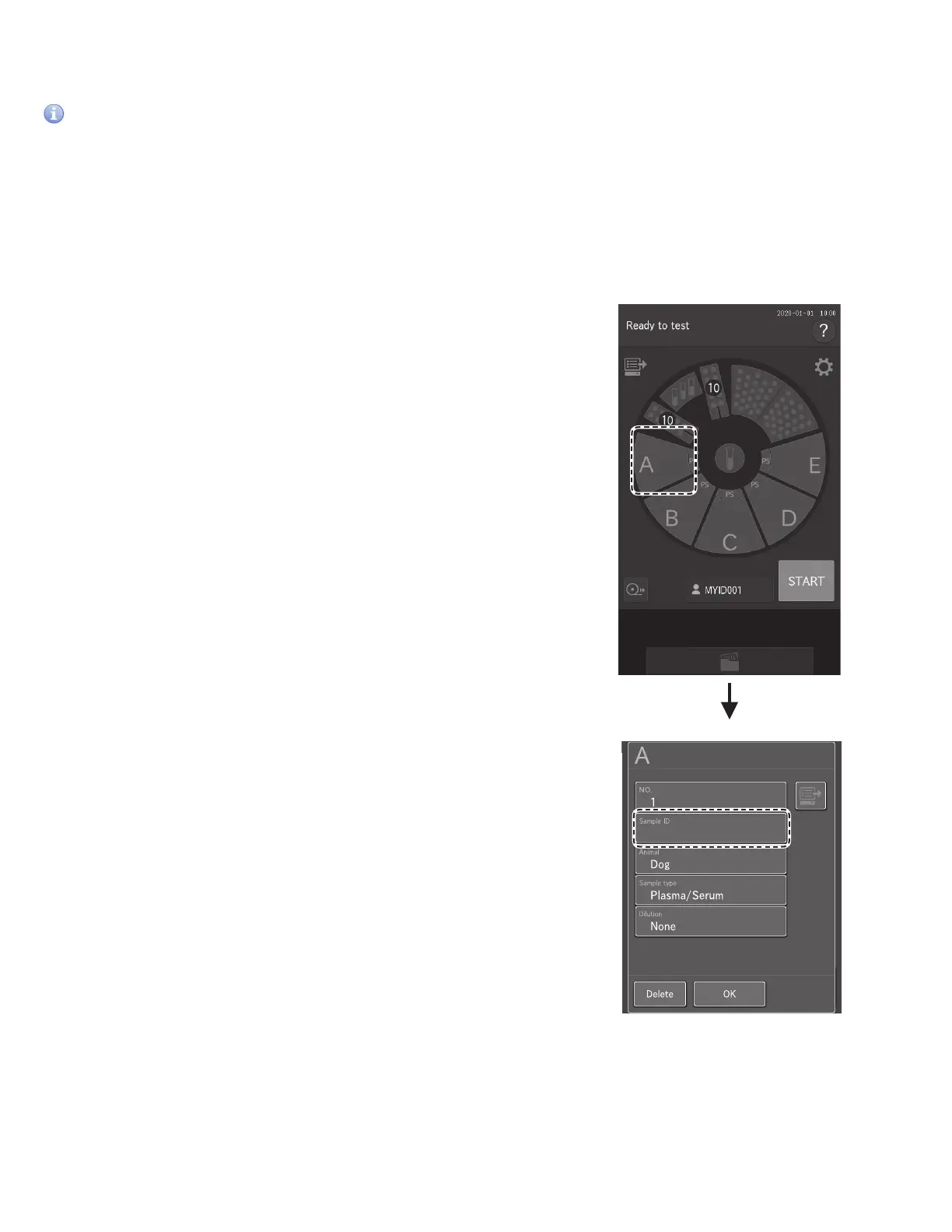
When inputting the sample ID
1. Touch desired sample rack position to display the
sample information registration screen.
2. Touch SAMPLE ID field. The software keyboard
appears.
STOP
0
3
A
B D
C
E
MYID001
..0160503010
..0160503009



 To Next Page