81
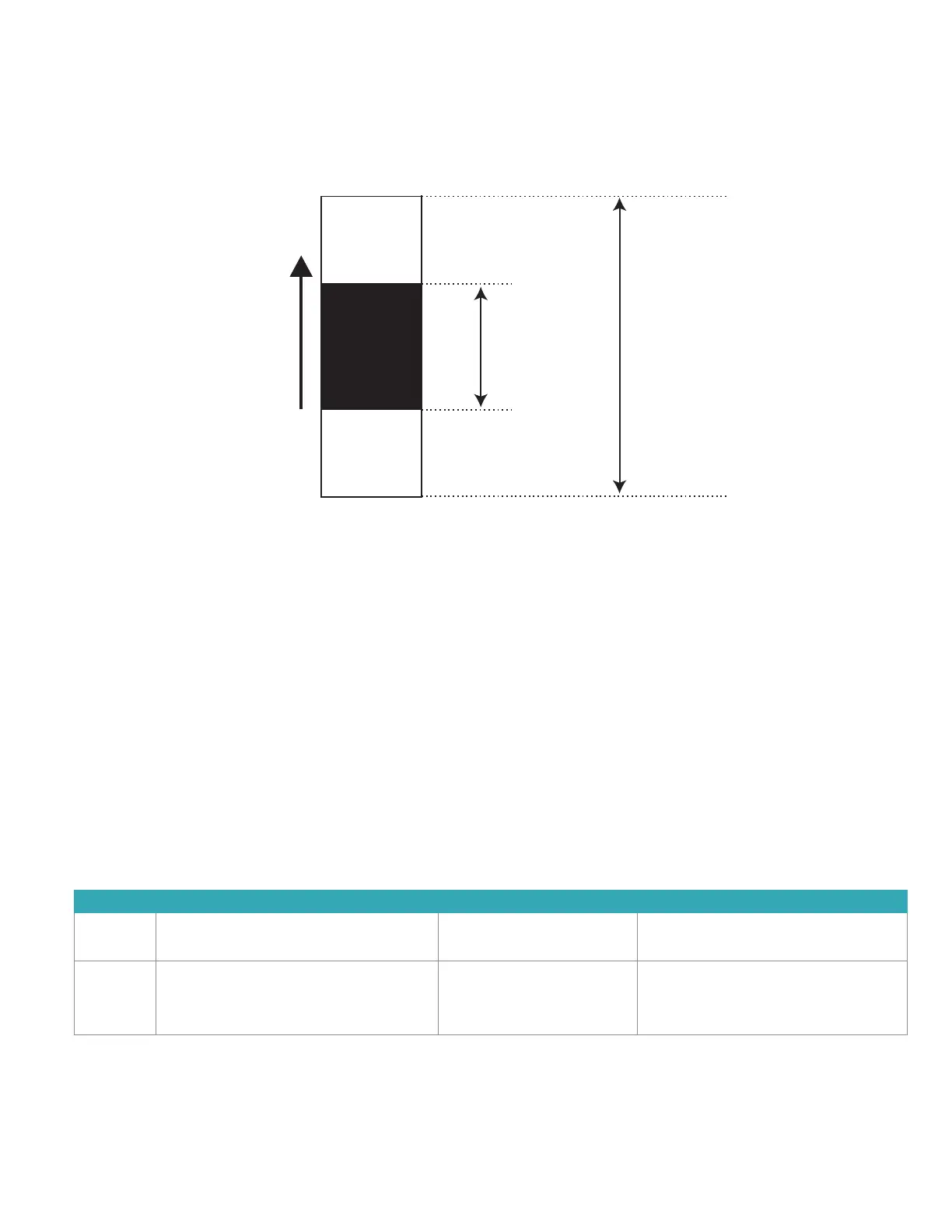
(Supplement) Measurement range
The measurement range (determination range) and the reference interval differ by measurement item. Their relation is shown
below.
NOTE: Set the values of the reference interval by using [Reference interval range setting] in Mode function for administrator.
Section 8.4.6
High
Measured value
Low
Reference
interval
Measurement range
(Determination range)
7.2 Troubleshooting
7.2.1 Startup errors
1. The analyzer does not start after the power button is pressed.
Check that the power cable is properly connected. Turn the power switch OFF and ON again, and press the
power button.
If the analyzer still does not start, please contact Heska Technical Support Services for assistance.
7.2.2 Printer or LCD trouble
1. Printed characters are too faint or dark.
Please contact your dealer for assistance.
2. White lines appear on printed characters or certain parts of characters are missing.
The printer head has malfunctioned. Please contact Heska Technical Support Services for assistance.
3. Printer errors
Error Code Error Message Error Condition Troubleshooting
W5110 Printer error (Arm open)
No paper. Set paper.
No recording paper. Load recording paper onto the printer.
Section 6.4
W5100,
E5101,
E5102,
E5103
Printer errors. The printer is malfunctioning. Please contact Heska Technical Support
Services.



 To Next Page