29
1
2
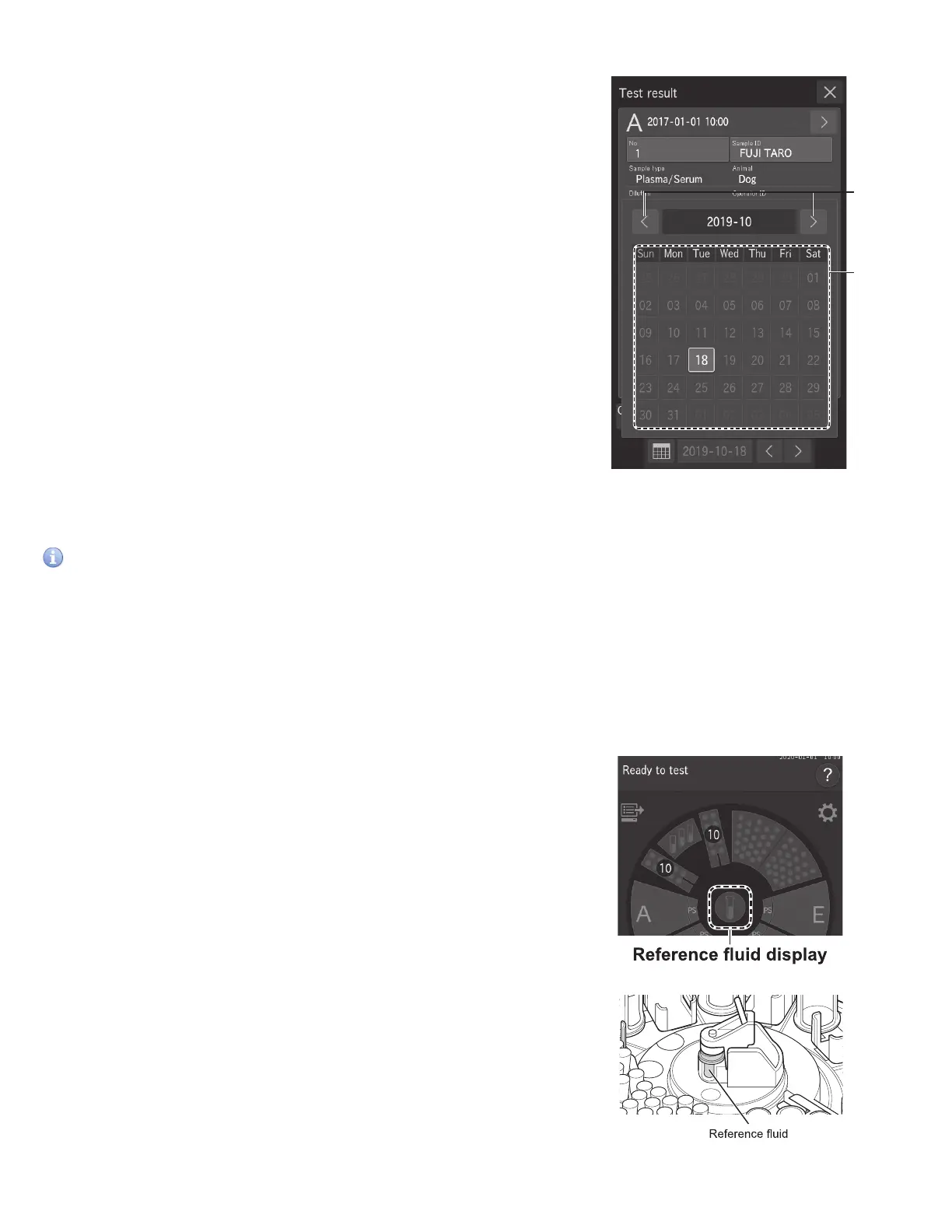
3.4.3 Calendar display
1. Measurement month scroll buttons
Change the display of the calendar month.
2. Date buttons
Display the measurement results screen of a date. The currently
displayed date is displayed in blue.
NOTE: Dates with no measurements are displayed in gray and cannot
be selected.
3.5 ISE Test Measurements
IMPORTANT
The analyzer cannot detect the expiration of ISE slides automatically. Check that slides are still valid.
NOTE: Two tips are necessary for each slide, one for sample, the other for reference fluid.
1. Touch the REFERENCE FLUID DISPLAY on the LCD to display the Replacement screen, and then load the reference fluid.
When the loading is complete, touch FINISH to close the Replacement screen. For the reference fluid tube (Plain tube 0.5
mL or 1.5 mL.), use the tube configured for [Tube setting for diluent & reference fluid] in Mode function for administrator,
Section 8.4.12. For details of the loading method see Section 5.5.
2. Check the sample type setting.
Make sure sample type is set to Plasma/Serum. Section 3.3



 To Next Page