26
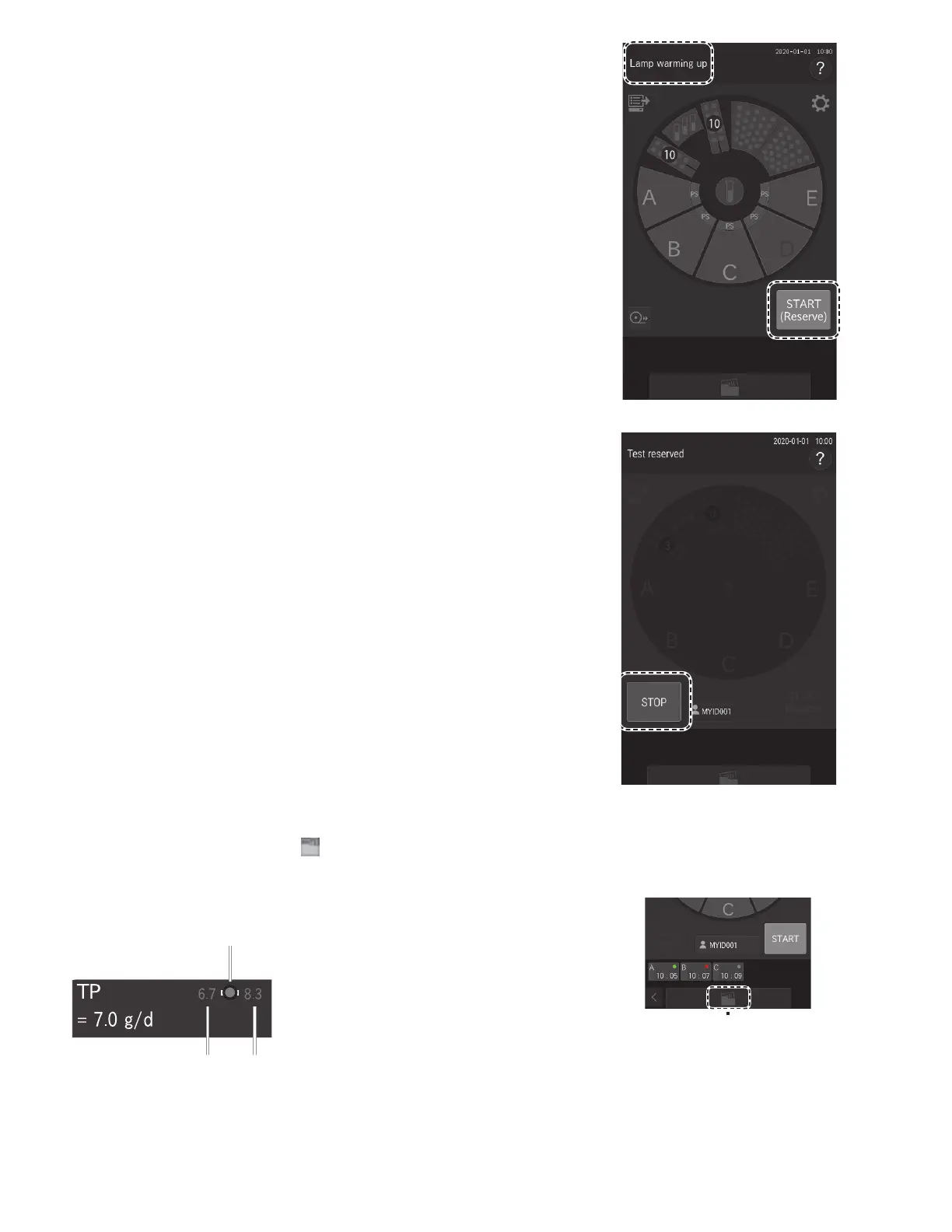
The touch panel screen becomes darker when the lamp is
off. If the screen is touched, the lamp switches on, and [Lamp
warming up] is displayed on the LCD.
If measurement is possible, it starts automatically.
NOTE: To cancel a scheduled measurement-start, touch STOP.
Result data display area
1
3
2
3.4 Measurement Results Screen
After measurement has ended, touch , then check results.
3.4.1 Measurement Results display:
1. Green: Within reference interval
Red: Outside reference interval
Result data display area
1
3
2
Lower limit
of reference
interval
Upper limit
of reference
interval



 To Next Page