90
7.2.9 QC card, and DI card errors
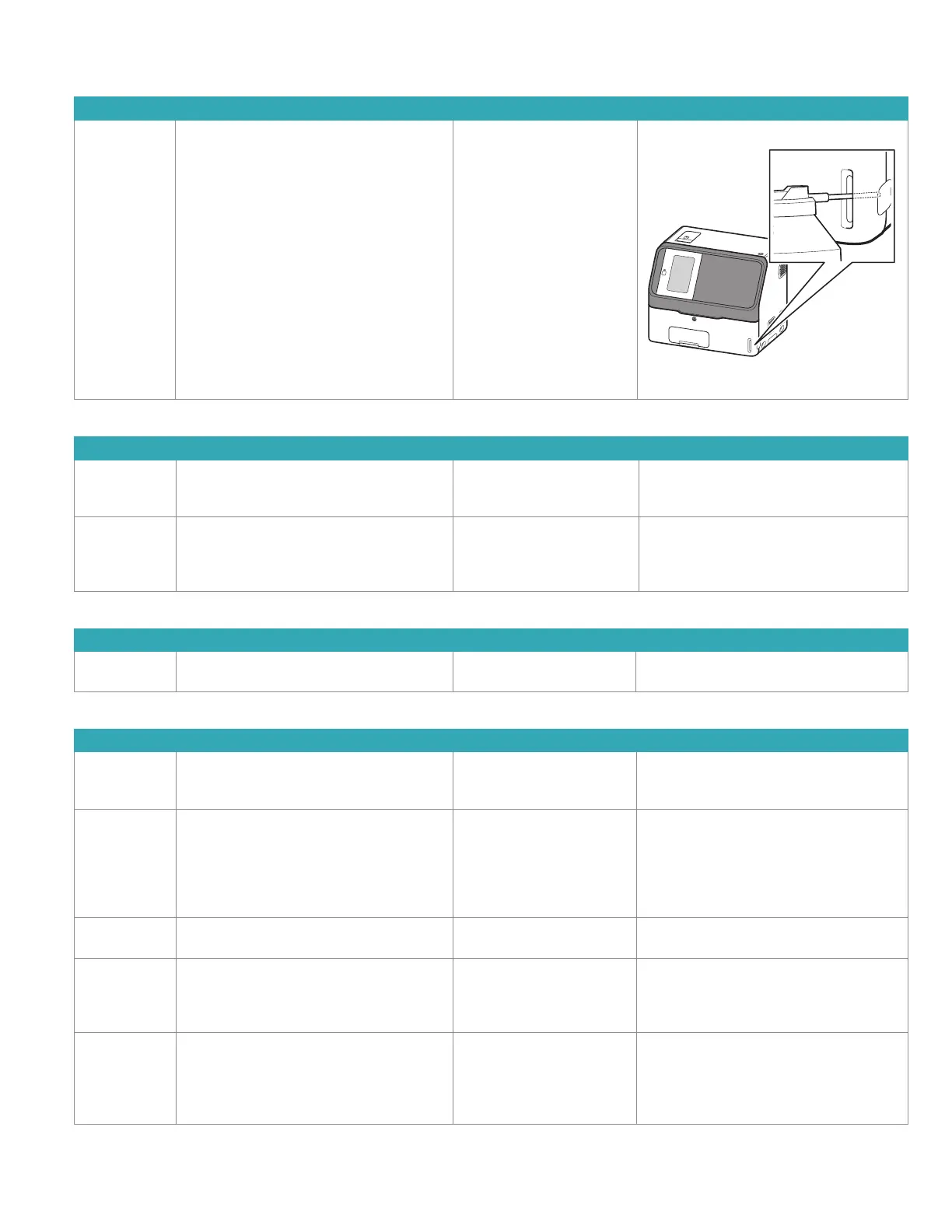
1. When data is not displayed after a QC card is read.
Error Code Error Message Error Condition Troubleshooting
– –
Problem reading QC card
information
Read the QC card again.
Spray card reader with canned air by pushing
in the end of the nozzle about 50 mm.
2. When QC information has not been read.
Error Code Error Message Error Condition Troubleshooting
W0170 No QC card info
No QC information. Read QC card.
The QC card of the slides
loaded in the slide cartridge
has not been read.
Read the QC card of the printed slide code.
W4010 No QC type info
No type information corresponding to the
slide.
Read QC card corresponding to the slide.
There is no type information
for the corresponding item.
Read the corresponding QC card.
3. When a DI card has not been read.
Error Code Error Message Error Condition Troubleshooting
W4012 No DI info.
No DI info found. Cannot read this card.
There is no DI card
information.
Please contact Heska Technical Support
Services for assistance.
4. Other precautions.
Error Code Error Message Error Condition Troubleshooting
W1700–W1702,
W1704–W1706
QC card reader failure
QC card reader damaged.
Measurement is still possible.
The card reader has
malfunctioned.
Please contact Heska Technical Support
Services for assistance.
W1703 QC card read ERR
Check the QC card direction and reread it.
(Insert the QR code so that it faces the far left
side.)
If the error occurs repeatedly, contact Heska
Technical Support Services.
QC card read error. Make sure the card is inserted at correct
orientation.
W4011 QC card ERR
Cannot save data.
Panel card read error. Please contact Heska Technical Support
Services for assistance.
W4013 QC card ERR
Check whether this is the correct QC card.
A QC card data error has
occurred.
Check whether the QR code of the QC card
is dirty.
When the error is not resolved, please contact
Heska Technical Support Services.
W4014 QC card ERR
Cannot read QC card for “Mode Function
Underway” or “Spotting Underway”.
Read again after mode function ends, or after
spotting ends.
The QC card cannot be read
at this time.
After mode function or sample application
ends, read the card again.



 To Next Page