40
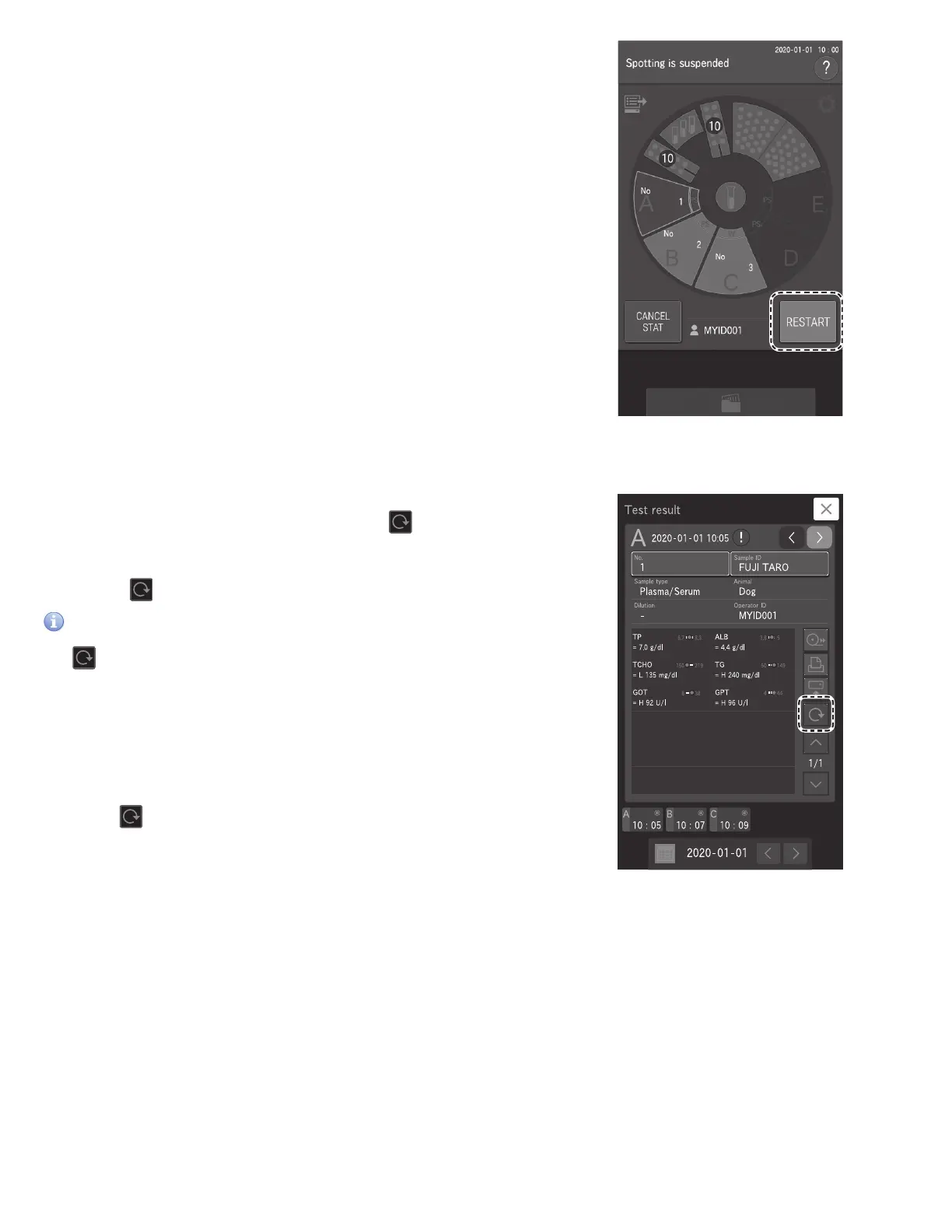
4. Touch RESTART to (re)start measurement.
NOTE: In this example, the analyzer finishes the remaining
application of Sample A, and then measures Sample C.
Measurement order: A C B
4.2 Rerunning Tests
You can test again using the previous sample number, sample ID, sample type
setting, and reference interval setting by touching at the Measurement
results screen. Furthermore, when a measurement cannot be performed due to
an error, you can skip the reentry and re-configuration of the setting information
by touching .
IMPORTANT
The (Rerun) button is designed only to automatically enter the sample
number and sample ID of the previous sample position. Do not use this
button to retest samples from before the previous sample.
(Example) Re-running sample A
1. When [Ready to test] appears on the LCD, make sure that the analyzer is not
applying samples, and then load the consumables and sample. Section 3.3
2. Touch on the Measurement results screen.



 To Next Page