20
2. Checking the date and time
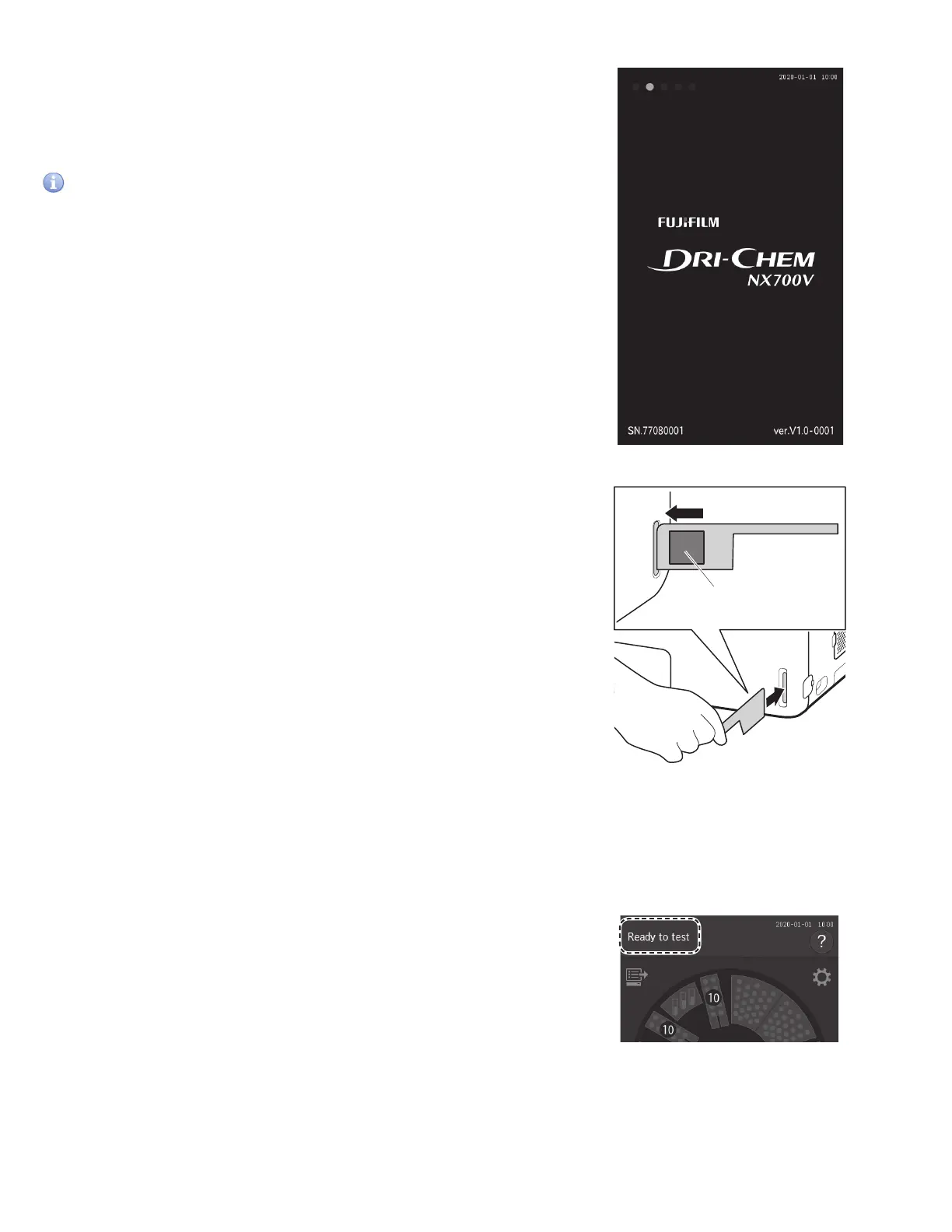
Check that the date and time displayed on the LCD are
correct.
If they are incorrect, set the date and time using [Date & Time
settings] in Normal mode. Section 8.3.1
IMPORTANT
If the date and time are not adjusted correctly, the analyzer may
fail to determine the expiration of the slides and calibration, and
measurement results might be incorrect.
3. Loading consumables
Load the consumables (tips, mixing cups, diluent, and
reference fluid) in accordance with the type of measurement.
Section 5.
4. Reading a QC card
The Element DC5X Analyzer can compensate for the
differences of the slide production lots by reading the QC card
in the box of slides.
When [Warming up] or [Ready to test] appears on the LCD, set
the QR code on the left side, and then insert the QC card into
the reader fully. Section 3.9
NOTE: If the QC card is dirty or folded, the read error may occur.
QR code
3.3 Basic Measurements
NOTE: By default, this analyzer switches off the light source lamp to save lamp life when the analyzer has not been used for
the time configured under [Lamp management] in Normal mode. When the lamp is off, the screen is dark. Touch the LCD to
warm the lamp.
1. Checking the LCD
Make sure [Ready to test] appears on the LCD.
Need image



 To Next Page