21
2. Setting tips
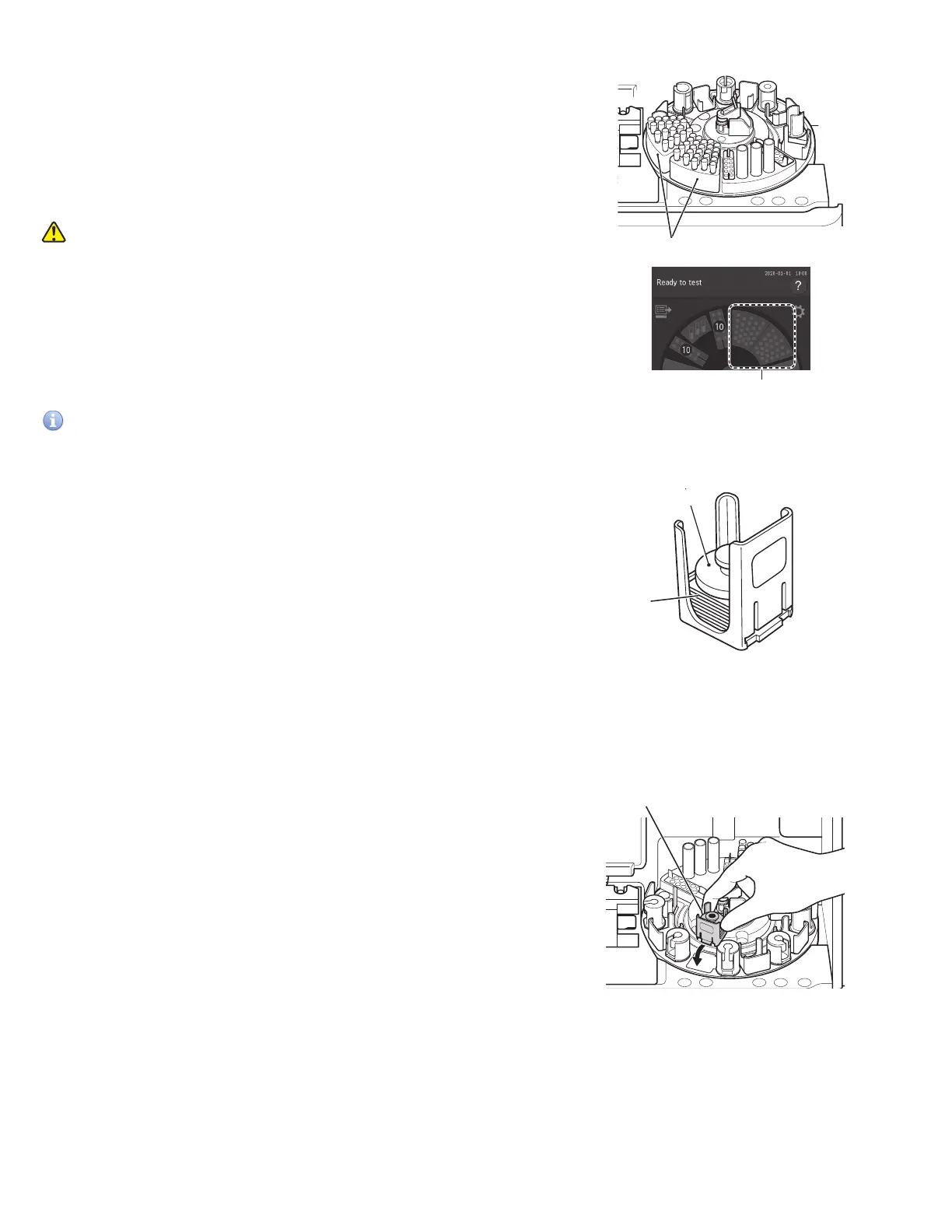
Open the sampler cover, and then check the tip racks have been
loaded with tips. When there are not enough tips, touch the tip
display on the LCD to display the replacement screen, and then
load the tips.
For details of the loading method, refer to Section 5.2.
3. Loading samples and slides
WARNING
When handling samples (blood), always follow biohazard
procedures (wear gloves, a lab coat, and safety goggles) in
accordance with the sample handling rules of your facility. If you
accidentally touch a sample, immediately rinse the contaminated
area thoroughly under running water and disinfect.
Tips (tip rack)
Tips
A
Slide weight
Slide
a.. Open the packaging of the slides to be used.
IMPORTANT
After the package has been unwrapped, finish measurement within 30 minutes.
b. Remove the slide cartridge of the sample position to be
measured from the sample disk.
c. Place slides to be measured in the slide cartridge with the
test name facing up. Be sure to put the slide weight on top
of the stacked slides.
NOTE: ISE slides must be loaded with arrows up and pointing
towards the center of the carousel.
NOTE: Take out the necessary number of slides from the refrigerator,
allow them to reach room temperature, and then open each
package.
NOTE: ISE slides should be loaded first in the slide cartridge.
Including ISE slides, a maximum of 20 slides can be loaded.
d. Place the slide cartridge back into its designated position.
Slide cartridge



 To Next Page