76
Element DC5X
Veterinary Chemistry Analyzer
Section 7: Troubleshooting
WARNING
When you troubleshoot, always wear gloves, a lab coat, and safety goggles.
If you accidentally touch a contaminant, immediately rinse the contaminated area thoroughly under running water and
disinfect.
IMPORTANT
If an analyzer malfunction (error) appears before or during measurement or warnings appear in the measurement results,
the measurement results may be inaccurate. Refer to the related troubleshooting pages and rerun the measurement.
7.1 Error Display
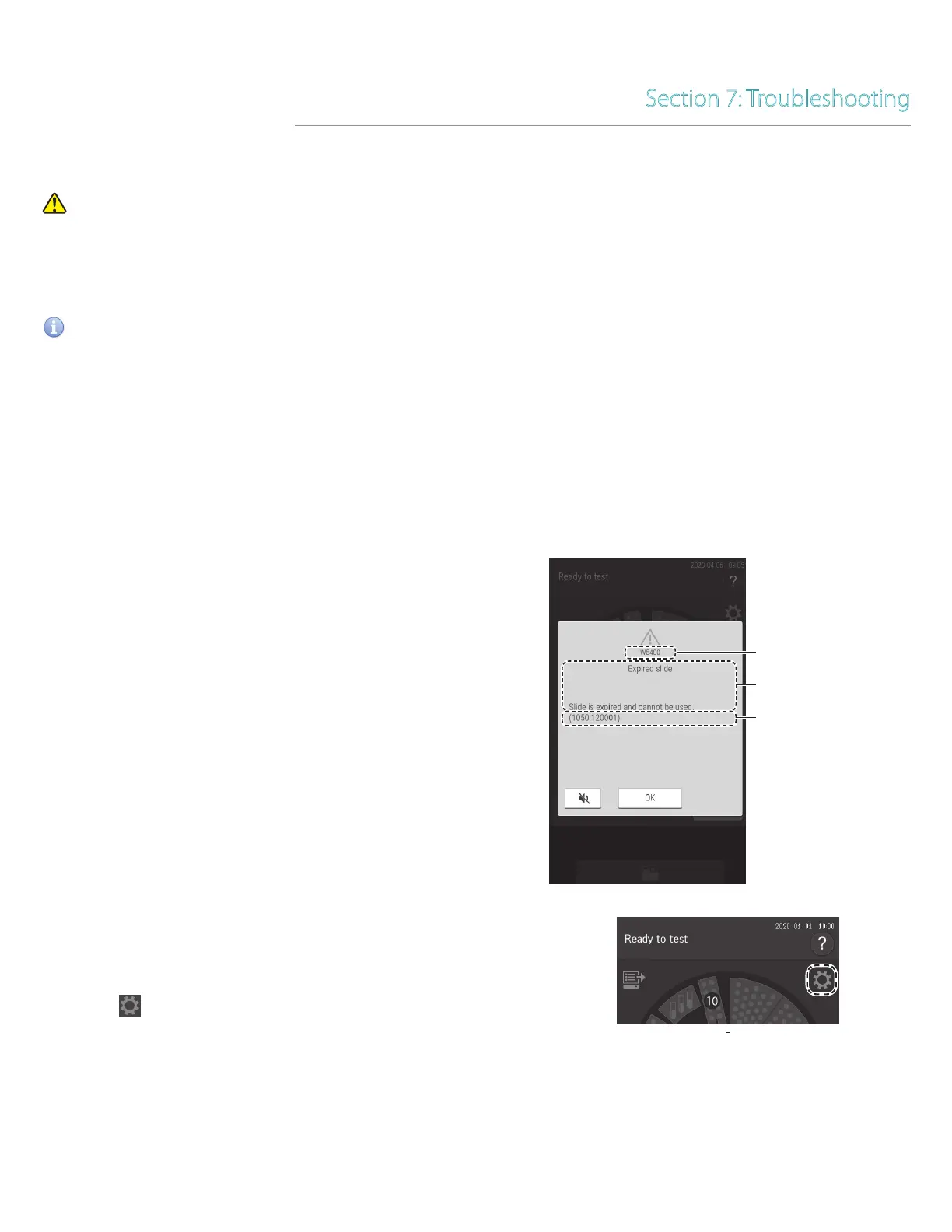
If an error occurs, an error message appears on the LCD.
NOTE: Some error codes may show additional information.
Example
1050 (GLU-P slide code)
120001 (Lot number)
*Refer to Section 7.3 for slide codes.
NOTE: The error messages listed in this document and the
descriptions displayed on the LCD may differ.
Error code
Content of error message
Additional information
7.1.1 Error log
You can view the history of errors that occurred by using
[Error log] in the function menu.
1. Touch .



 To Next Page