50
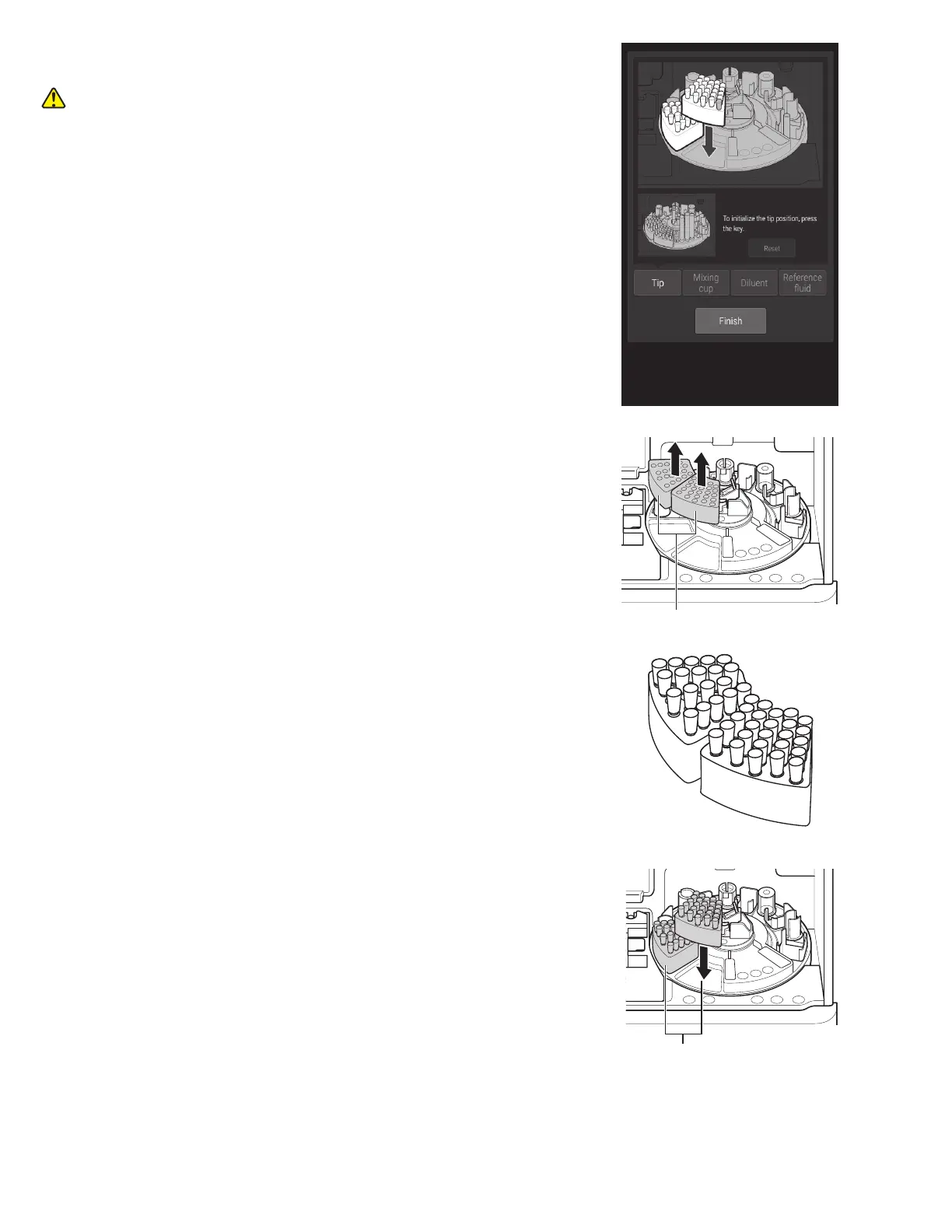
3. The Tip loading screen appears. The sample disk turns, and
the consumables are moved to the front.
CAUTION
Do not touch the sample disk until it stops.
Tip rack
Tip rack loading positions
4. After the sample disk stops, remove the tip racks from the
sample disk.
NOTE: Always remove the tip racks from the sample disk before
loading tips.
5. Load tips in all holes of the tip racks.
NOTE: Always set tips in all holes of the tip racks.
6. Load the tip racks on the sample disk.



 To Next Page