52
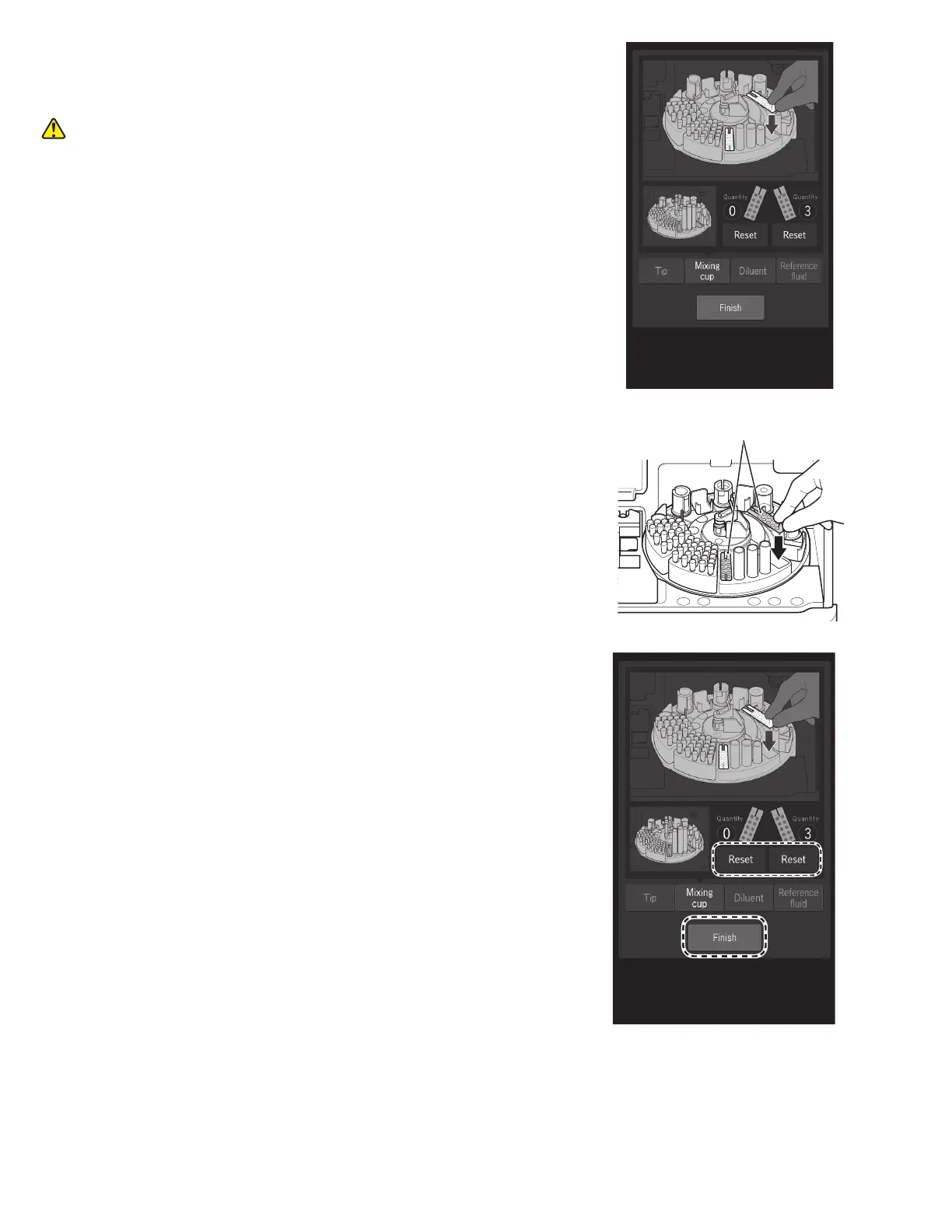
3. The Mixing cup loading screen appears.
The sample disk turns, and the consumables are moved
to the front.
CAUTION
Do not touch the sample disk until it stops.
4. Remove the used mixing cups from the sample disk.
Set one or two new mixing cups.
5. For the mixing cups that were replaced, touch RESET to
reset the quantity, and then touch FINISH to exit.
The sample disk turns, and the sample rack moves to the
front.
Mixing cups



 To Next Page