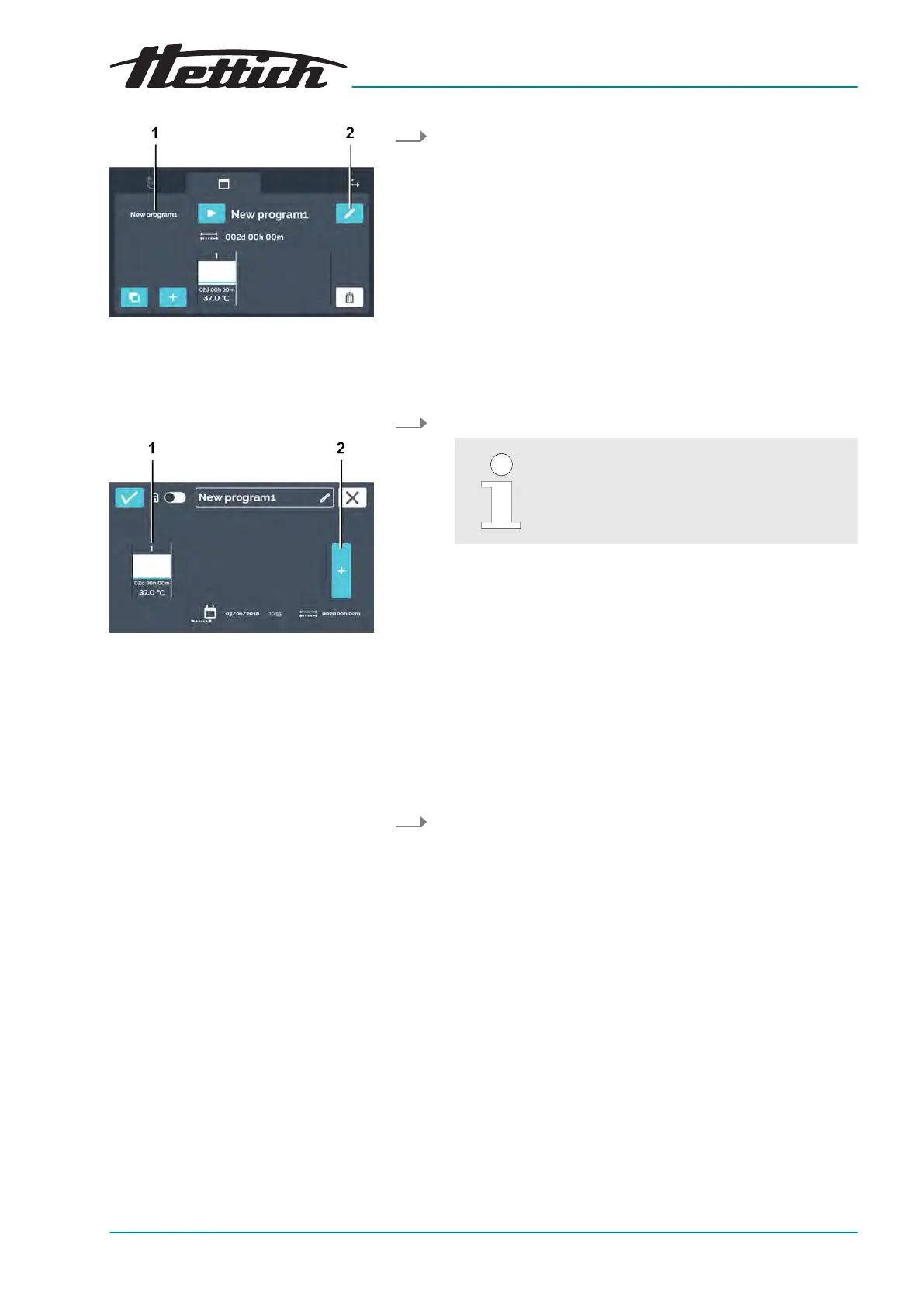
Fig. 116: ‘Program mode
Program
overview’
1 Program list
2
[Edit program]
button
Fig. 117: ‘Program mode
Program
overview
Program segments’
1 Program segment
2
[Add program segment]
button
Copying a program segment
1. Select the program to be edited from the program list.
The selected program is highlighted in white in the list.
2. Tap the
[Edit program]
button to edit the program.
The program segments can be scrolled hor-
izontally to the left and right to get an over-
view of the created program segments.
The program is open and can be edited.
To copy a program segment, proceed as follows:
1. Tap on the program segment that you would like to copy.













 To Next Page