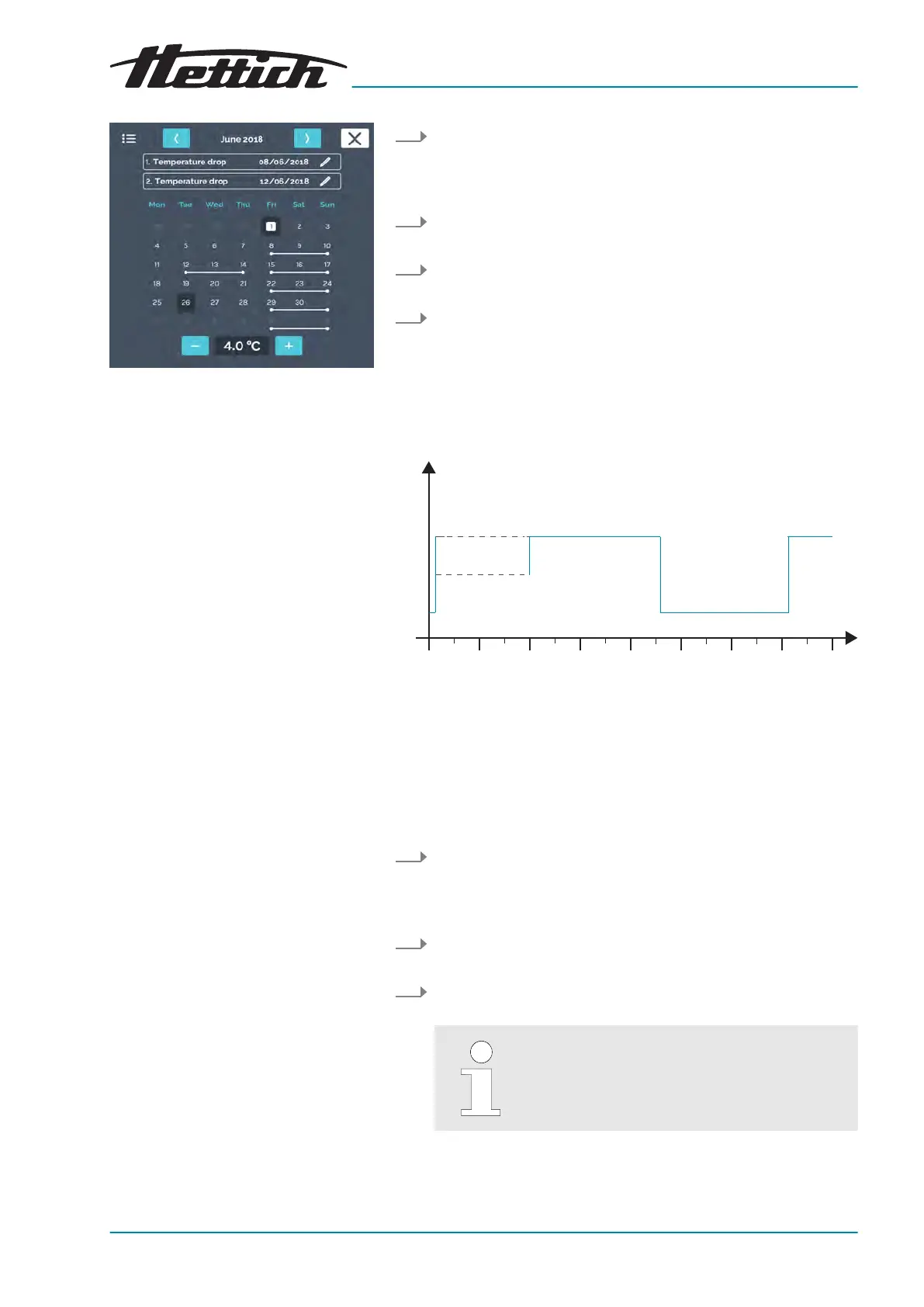
Fig. 222: Temperature drops
1. In manual mode, set the temperature drop to 4°C from Friday
after
noon at 2:00 p.m. to Monday morning at 3:00 a.m. and
set the repetition interval to
‘weekly’
‘Creating a temperature
drop’ on page 60
.
2. Set another temperature drop from Tuesday evening at 20:00
p.m. to Thursday mor
ning at 03:00 a.m. without a repetition.
3. Set the target temperature to 37°C
‘Set temperature’
on page 65
.
4. Start manual mode
Chapter 6.11.2 ‘Starting manual mode’
on page 66
.
B.4 Temperature drop on the weekend with start delay
Mon Tue Thu Fri Sat Sun MonW
ed
37
°C
4
1
Fig. 223: Diagram ‘Temperature drop on the weekend with start
delay’
1 Start delay
Operating mode:
Manual mode; Start delay and temperatur
e drop (both are activated
at the same time)
Procedure:
1. In manual mode, set the temperature drop to 4°C from Friday
after
noon at 2:00 p.m. to Monday morning at 3:00 a.m. and
set the repetition interval to
‘weekly’
‘Creating a temperature
drop’ on page 60
.
2. Set the target temperature to 37°C
‘Set temperature’
on page 65
.
3. Set the starting date in the start delay
‘Start delay’
on page 57
.
Until manual mode is started, the incubator
remains unregulated.













 To Next Page