Customer examples and practical
wishes
B Examples
In manual mode: T
emperature drop
■ During the entire weekend (Friday afternoon to Monday morning)
■ Over one day (Sunday)
■ With holiday function (using Wednesday as example)
■ Over the weekend with start delay
In pr
ogram mode
■ External devices are integrated in program mode, e.g. DAY/
NIGHT simulation.
■ Combination of standstill mode with incubation mode (energy-
saving mode)
■ Incubator is always cleaned on Wednesdays due to the laboratory
r
outine (SOP) (standstill mode)
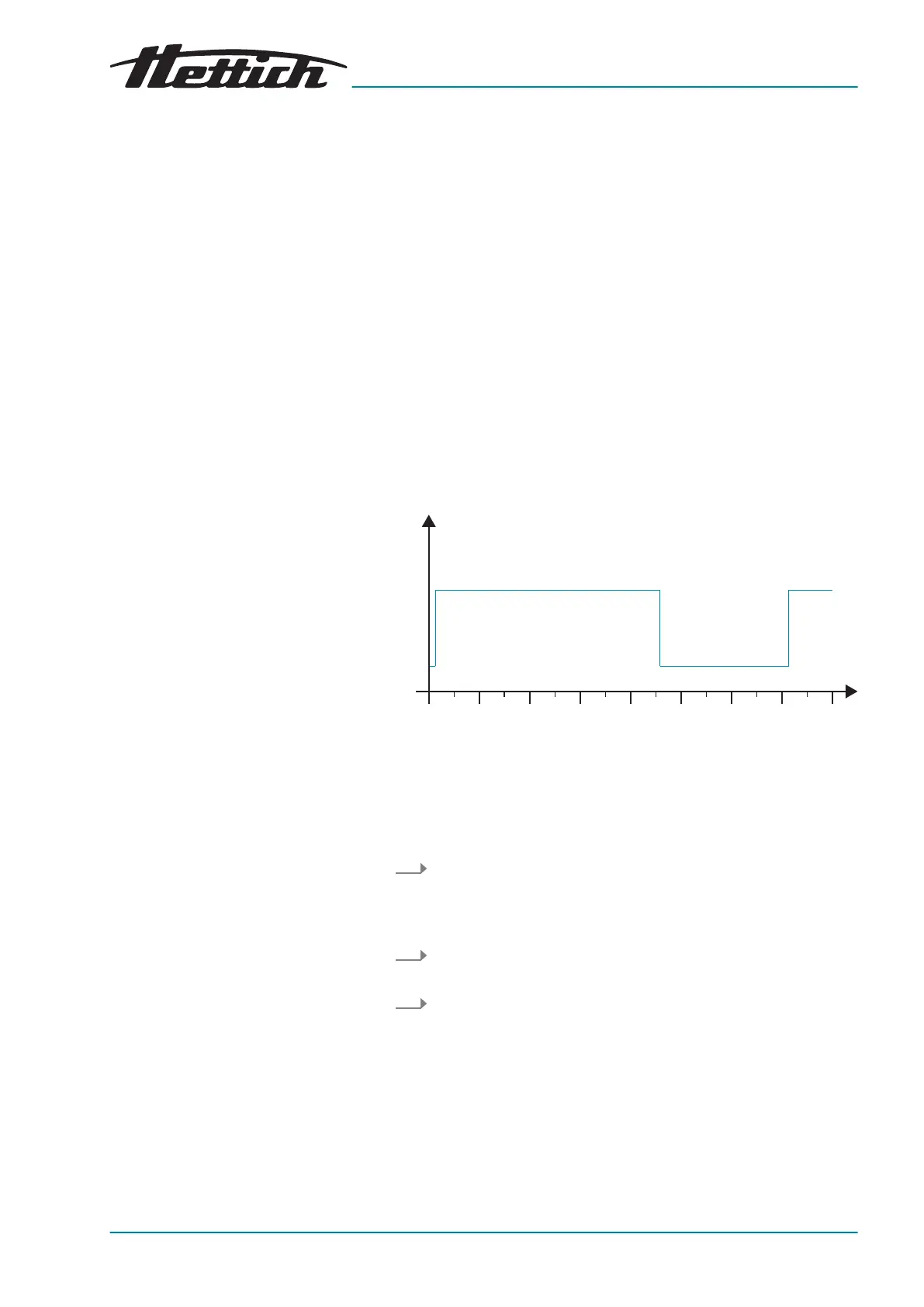
B.1 Temperature drop during the entire weekend (Friday afternoon to Monday
morning)
Mon Tue Thu Fri Sat SunW
ed
37
°C
4
Mon
Fig. 219: Diagram ‘Temperature drop during the entire weekend
(Friday afternoon to Monday morning)’
Operating mode:
Manual mode; Temperature drop via real-time calendar
Procedure:
1. In manual mode, set the temperature drop to 4°C from Friday
after
noon at 2:00 p.m. to Monday morning at 3:00 a.m. and
set the repetition interval to
‘weekly’
‘Creating a temperature
drop’ on page 60
.
2. Set the target temperature to 37°C
‘Set temperature’
on page 65
.
3. Start manual mode
Chapter 6.11.2 ‘Starting manual mode’
on page 66
.













 To Next Page