Alarms
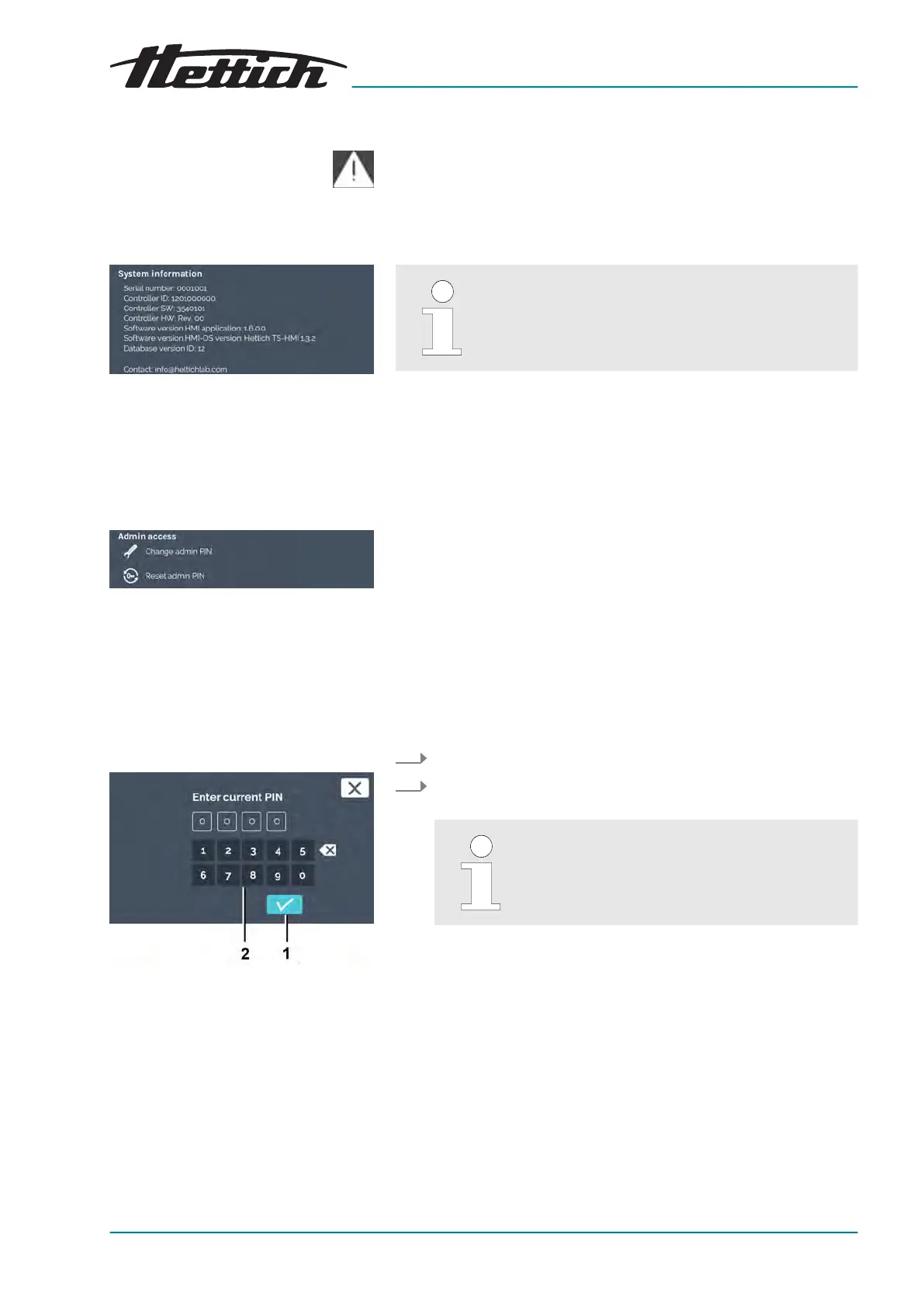
Fig. 194: ‘System information’ menu
Fig. 195: Admin access
Change admin PIN
Fig. 196: Specify current PIN
1
[Conrmation]
button
2 Keypad
By touching this symbol, an event list opens sorted according to
date. In the list, the err
or numbers are displayed with the time they
occurred. You only get the detailed information after touching the
entry.
6.13.17 System information
In this menu, the system information is displayed to
you.
The system information contains information about the version num-
bers of the device components.
In addition, the serial numbers and contact data of Andreas Hettich
GmbH & Co.KG are displayed.
6.13.18 Admin access
Change admin PIN By tapping on the
[Change admin PIN]
symbol, the dialogue for changing the
admin PIN is called up.
Reset admin PIN By tapping on the
[Reset admin PIN]
symbol, the dialogue for resetting the
admin PIN is called up.
To change the admin PIN, proceed as follows:
1. Tap the
[Change admin PIN]
symbol in the device settings.
2. Enter the current admin PIN via the keypad and conrm the
input with the
[Conrmation]
button.
The ex works PIN is ‘0000’.













 To Next Page