109
Conguration Navigator (Quick Set)
Loading setting conditions
This section describes how to load setting conditions that have been saved in the instrument's
internal backup memory.
1
1
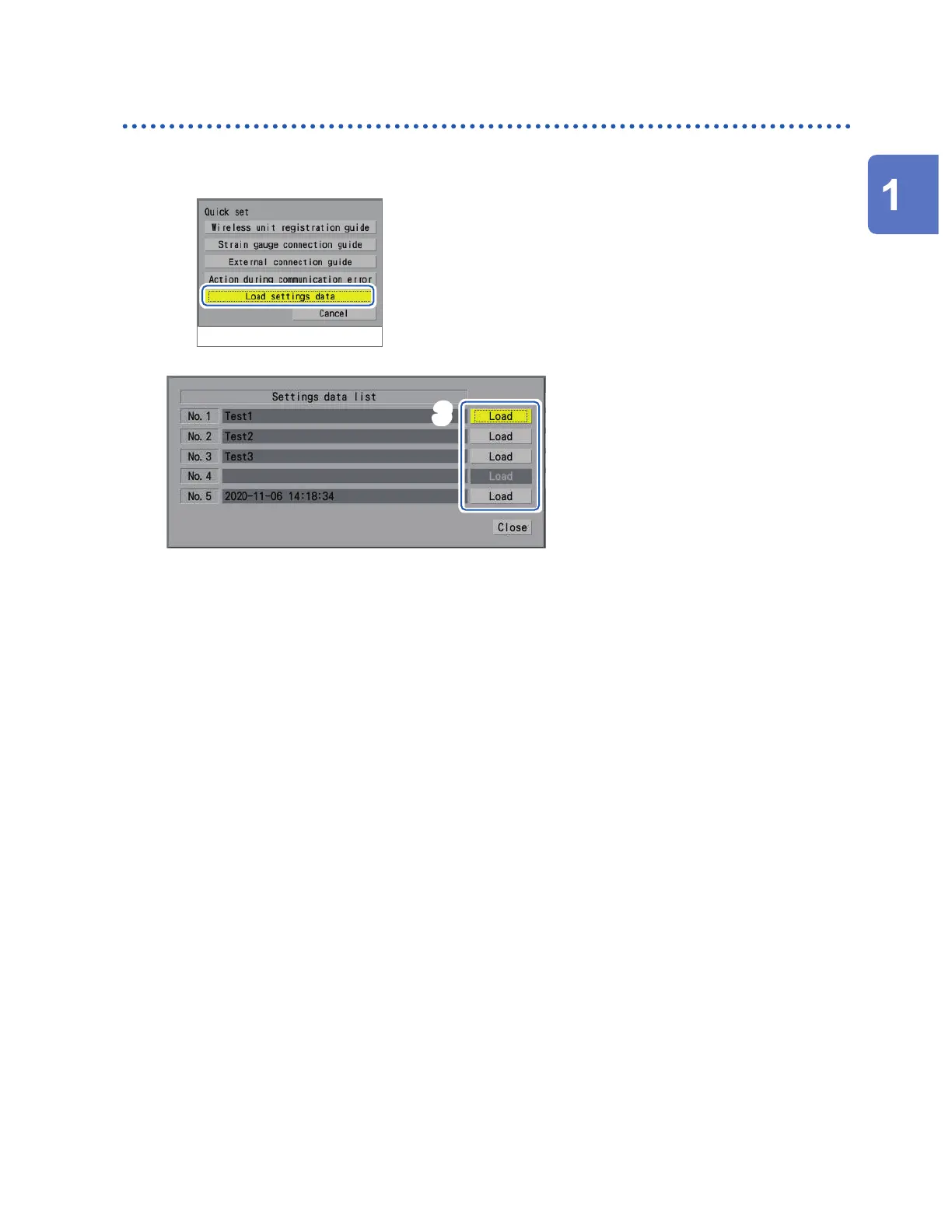
Select [Load settings data].
2
Press the ENTER key.
A list of setting conditions will be displayed.
3
3
Press the ENTER key with one of the [Load] buttons for [No. 1] to [No. 5] selected.
The setting conditions will be loaded.
See “Saving settings to the instrument’s internal backup memory” (p. 155).
Settings and Operation
www.GlobalTestSupply.com
Find Quality Products Online at: sales@GlobalTestSupply.com


 To Next Page
 Loading...