243
Conguring and Establishing a LAN Connection
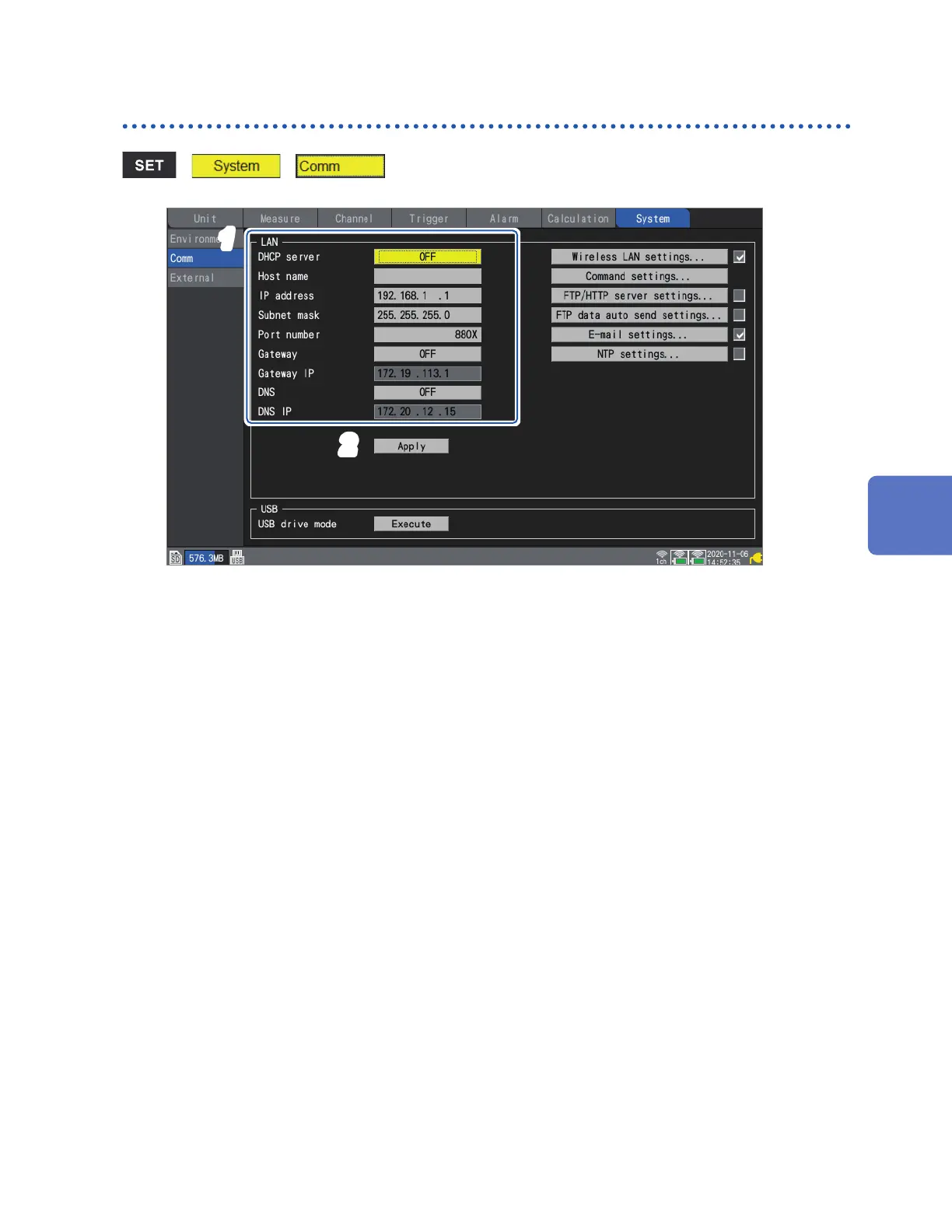
Conguring the instrument’s LAN settings
> >
1
2
1
Congure the settings.
See “Conguring LAN settings” (p. 245).
2
Press the ENTER key while [Apply] is selected.
The LAN connection will be enabled (the USB connection may be interrupted).
Communicating with a Computer (PC)
www.GlobalTestSupply.com
Find Quality Products Online at: sales@GlobalTestSupply.com


 To Next Page
 Loading...