81
Observing Waveforms
Waveform display
This section describes how to change the method used to display measured waveforms.
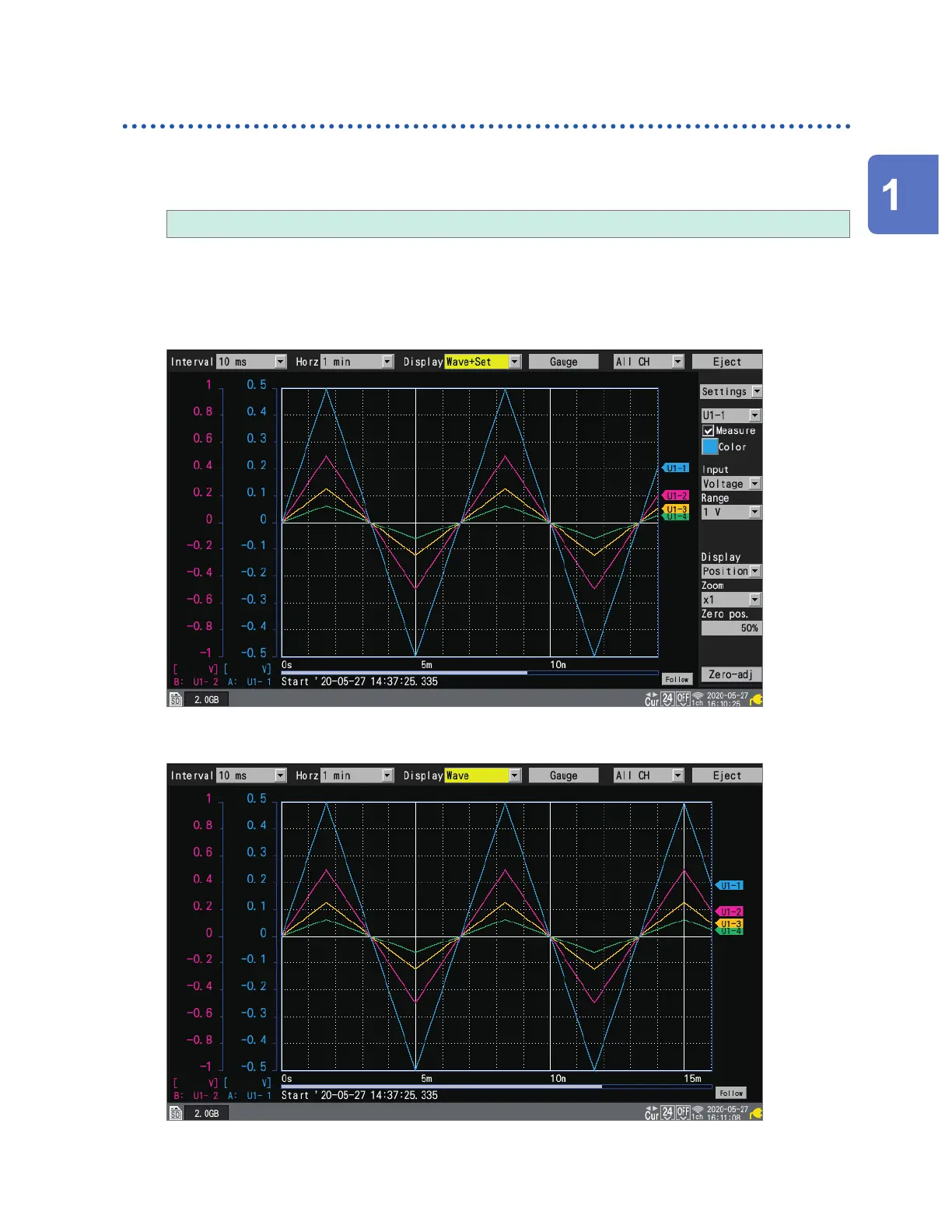
Under [Display], select the waveform display method.
Wave+Set, Wave, Wave+Value, Value, Alarm, XY+Set*, XY+Value*
You can also select the display method with the WAVE key.
Each time you press the WAVE key, the display will cycle to the next display method.
*: Can only be selected when [X-Y Composite] is [ON]
[Wave+Set]
[Wave]
Settings and Operation
www.GlobalTestSupply.com
Find Quality Products Online at: sales@GlobalTestSupply.com


 To Next Page
 Loading...