166
Managing Data
Updating le information
This section describes how to update the le information.
2
1
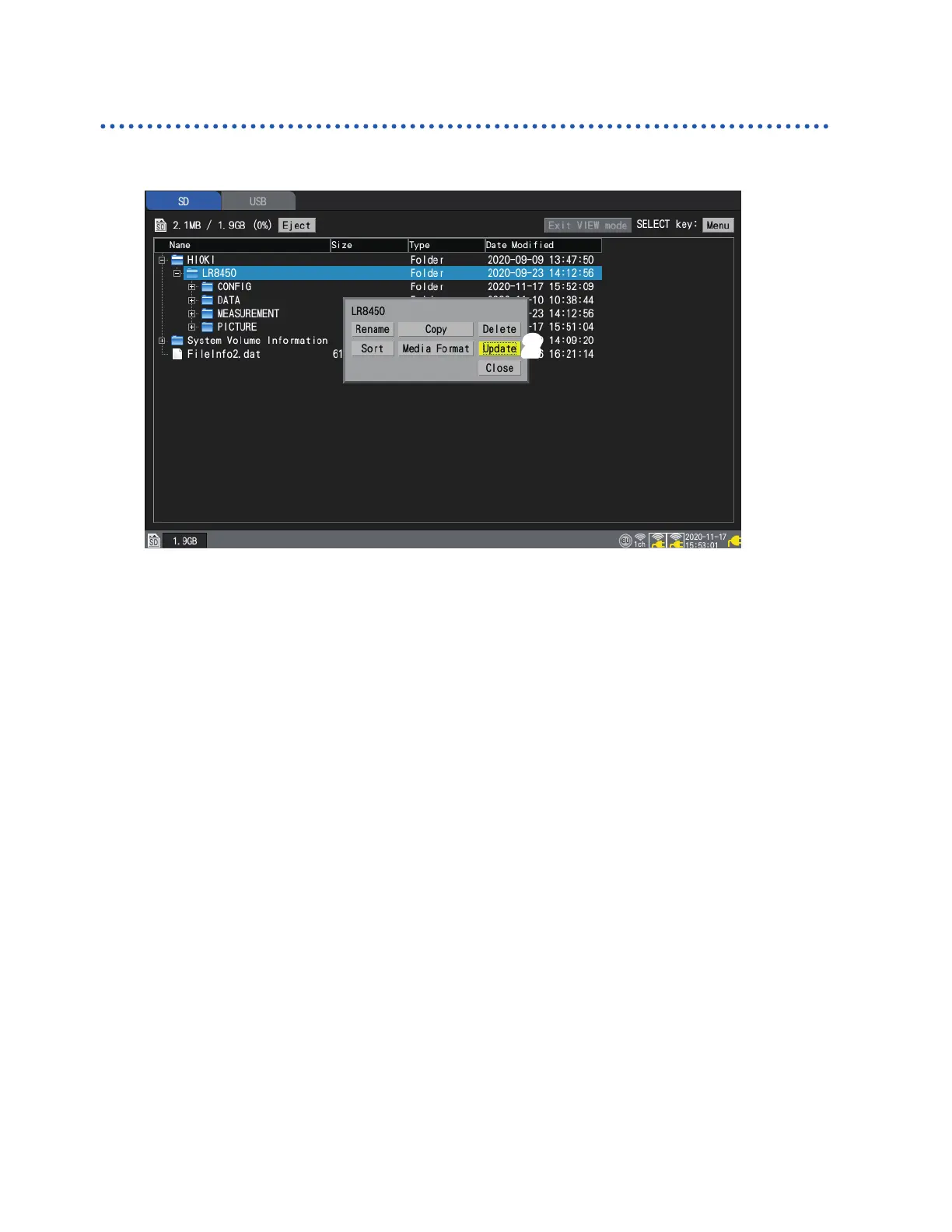
Select media, and press the SELECT key on the le list screen.
The le operations window will be displayed.
2
Press the ENTER key while [Update] is selected.
The le information will be updated.
www.GlobalTestSupply.com
Find Quality Products Online at: sales@GlobalTestSupply.com



 To Next Page
 Loading...