System conguration
This section describes how to check the instrument’s rmware version, installed modules, and other
system conguration.
> >
1
1
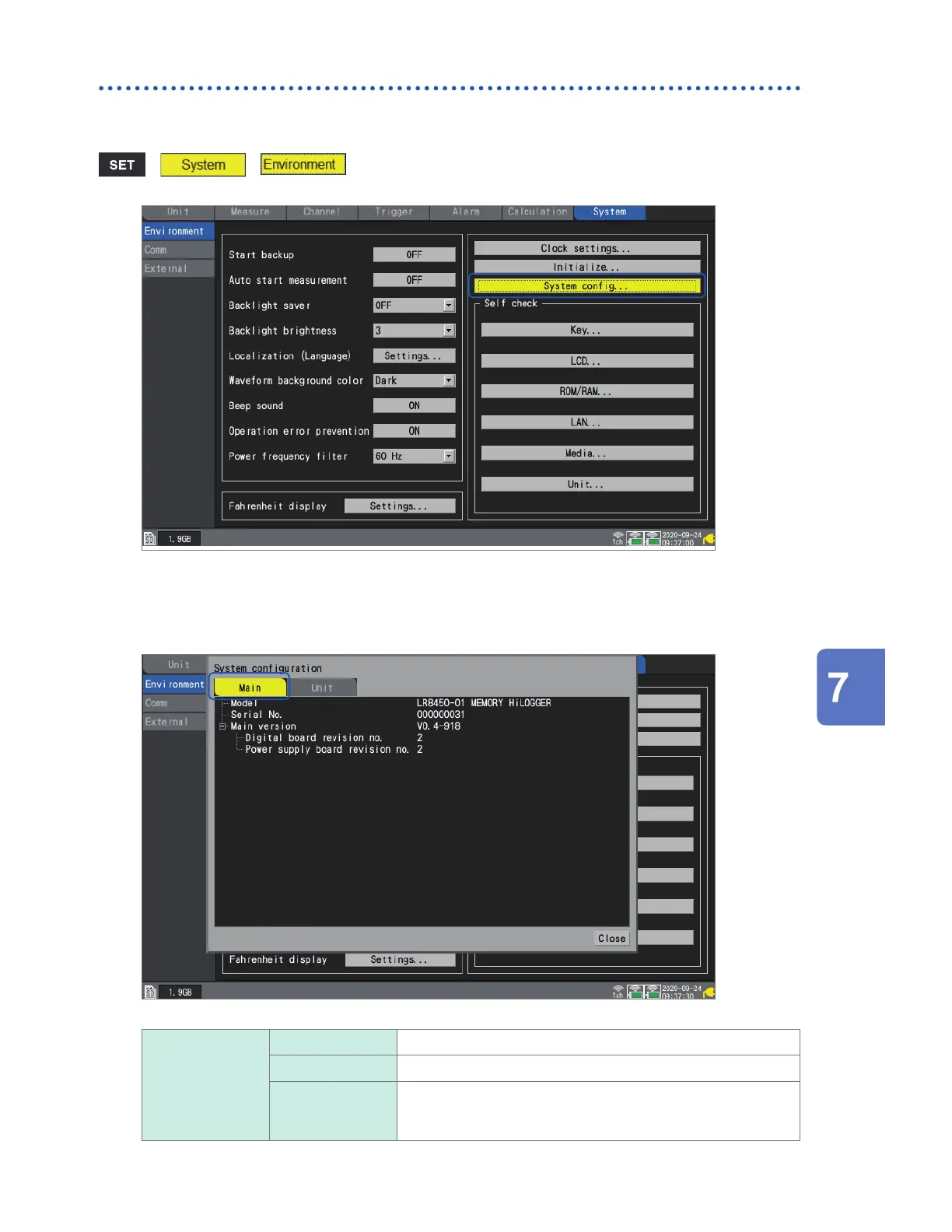
Press the ENTER key while [System cong...] is selected.
A list of system conguration will open.
2
Select [Main] or [Unit] using the Left Arrow and Right Arrow keys.
Main Model The instrument’s model number (LR8450 or LR8450-01)
Serial No. The instrument’s serial number
Main version The instrument’s software version
The revisions of the digital board and power supply board are
displayed.
Conguring System Settings
www.GlobalTestSupply.com
Find Quality Products Online at: sales@GlobalTestSupply.com


 To Next Page
 Loading...