163
Managing Data
Renaming les and folders
This section describes how to rename a le or folder.
2
1
1
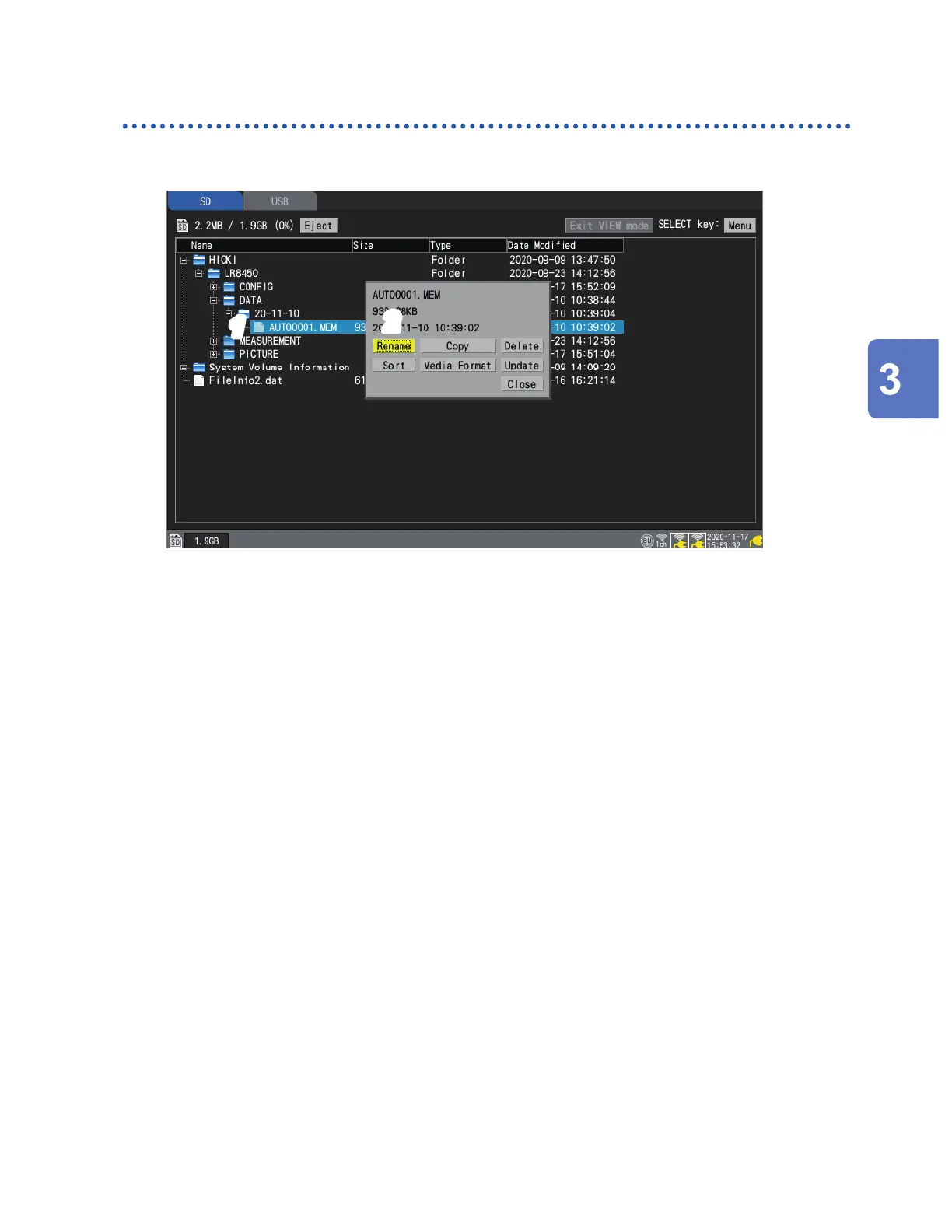
Select the le or folder you wish to rename with the Up Arrow and Down Arrow keys and
then press the SELECT key.
The le operations window will be displayed.
2
Press the ENTER key while [Rename] is selected.
A text entry window will be displayed.
See “Text entry method” (p. 10).
3
Enter the new name and press the START key.
The lename will be changed.
You cannot rename the following folders: [HIOKI], [LR8450], and [DATA].
Saving and Loading Data
www.GlobalTestSupply.com
Find Quality Products Online at: sales@GlobalTestSupply.com


 To Next Page
 Loading...