25
Connecting the RM9005 Connection Cable
2.3 Connecting the RM9005 Connection Cable
CAUTION
To avoid damaging the cable, connect and disconnect the RM9005 Connection Cable
only after turning off the RM2611 Electrode Resistance Meter.
IMPORTANT
When connecting the RM9005 Connection Cable, tighten the screws after securely inserting the connector.
Loose screws could result in incomplete contact, causing measurement errors.
2
1
1
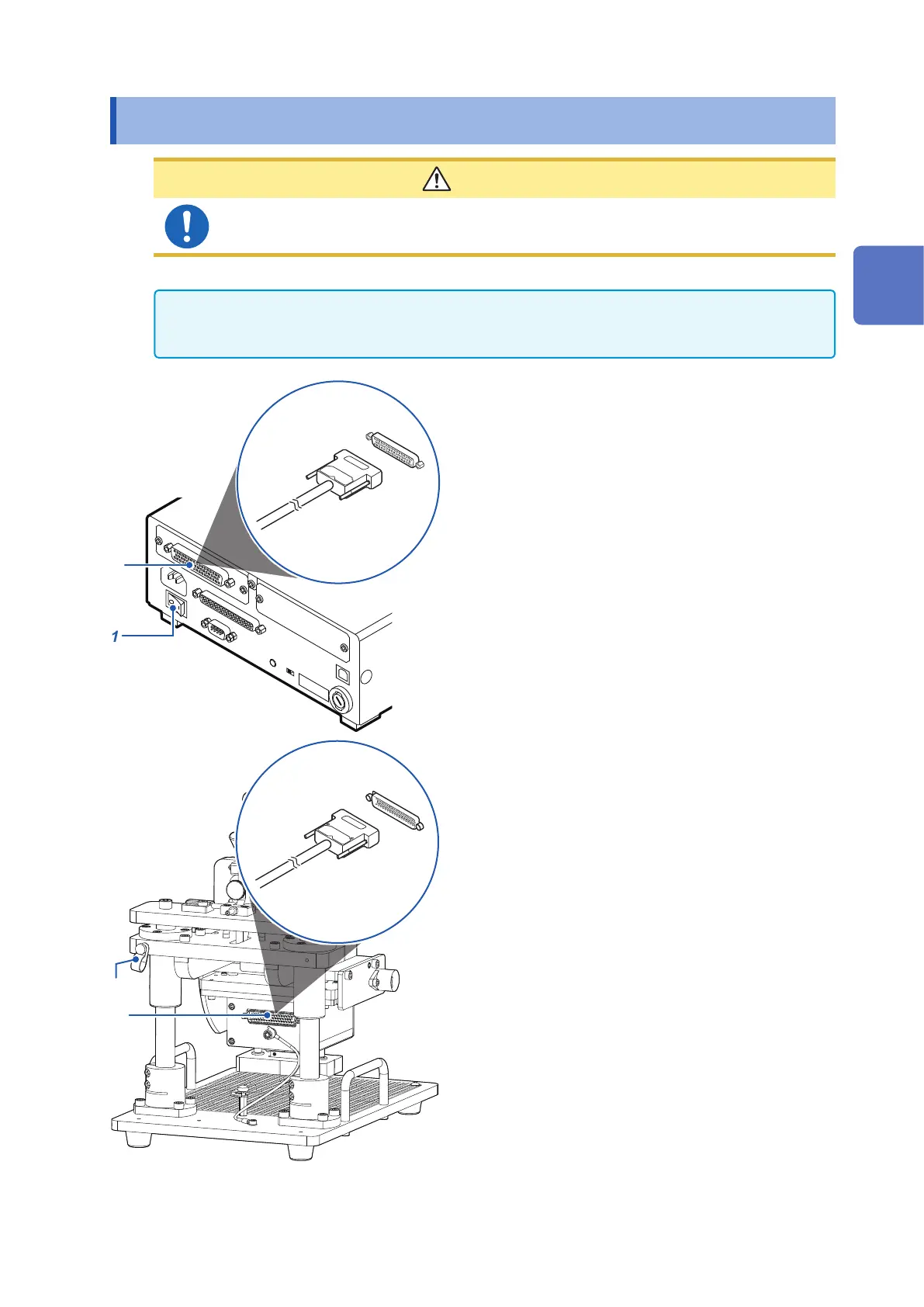
Verify that the RM2611 Electrode
Resistance Meter’s main power switch (on
the rear of the instrument) is in the OFF (○)
position.
2
Connect the male side connector of the
RM9005 Connection Cable to the test
xture connector on the RM2611 Electrode
Resistance Meter and tighten the screws
that hold it in place.
3
4
3
Connect the female side connector of
the RM9005 Connection Cable to the
connector on the RM9004 Test Fixture and
screws that hold it in place.
4
Secure the RM9005 Connection Cable in
place with the cable clamp.
There are screws for attaching the cable clamp on
the left and right sides of the RM9003 Press Unit.
Choose the appropriate side based on the position
of the device.
2
Preparing for Measurement



 To Next Page