60
Choosing the Element Size (Resolution)
4.9 Choosing the Element Size (Resolution)
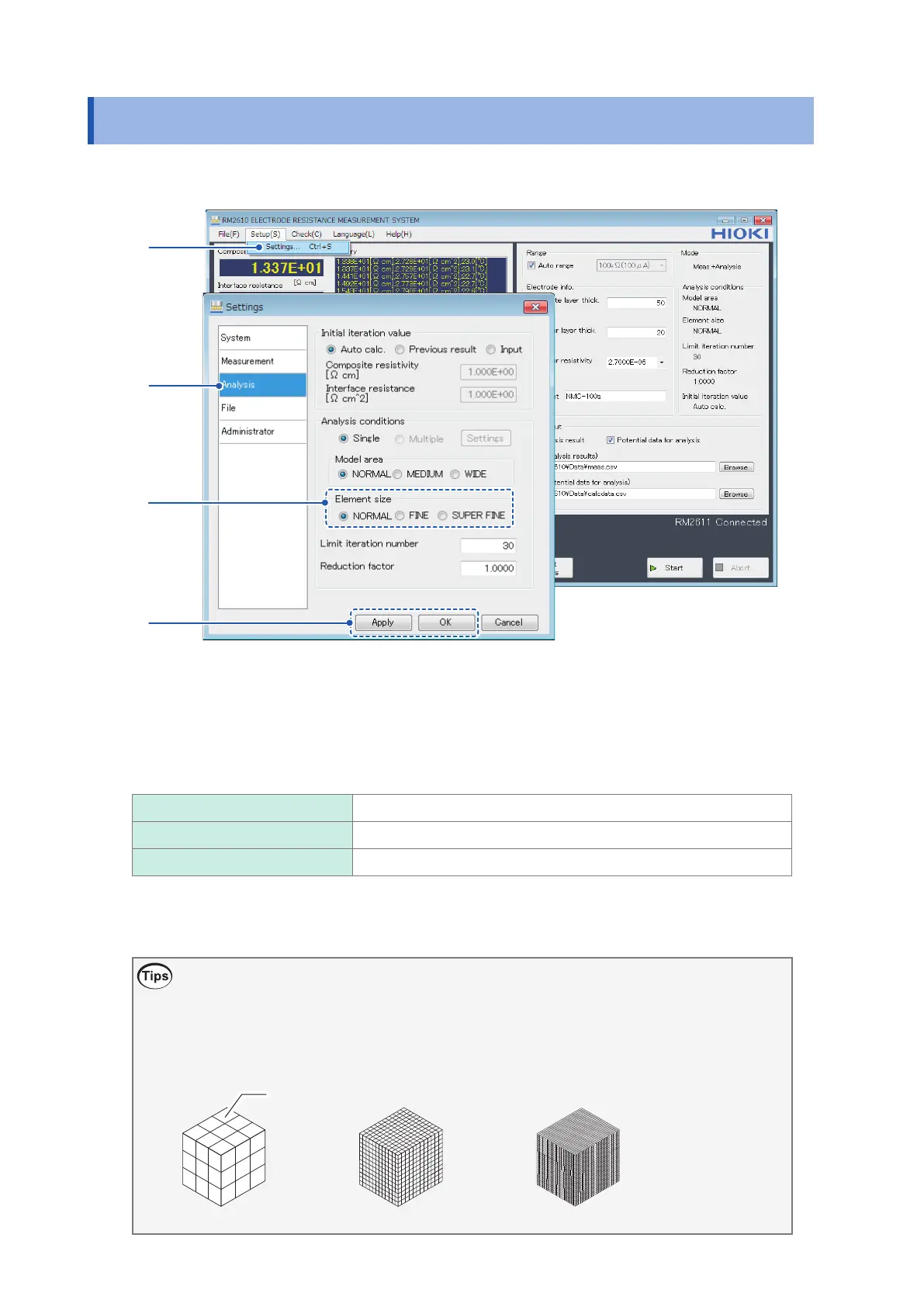
This section describes how to choose the element size (resolution).
1
2
3
4
1
Choose [Settings].
2
Choose [Analysis].
3
Choose one of the following settings for [Element size]:
NORMAL
Perform measurements at the standard resolution.
FINE Perform measurements at 4 times the standard resolution (NOMAL).
SUPER FINE Perform measurements at 9 times the standard resolution (NOMAL).
4
Click [Apply] or [OK] to accept the settings. (Clicking [OK] will cause you to return to the
main screen.)
What is element size?
Although using a small element size (resolution) setting will allow you to make measurements that
more closely approach actual physical phenomena, measurement times will increase. Change the
setting to reect the degree of measurement precision you require.
NORMAL FINE SUPER FINE
Element



 To Next Page