41
Entering Electrode Sheet Information
3.5 Entering Electrode Sheet Information
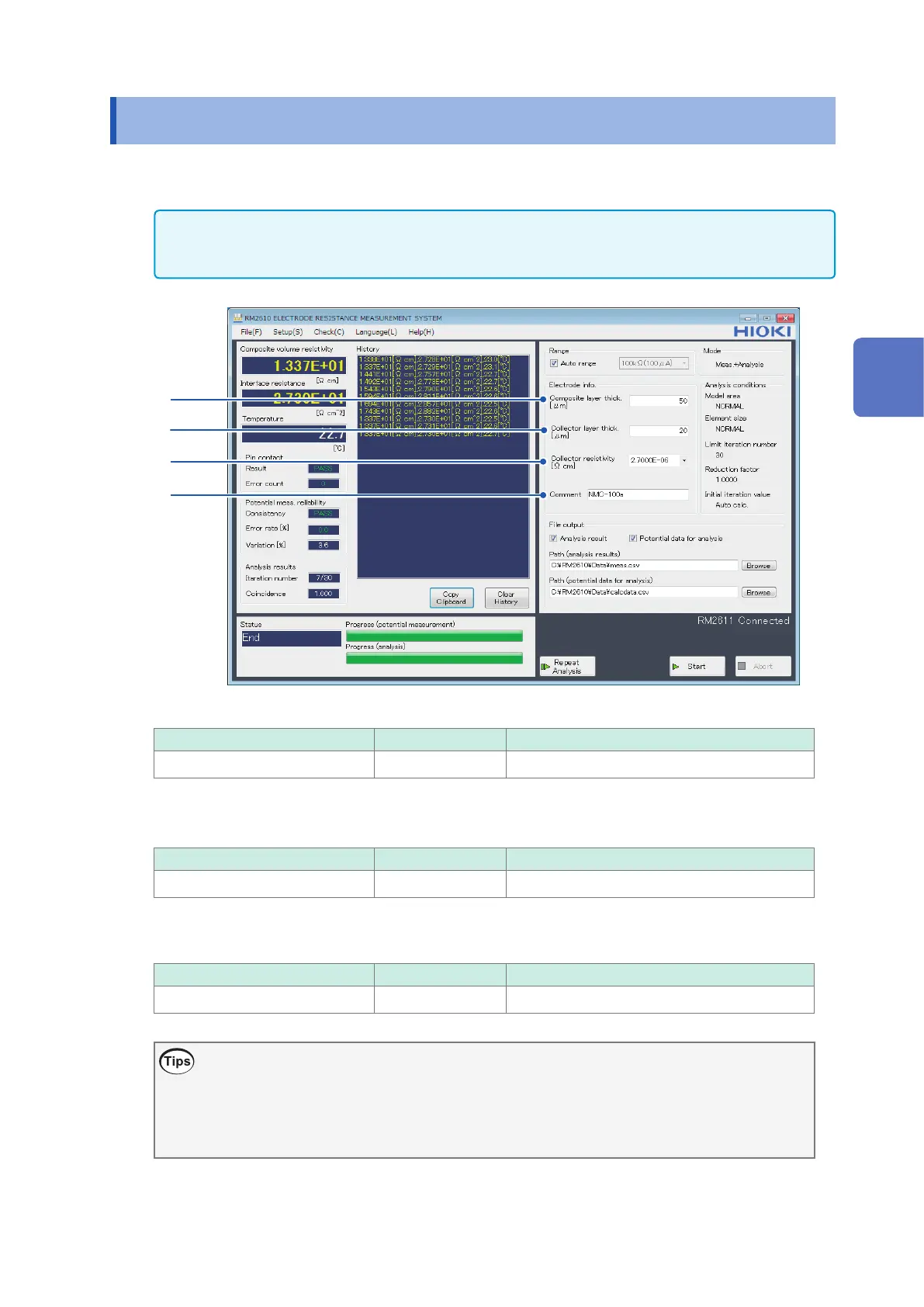
In order to calculate electrode resistance, you will need to enter information about the electrode
sheet being measured. Analysis cannot be performed without this information.
IMPORTANT
If the operating mode is set to [Analysis], the electrode sheet information stored in the specied potential
data for analysis le will be used instead of the electrode sheet information on the screen.
1
2
4
3
1
Enter the composite layer thickness in the [Composite layer thick. [μm]] eld.
Valid setting range Initial value Format
0.0001 μm to 1000 μm 50 Decimal or exponential with 5 signicant digits
2
Enter the collector layer thickness in the [Collector layer thick. [μm]] eld.
Valid setting range Initial value Format
0.0001 μm to 1000 μm 20 Decimal or exponential with 5 signicant digits
3
Enter the collector resistivity in the [Collector resistivity [
Ω
cm]] eld.
Valid setting range Initial value Format
1.0000E-10 to 1.0000E+5 2.7000E-06* Decimal or exponential with 5 signicant digits
*Volume resistivity of aluminum
Volume resistivity (reference values)
You can choose between aluminum and copper from the pull-down menu.
Aluminum 2.7000E-06
Copper 1.7000E-06
3
Basic Measurement



 To Next Page