56
Setting the Limit Iteration Number
4.5 Setting the Limit Iteration Number
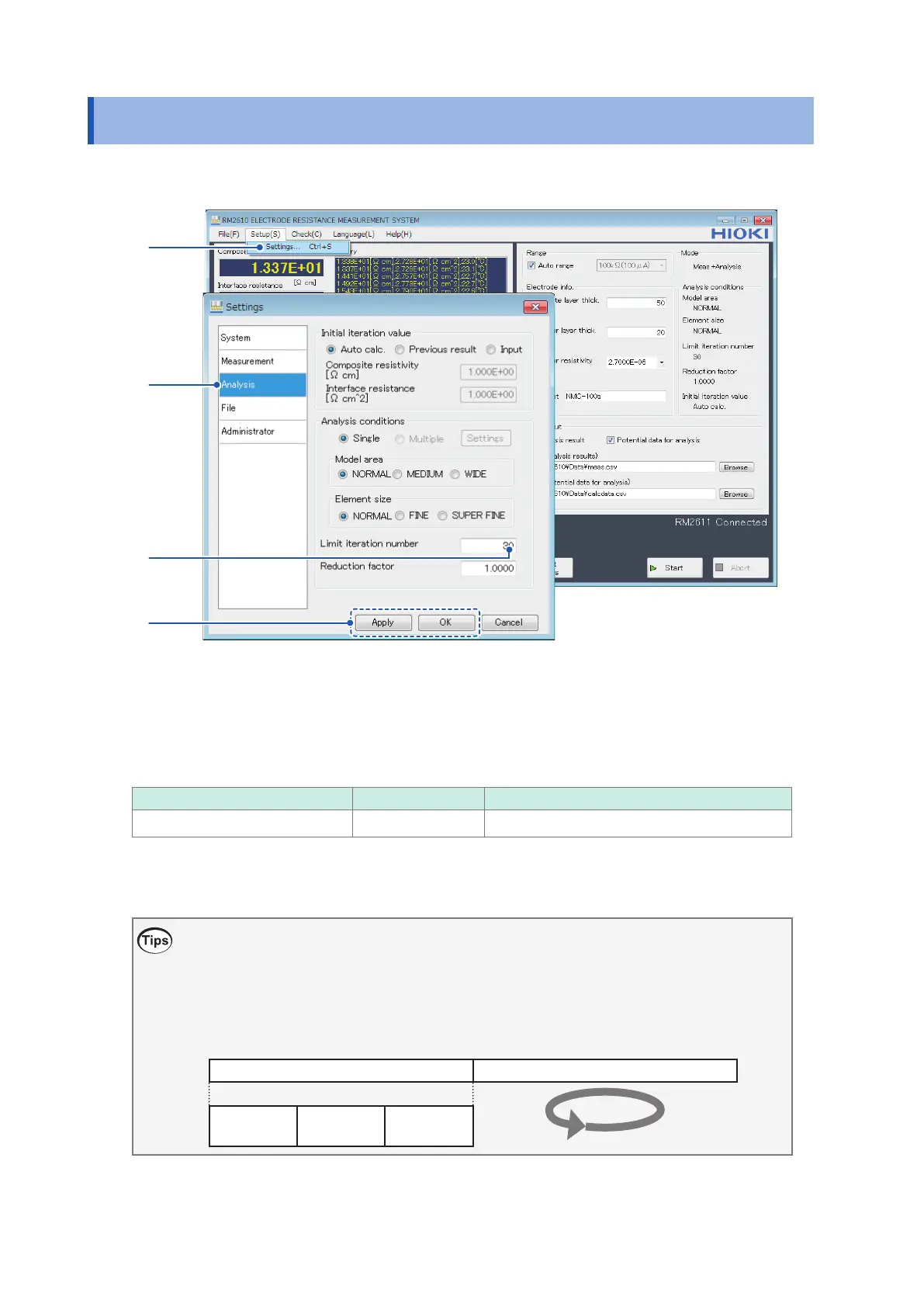
This section describes how to set the limit on how many times analysis is performed.
1
2
3
4
1
Choose [Settings].
2
Choose [Analysis].
3
Enter the upper limit for iterative calculations in the [Limit iteration number] eld.
Valid setting range Initial value Format
1 to 999 30 3-digit integer (000)
4
Click [Apply] or [OK] to accept the settings. (Clicking [OK] will cause you to return to the
main screen.)
What is the limit iteration number?
Set the [Limit iteration number] eld to the maximum number of times to perform calculations
before ending analysis. The instrument performs calculations repeatedly until the results converge,
at which point it ends measurement and displays measured values. Ordinarily the initial value can
be used, although the setting can be changed as necessary.
Potential measurement Analysis
Iteration
Contact
check
Auto range
Measurement
Start of measurement End of measurement



 To Next Page