52
Auto Start Function
4.2 Auto Start Function
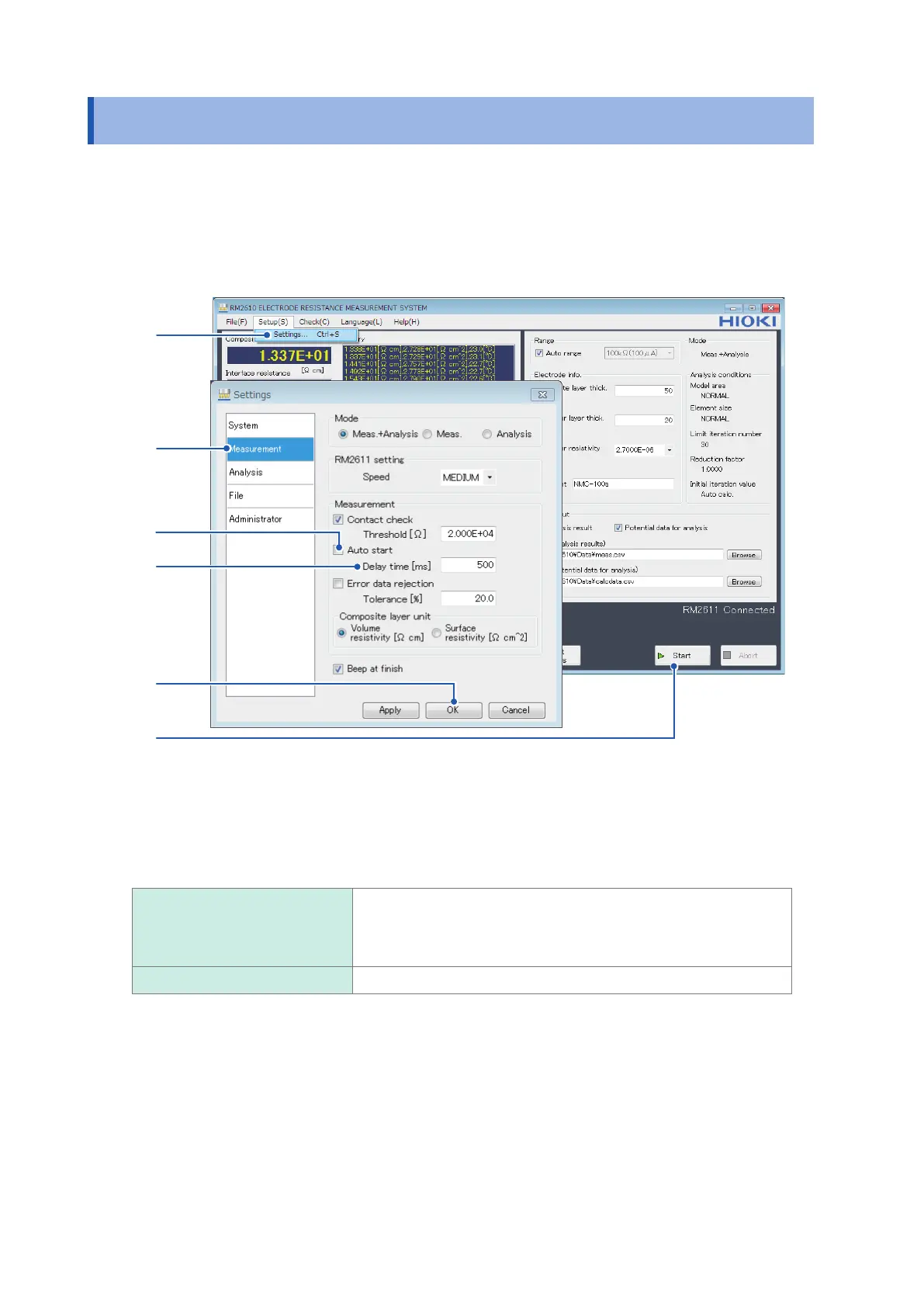
The auto start function allows you to start measurement automatically when the probes make
contact with an electrode sheet. Since measurement starts without requiring you to click [Start],
this function is convenient when you need to measure multiple electrode sheets in a row. You
can set the time (delay time) allowed to elapse from the time the probes make contact with the
electrode sheet until measurement begins.
1
2
3
4
5
6
1
Choose [Settings].
2
Choose [Measurement].
3
Choose one of the following settings for [Auto start]:
ON When you click [Start], measurement will start once the time entered
in the [Delay time [ms]] eld has elapsed after the probes make
contact with the measurement target. (If you encounter numerous
contact errors, try increasing the delay time.)
OFF
Require user operation to start measurement. (Skip step 4 below.)
4
Enter the time to allow to elapse before measurement starts in the [Delay time [ms]] eld (0
ms to 2000 ms).
5
Click [OK] to accept the settings. (Clicking [OK] will cause you to return to the main screen.)
6
Click [Start] on the main screen.
The instrument will begin monitoring the state of probe contact. Once the probes make
contact with the electrode sheet, it will start measurement once the [Delay time [ms]] has
elapsed. Once measurement is complete, the instrument will verify that probes are in the
open state and then begin monitoring the contact state again.



 To Next Page