1
Measurement Process
Measurement Process
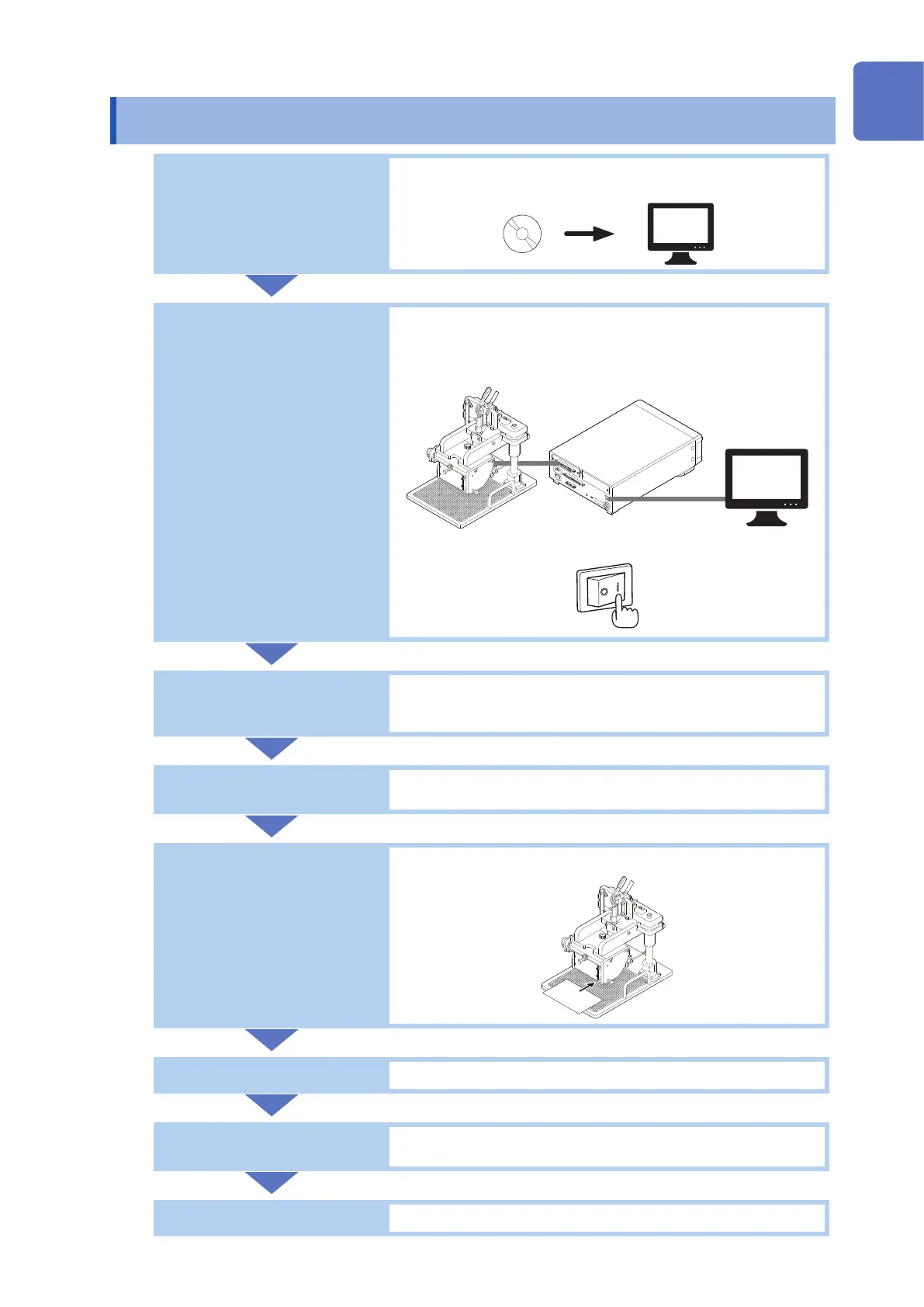
Installing the software
(p. 19)
Install the RM2612 Resistance Calculation Software on your
computer.
Connecting the
equipment (p. 24)
• Connect the RM2611 Electrode Resistance Meter to the RM9004
Test Fixture with the RM9005 Connection Cable.
• Connect the RM2611 Electrode Resistance Meter to the computer
with a USB cable.
• Turn on the RM2611 Electrode Resistance Meter.
Completing the pre-start
inspection (p. 32)
Check to ensure the RM2610 Electrode Resistance Measurement
System and optional equipment are not experiencing any
malfunctions or failures.
Conguring settings
• “Basic Measurement” (p. 35)
• “Customizing Measurement Conditions” (p. 51)
Loading the
measurement target
(p. 45)
• Load the electrode sheet into the RM9003 Press Unit.
Making measurements
• “3.9 Checking Measurement Results” (p. 48)
Saving the results
• “3.9 Checking Measurement Results” (p. 48)
• “6.1 Saving Measurement Conditions” (p. 73)
Completing work
Complete measurement and turn off the system.
10
9
8
7
6
5
4
3
2
1
Index



 To Next Page