37
Setting the Resistance Range
3.2 Setting the Resistance Range
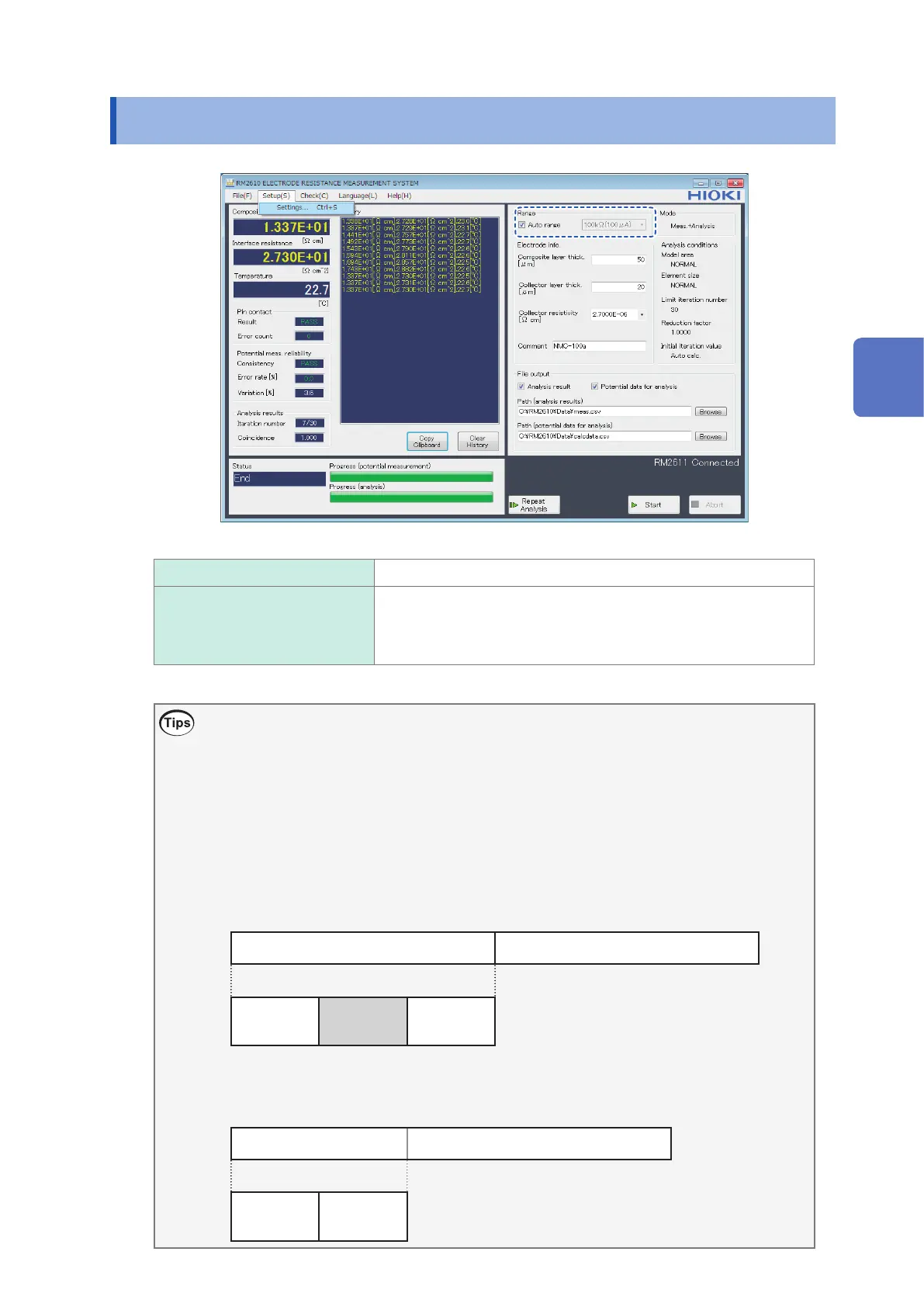
Auto range
Select the optimal resistance range automatically (recommended).
Resistance range When [Auto range] is disabled, allows you to select the resistance
range you wish to use. The measurement current (output current) is
displayed next to the resistance range.
1000 m
Ω
, 10
Ω
, 100
Ω
, 1000
Ω
, 10 k
Ω
, 100 k
Ω
, 1000 k
Ω
Choosing the range
Although [Auto range] selects the optimal resistance range automatically, measurement will take
more time than when the resistance range has been selected.
When measuring multiple electrode sheets with the same resistance value, perform the rst
measurement using [Auto range] and then choose the resistance range that was used by the [Auto
range] function to perform the second and subsequent measurements in order to save time.
Change the setting as necessary.
• Select [Auto range].
Potential measurement Analysis
Contact
check
Auto range
Measurement
Start of measurement End of measurement
• Choose a resistance range.
Potential measurement Analysis
Contact
check
Measurement
Start of measurement End of measurement
3
Basic Measurement



 To Next Page