36
Setting the Operating Mode
About operating modes
Potential measurement Analysis
Meas. Analysis
Meas. + Analysis
Start of measurement End of measurement
You can choose the operating mode in order to streamline measurement work. When measuring a
small number of electrode sheets, it is recommended to set the mode to [Meas.+Analysis] so that
potential measurement and analysis are performed for each sheet.
When measuring multiple electrode sheets, efciency suffers as the analysis step in
[Meas.+Analysis] results in wait times. By choosing either [Meas.] or [Analysis] as the mode,
you can use the time it takes for analysis results to be generated more effectively by grouping
together analysis of multiple boards, boosting work efciency.
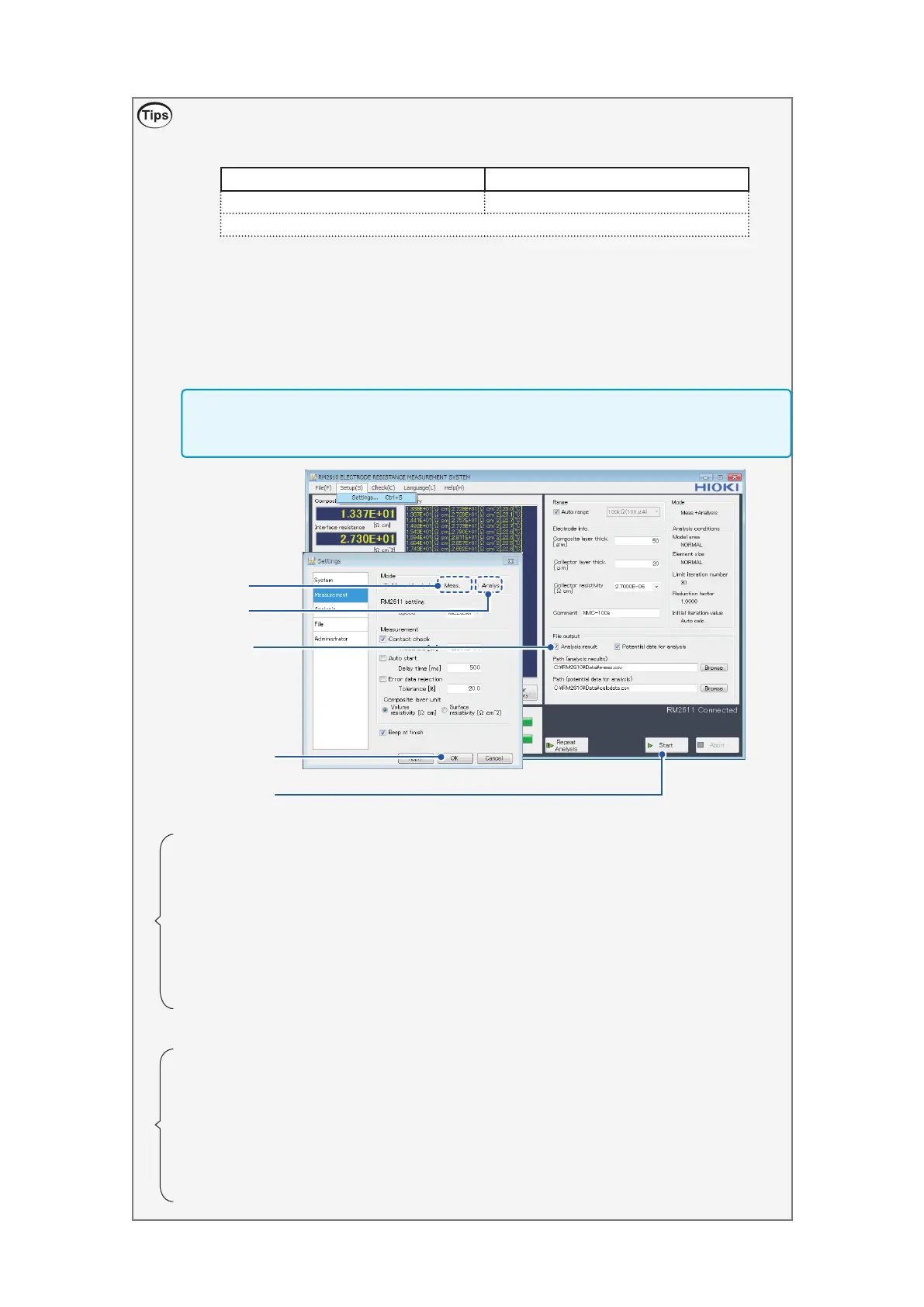
This section describes the workow when measuring multiple electrode sheets.
IMPORTANT
Each mode has its own [File output] setting. Before clicking [Start], check the [File output]
settings.
1
2, 7
6
3, 9
8
Potential measurement
1
Choose [Meas.] under [Mode].
2
Click [OK] to accept the settings.
3
Place an electrode sheet in the RM9003 Press Unit and click [Start] to
perform potential measurement (p. 45).
4
A potential le for analysis use with a lename created by appending a time
stamp to the lename as set in [Path (Analysis results)] will be output. (One
le will be output for each measurement.)
5
Repeat the measurement step for each sheet (Step 3).
Analysis
6
Choose [Analysis] under [Mode].
7
Click [OK] to accept the settings.
8
Select [Analysis result] under [File output].
9
Click [Start] to display a le selection dialog box. Select multiple les output
during [Meas.] operation and click [Open]. (Analysis will be performed one
le at a time, and analysis results will be appended to the analysis results
le.)



 To Next Page