35
3
Basic Measurement
3.1 Setting the Operating Mode
1
2
3
4
1
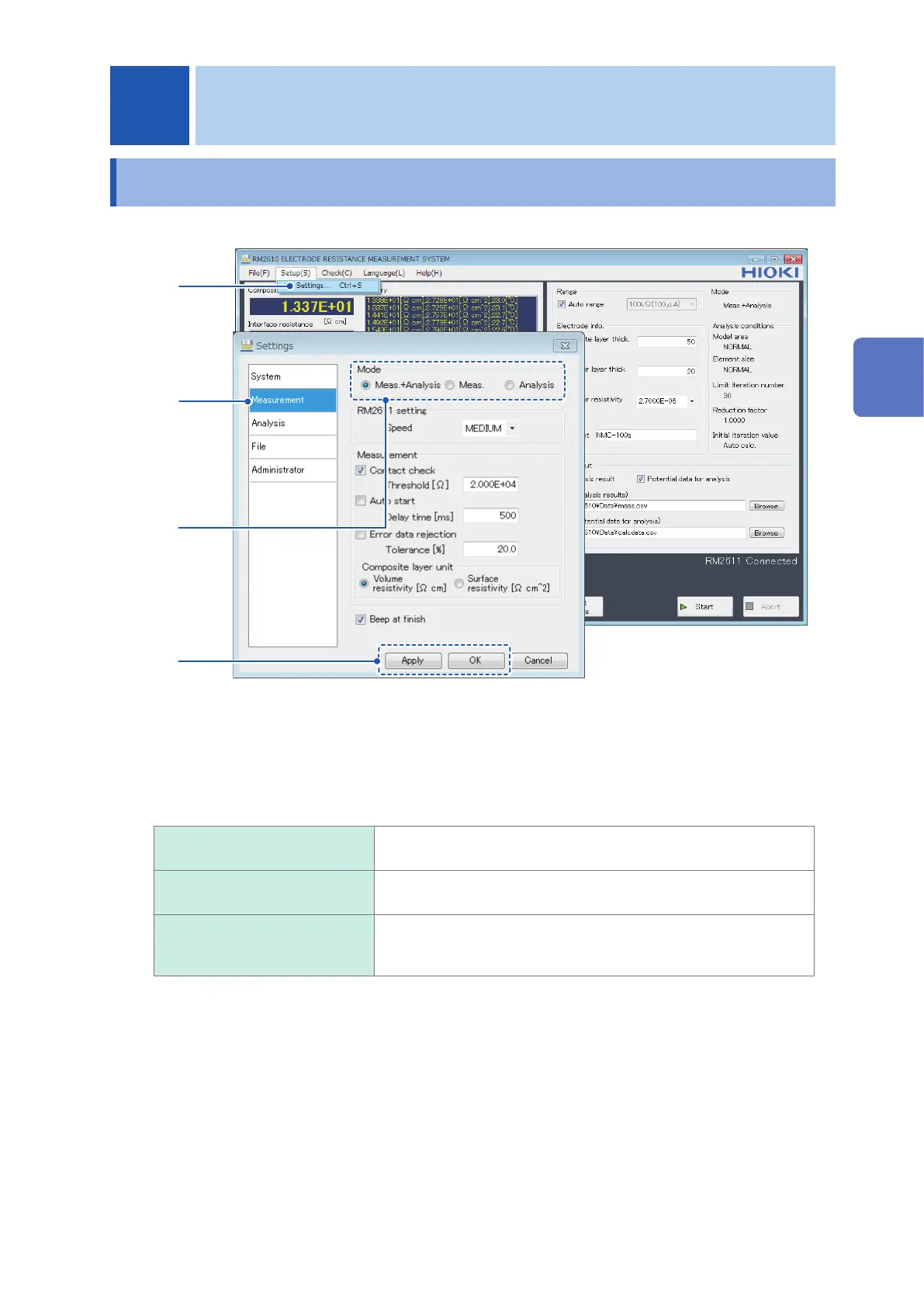
Choose [Settings].
2
Choose [Measurement].
3
Choose the [Mode] from the following options:
Meas.+Analysis
Perform potential measurement and analysis and save the results to
a le.
Meas. Perform potential measurement and save the results to a le. One
le will be created for each measurement.
Analysis Load a potential measurement le, performs analysis, and save
the results to a le. Multiple potential analysis les can be specied
together.
4
Click [Apply] or [OK] to accept the settings. (Clicking [OK] will cause you to return to the
main screen.)
3 Basic Measurement
3
Basic Measurement



 To Next Page