29
Turning the RM2611 Electrode Resistance Meter On and Off
2.7 Turning the RM2611 Electrode Resistance Meter
On and Off
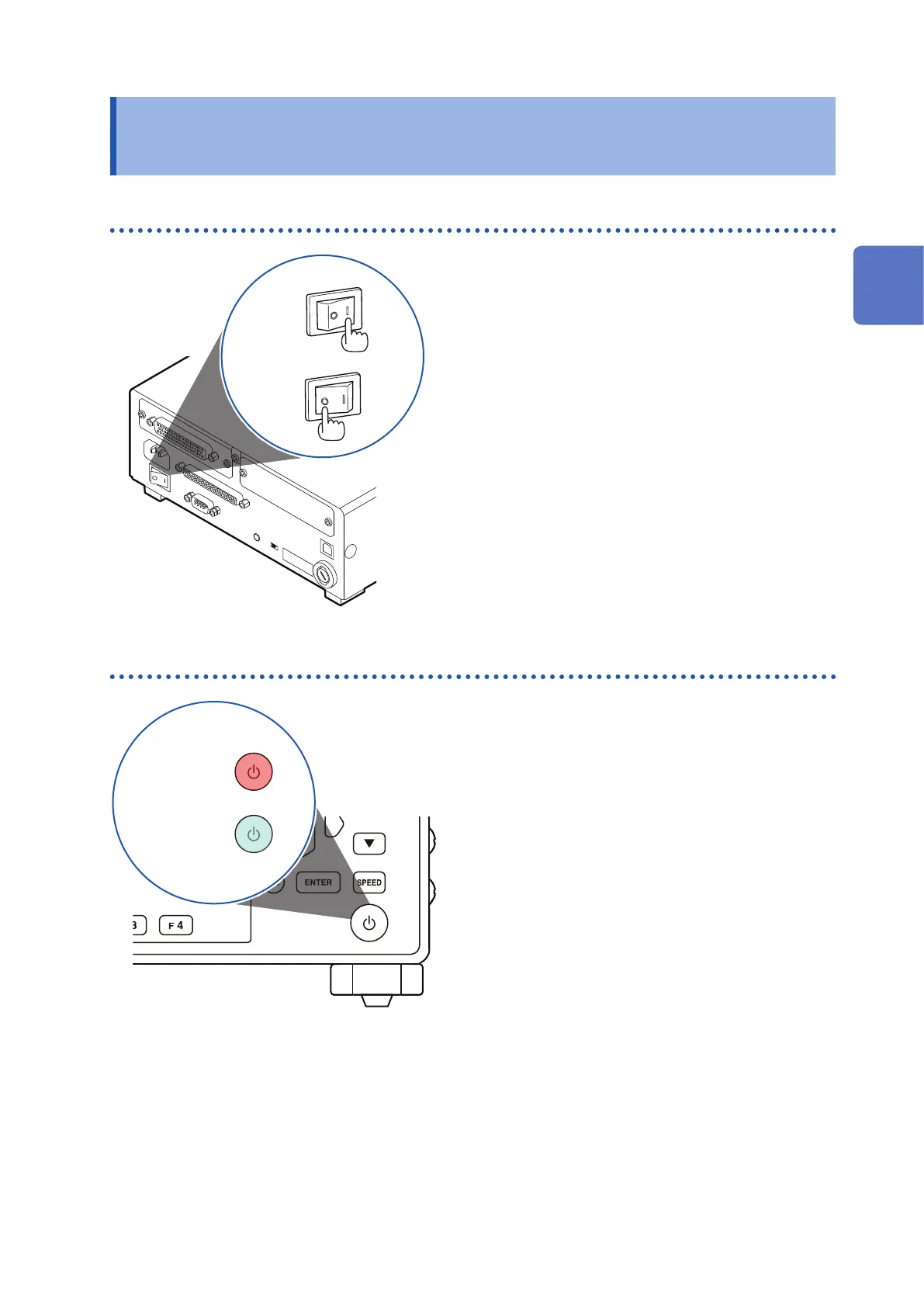
Turning the main power switch on and off
ON
OFF
Place the RM2611 Electrode Resistance Meter’s main
power switch (on the rear of the instrument) in the
ON (|) or OFF (○) position.
When the main power switch is turned on, the instrument
will enter the standby state with the same settings as
when the main power switch was turned off the last time.
Entering and exiting the standby state
Standby off
(green)
Standby on
(red)
Press the standby key.
(Exit the standby state when starting measurement.)
When the instrument enters the standby state, the
standby key will glow red.
When the instrument exits the standby state, the standby
key will glow green.
2
Preparing for Measurement



 To Next Page