110
Updating the Software
9.2 Updating the Software
If you have an Internet connection and can download les, you can update the RM2612 Resistance
Calculation Software’s PC application.
1
2
3
4
1
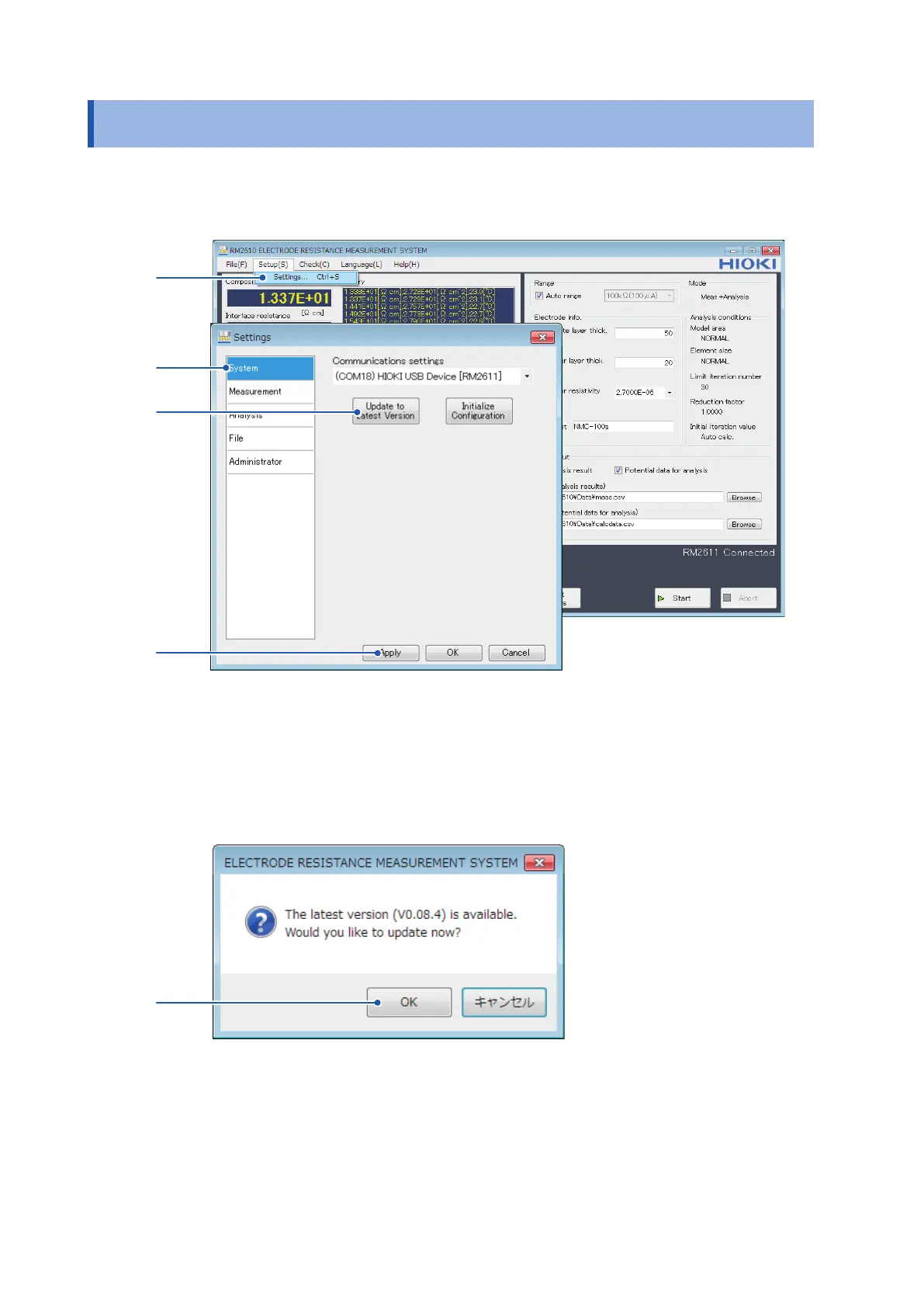
Choose [Settings].
2
Choose [System].
3
Click [Update to Latest Version].
5
4
If there is a new version available, the [ELECTRODE RESISTANCE MEASUREMENT
SYSTEM] dialog box will be displayed.
5
To update the application to the latest version, click [OK].
After clicking [OK], follow the installation procedure (p. 22) to update the software. Once
the update is complete, the new version of the application will launch automatically.



 To Next Page