22
Installing the RM2612 Resistance Calculation Software
Installing the RM2612 Resistance Calculation Software
1
Log in to the PC with administrative
privileges, for example as “administrator.”
2
Exit all applications running on the PC.
3
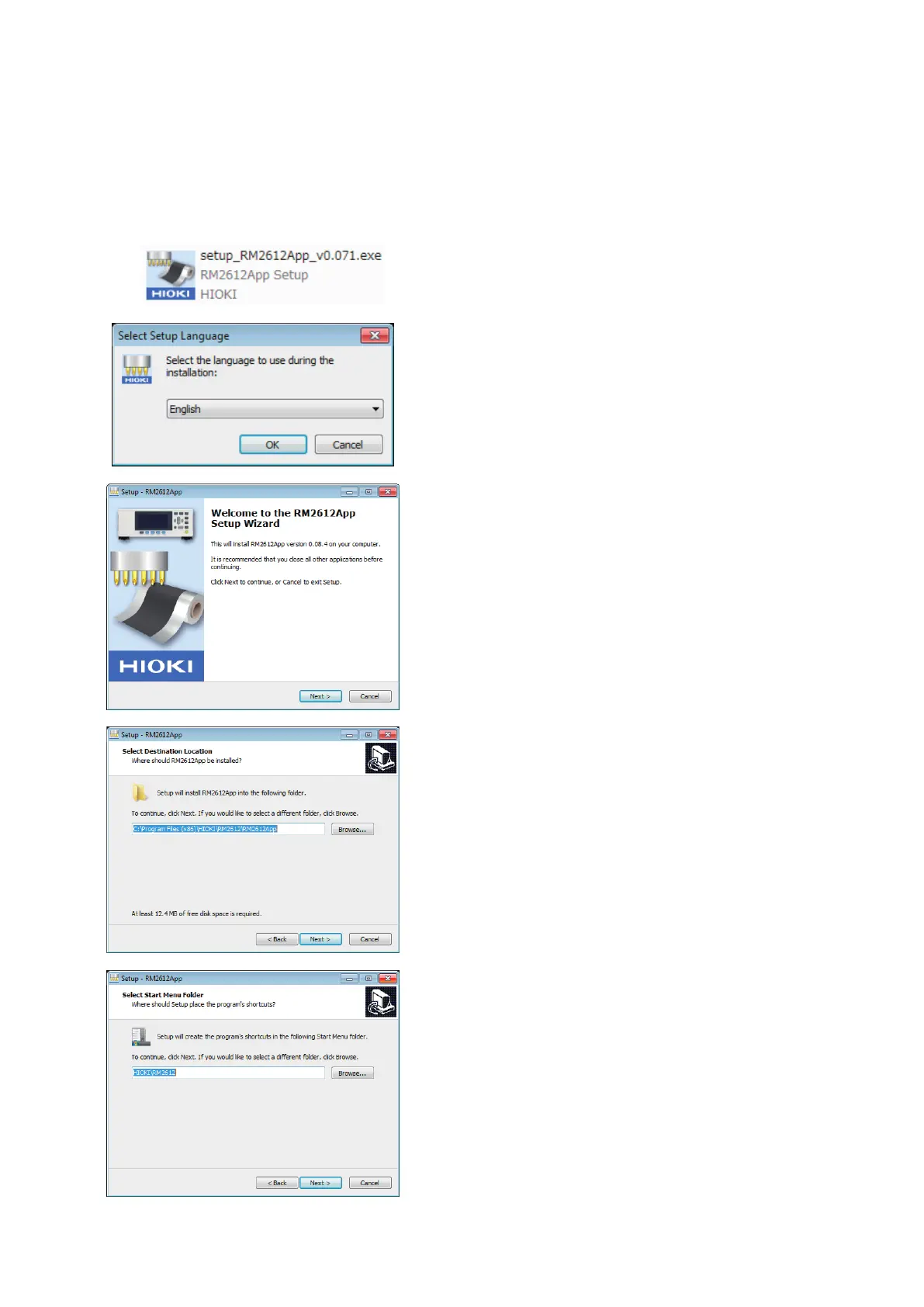
Double-click on [setup_RM2612App_
v (version number).exe] on the RM2612
Resistance Calculation Software’s PC
application CD.
4
Choose a language and click [OK].
5
Click [Next].
The setup wizard will launch.
6
Specify the installation folder and click
[Next].
7
Specify where to create the program icon
and click [Next].



 To Next Page