23
Installing the RM2612 Resistance Calculation Software
8
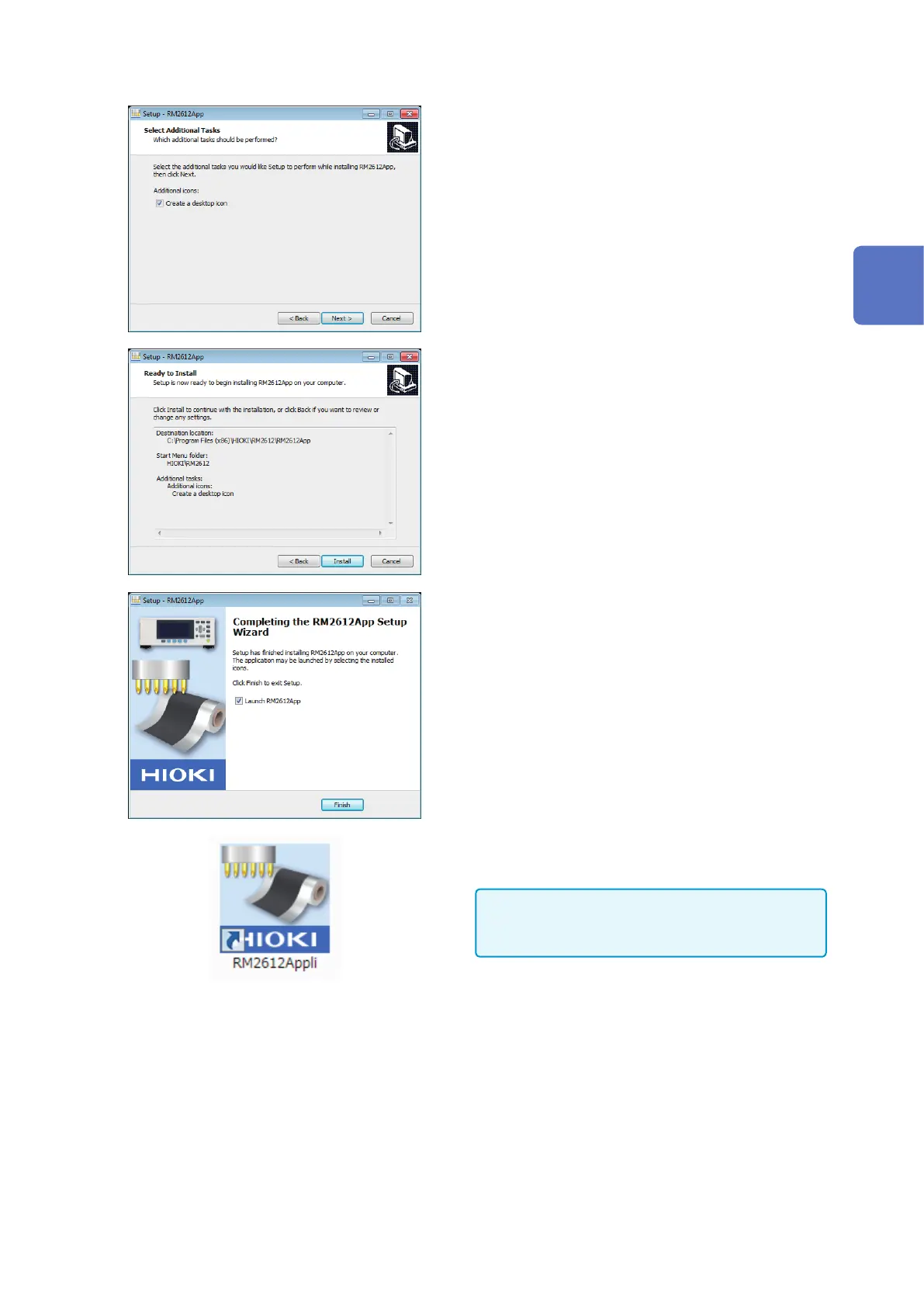
Choose [Create a desktop icon] and click
[Next].
9
Review the settings and click [Install].
The installation will continue.
10
Click [Finish].
An icon will be created on the desktop.
Installation is complete
IMPORTANT
The RM2612 Resistance Calculation Software will not
launch without a USB license key (p. 30).
Uninstalling the RM2612 Resistance Calculation Software
Uninstall the RM2612 Resistance Calculation Software if you no longer need it.
1
Choose [Start] button-[Control Panels]-[Uninstall Programs].
2
Right-click [RM2612App Version X.XX.XX].
3
Click [Uninstall] on the shortcut menu.
2
Preparing for Measurement



 To Next Page