40
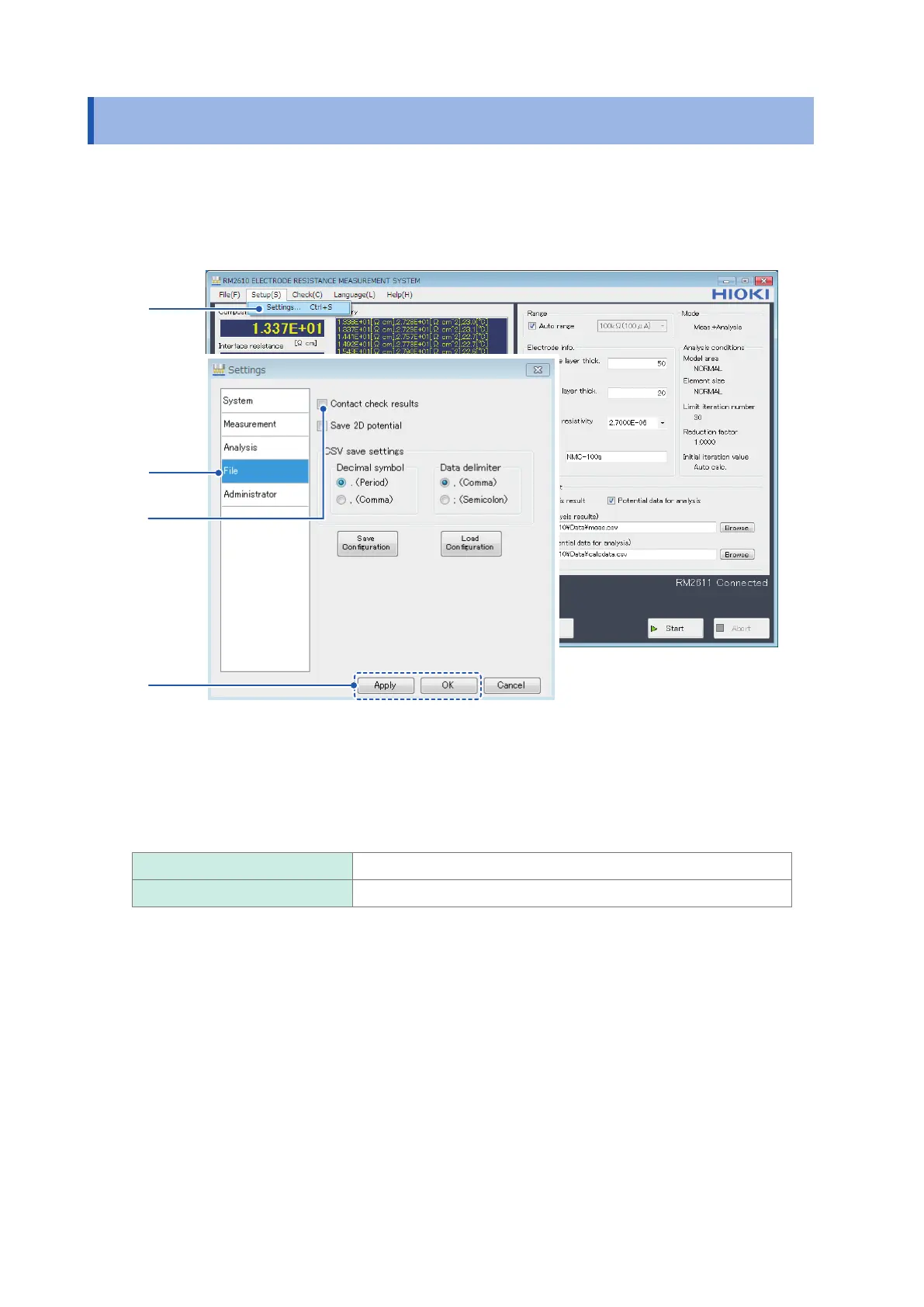
Saving Contact Check Results
3.4 Saving Contact Check Results
Contact check results can be output to a le. The lename is generated by adding “CC_” to the
beginning of the lename set as the analysis results path. Results will be appended to the le if
the name of an existing le is entered as the analysis results path. For more information about the
output format, see “7.3 Output File Formats” (p. 85).
1
2
3
4
1
Choose [Settings].
2
Choose [File].
3
Choose one of the following settings for [Contact check results]:
ON Save contact check results.
OFF
Do not save contact check results.
4
Click [Apply] or [OK] to accept the settings. (Clicking [OK] will cause you to return to the
main screen.)



 To Next Page