65
Setting Whether to Beep at Measurement Completion
4.14 Setting Whether to Beep at Measurement
Completion
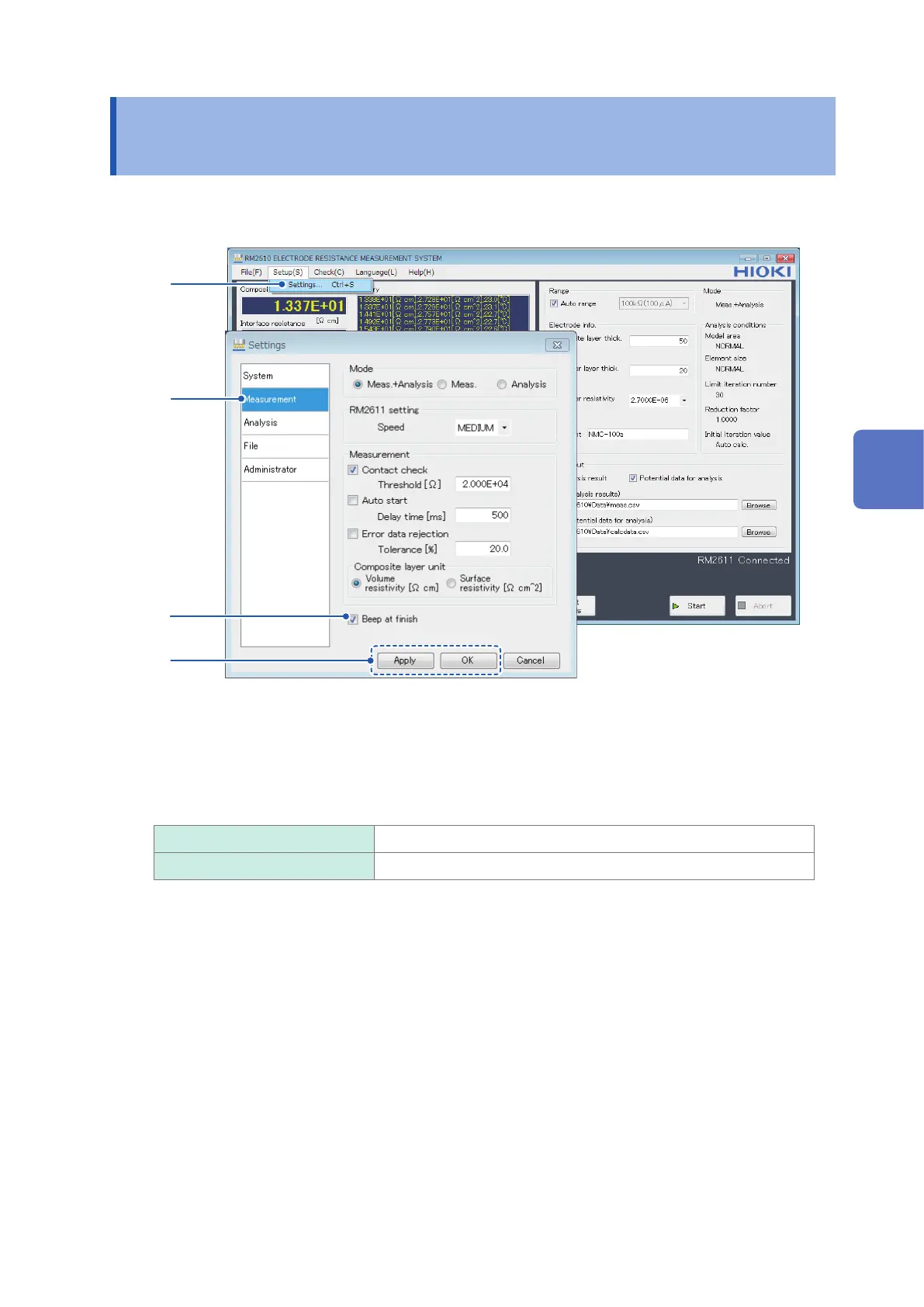
This section describes how to set whether to beep when measurement completes.
1
2
3
4
1
Choose [Settings].
2
Choose [Measurement].
3
Choose one of the following settings for [Beep at nish]:
ON Beep when measurement completes.
OFF
Do not beep when measurement completes.
4
Click [Apply] or [OK] to accept the settings. (Clicking [OK] will cause you to return to the
main screen.)
4
Customizing Measurement Conditions



 To Next Page